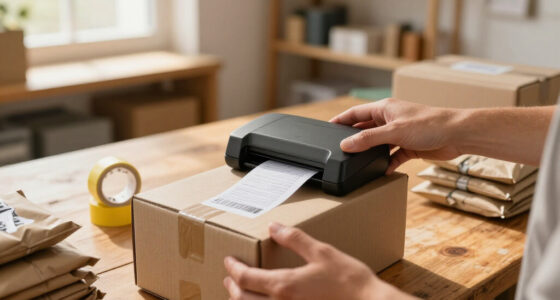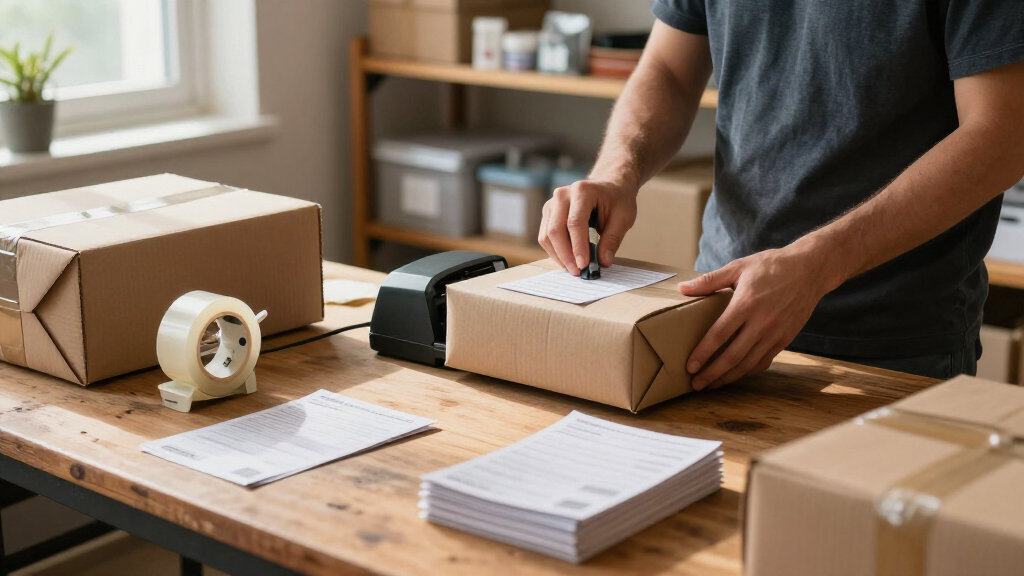
For most small businesses shipping orders and printing labels from a phone or computer, the Rollo USB 4×6 Thermal Shipping Label Printer is my best overall pick for its direct, shipping-focused setup. The Brother P-touch PT-D210 is a stronger choice for durable organization labels, while the SUPVAN E11 suits owners who want a keyboard and starter tapes in one compact package. The main tradeoff is between fast, roll-fed 4×6 shipping labels and smaller-format labels better suited to shelves, products, and supplies. Connectivity, label compatibility, and the number of label types you print each matter as much as headline speed. Read on for the full breakdown of all 15 options and how I’d match them to a small-business workflow.
Key Takeaways
- Shipping volume changes the shortlist: the Rollo USB is my overall choice for a computer-centered 4×6 workflow, while Bluetooth models such as the Phomemo 241BT and SVANTTO ST423 better fit phone-led printing.
- Shipping printers and label makers solve different problems: 4×6 thermal units are built around parcel labels, while the Brother PT-D210 and SUPVAN E11 make more sense for bins, product details, and everyday organization.
- Included supplies can help with setup, not long-term planning: the TYPONOS PM240, SUPVAN E11, and Brother PT-D210 bundles include labels or tapes, but buyers should check ongoing media compatibility before choosing.
- Bluetooth is not a substitute for checking workflow fit: phone compatibility, app requirements, and whether a model also connects to a computer can matter more than the presence of wireless printing alone.
- Compact specialty models have a narrower role: the NIIMBOT B1 and Ponek M100 suit smaller labels and portable tasks, while the Rollo, KNAON, JADENS, Rongta, SVANTTO, and NULLTONEX 4×6 models target shipping.
| SVANTTO ST423 Bluetooth Thermal Shipping Label Printer |  | Best for Flexible Shipping Setups | Printer type: Thermal | Print output: Monochrome | Label width: 1.57–4.3 inches | VIEW LATEST PRICE | See Our Full Breakdown |
| TYPONOS PM240 Thermal Label Maker with 3 Label Rolls, Black |  | Best for Small-Batch Product Labels | Printer type: Thermal | Print output: Monochrome, 203 × 203 DPI | Connectivity: Bluetooth and USB | VIEW LATEST PRICE | See Our Full Breakdown |
| Rollo USB 4×6 Thermal Shipping Label Printer |  | Best for Computer-Based Fulfillment | Printer type: Thermal, direct thermal | Connectivity: USB | Computer compatibility: Windows XP or newer; Mac 10.9 or newer | VIEW LATEST PRICE | See Our Full Breakdown |
| Phomemo 241BT Bluetooth Thermal Label Printer with 20 Labels |  | Best for Broad Device Compatibility | Printing technology: Direct thermal | Connectivity: Bluetooth, USB | Compatible systems: iOS, Android, Windows, Mac OS, Chrome OS, Linux | VIEW LATEST PRICE | See Our Full Breakdown |
| SUPVAN E11 Bluetooth Label Maker Machine with Keyboard and 4 Tapes |  | Best for On-the-Spot Organization | Battery capacity: 1200 mAh | Battery life: Up to 1 month per charge | Weight: 0.5 lb | VIEW LATEST PRICE | See Our Full Breakdown |
| SUPVAN T50M Pro Bluetooth Label Maker with Tape, Black |  | Best for Versatile Product and Inventory Labels | Connectivity: Bluetooth | Label width: 3/4–2 inches | App: Free; no registration required | VIEW LATEST PRICE | See Our Full Breakdown |
| Brother P-touch PT-D210 Label Maker Bundle with 4 Tapes |  | Best for Beginners Who Prefer On-Device Controls | Model: PT-D210 | Compatible tape widths: 3.5 mm, 6 mm, 9 mm, 12 mm | Fonts: 14 | VIEW LATEST PRICE | See Our Full Breakdown |
| KNAON Bluetooth Thermal Shipping Label Printer (4×6) |  | Best for Multi-Platform Shipping Workflows | Connectivity: Bluetooth, USB | Compatibility: iOS, Android, Windows 7+, macOS, ChromeOS, Linux | Print speed: Up to 180 mm/s | VIEW LATEST PRICE | See Our Full Breakdown |
| NIIMBOT B1 Portable Bluetooth Label Maker |  | Best Compact Pick for Small Product Labels | Printer type: Thermal | Connectivity: Bluetooth, USB | Compatibility: iOS, Android, laptops | VIEW LATEST PRICE | See Our Full Breakdown |
| JADENS Bluetooth Thermal Shipping Label Printer |  | Best for Flexible Fanfold and Roll Media | Print resolution: 203 DPI | Label width: 1.57–4.1 inches | Label types: Fanfold and roll labels | VIEW LATEST PRICE | See Our Full Breakdown |
| Ponek M100 Bluetooth Label Maker with Tape, 2-Inch, Black |  | Best for Flexible Product and Inventory Labels | Model: M100 | Printing technology: Direct thermal | Label width: 0.78–2 inches | VIEW LATEST PRICE | See Our Full Breakdown |
| KNAON Y41BT Bluetooth Thermal Shipping Label Printer |  | Best for Multi-Platform Shipping Workflows | Connectivity: Bluetooth via FlashLabel Pro app; USB | Compatible operating systems: iOS, Android, Windows 7 or later, macOS, ChromeOS, Linux | Supported platforms: Amazon, eBay, Shopify, USPS, UPS, Etsy, PayPal, Poshmark, DHL | VIEW LATEST PRICE | See Our Full Breakdown |
| Rongta Shipping Thermal Label Printer, Bluetooth 4×6 Sticker Label Maker |  | Best for Simple Wireless Shipping Setup | Brand: Rongta | Color: White | Connectivity: Bluetooth, USB | VIEW LATEST PRICE | See Our Full Breakdown |
| SVANTTO 4×6 Thermal Shipping Label Printer |  | Best for Fast Printing Across Mixed Label Sizes | Model: ST425 | Printer type: Thermal | Connectivity: Bluetooth 4.0 | VIEW LATEST PRICE | See Our Full Breakdown |
| NULLTONEX 4×6 Bluetooth Thermal Shipping Label Printer |  | Best Starter Kit for Small Online Sellers | Printing technology: Direct thermal | Resolution: 203 DPI | Print speed: Up to 150 mm/s (72 labels per minute) | VIEW LATEST PRICE | See Our Full Breakdown |
| label makers for small business | Connectivity |
|---|---|
| SVANTTO ST423 Bluetooth Therma | Bluetooth, USB |
| TYPONOS PM240 Thermal Label Ma | Bluetooth and USB |
| Rollo USB 4×6 Thermal Shipping | USB |
| Phomemo 241BT Bluetooth Therma | Bluetooth, USB |
| SUPVAN E11 Bluetooth Label Mak | Bluetooth |
| SUPVAN T50M Pro Bluetooth Labe | Bluetooth |
| Brother P-touch PT-D210 Label | — |
| KNAON Bluetooth Thermal Shippi | Bluetooth, USB |
| NIIMBOT B1 Portable Bluetooth | Bluetooth, USB |
| JADENS Bluetooth Thermal Shipp | Bluetooth, USB |
| Ponek M100 Bluetooth Label Mak | Bluetooth, USB |
| KNAON Y41BT Bluetooth Thermal | Bluetooth via FlashLabel Pro app; USB |
| Rongta Shipping Thermal Label | Bluetooth, USB |
| SVANTTO 4×6 Thermal Shipping L | Bluetooth 4.0 |
| NULLTONEX 4×6 Bluetooth Therma | Bluetooth and USB |
More Details on Our Top Picks
SVANTTO ST423 Bluetooth Thermal Shipping Label Printer
For a small shop that ships from a desk but also needs to print away from its computer, the SVANTTO ST423 offers a useful mix of Bluetooth and USB. Its 1.57–4.3-inch media range covers standard 4 × 6-inch shipping labels as well as narrower barcode and QR-code labels, giving it more shipping flexibility than the Rollo USB 4×6, which relies on a wired connection. Its compact footprint also suits a crowded packing area. The tradeoff is monochrome output, so it is for scannable shipping and identification labels, not colorful branding. The product details identify smartphone support but give little information about computer compatibility, making it a less certain fit for a computer-only workflow than the Rollo. A two-year warranty is a practical plus for a work tool.
Pros:- Bluetooth and USB provide phone and wired connection options.
- Supports media widths from 1.57 to 4.3 inches, including 4 × 6-inch shipping labels.
- Prints shipping labels, barcodes, and QR codes without ink.
- Compact dimensions suit a small packing desk.
Cons:- Monochrome printing cannot reproduce colored logos or product graphics.
- Computer platform compatibility is not clearly detailed in the supplied information.
- The stated print-speed figure is not accompanied by a measurement method or conditions.
Best for: Small online sellers who want to print 4 × 6 shipping labels from a phone or computer and need both Bluetooth and USB connection options.
Not ideal for: Businesses that need color branding or depend on a clearly documented computer operating-system setup.
- Printer type:Thermal
- Print output:Monochrome
- Label width:1.57–4.3 inches
- Maximum media size:4 × 6 inches
- Connectivity:Bluetooth, USB
- Compatible devices:Smartphones
- Dimensions:7.08 × 3.07 × 2.95 inches
- Warranty:2 years
Our verdict“Choose the ST423 if your small shop wants compact, phone-friendly shipping-label printing with USB as a backup, and skip it if documented computer support or color output is a priority.”
TYPONOS PM240 Thermal Label Maker with 3 Label Rolls, Black
The TYPONOS PM240 is the most ready-to-use choice here for a seller making short runs of product, storage, or packaging labels rather than a steady stream of 4 × 6 shipping labels. It arrives with three shapes and sizes of labels, while its Labelnize app adds templates, icons, Excel import, and batch printing—handy when a small inventory needs consistent identification. At 207 g with a rechargeable battery, it is easier to move between a stockroom and a packing table than the desktop-focused Rollo USB 4×6. That portability comes with limits: its labels are much smaller than shipping-label media, and reliable size detection and print quality depend on compatible TYPONOS labels. The supplied power adapter is also absent, and Bluetooth and USB cannot operate together.
Pros:- Includes three rolls in rectangular and round formats for different small-label tasks.
- App tools include templates, icons, Excel import, and batch printing.
- Rechargeable 1500 mAh battery and 207 g weight support portable use.
- Supports Bluetooth and USB connections to phones and PCs.
Cons:- Small-format media does not serve as a substitute for a standard 4 × 6 shipping-label printer.
- Reliable label-size detection and print quality rely on compatible TYPONOS labels.
- Power adapter is not included, and Bluetooth and USB cannot be used simultaneously.
Best for: Makers and small retailers who need portable, small-format labels for products, bins, or packaging and value app templates and batch printing.
Not ideal for: Online sellers who primarily print 4 × 6 shipping labels or want freedom to use a broad range of third-party media.
- Printer type:Thermal
- Print output:Monochrome, 203 × 203 DPI
- Connectivity:Bluetooth and USB
- Compatible devices:iOS and Android devices, PC
- Battery:1500 mAh rechargeable
- Weight:207 g
- Dimensions:3.33 × 4.63 × 2.32 inches
- Included labels:One roll each of 40 × 30 mm white rectangular, 50 × 80 mm white rectangular, and 50 mm pink round labels
- Compatible label types:1–2 inch square, round, and transparent labels
Our verdict“Pick the PM240 for portable, app-designed small-batch product labels, but choose a shipping-focused printer such as the SVANTTO ST423 for routine 4 × 6 fulfillment labels.”
Rollo USB 4×6 Thermal Shipping Label Printer
For a small business that processes orders at a computer, the Rollo USB 4×6 keeps the workflow direct: connect by USB, load a label, and print shipping or warehouse labels at up to 150 mm/s. Its listed Windows and Mac support is more specific than the SVANTTO ST423’s supplied compatibility details, which makes it easier to assess for a computer-based packing station. The 203 DPI resolution and auto label detection suit routine shipping and barcode work, while inkless printing avoids replacing ink or toner. The compromise is clear: this is a wired, monochrome desktop printer, not a portable Bluetooth option like the TYPONOS PM240. Its 4.1-inch maximum width also falls just short of some wider-media models, so buyers should match the printer to their label stock.
Pros:- USB connection and specified Windows and Mac compatibility suit computer-led fulfillment.
- Prints at up to 150 mm/s, listed as about one 4 × 6 label per second.
- Direct thermal printing needs no ink or toner.
- Auto label detection supports straightforward label loading.
Cons:- USB-only connectivity rules out wireless phone printing.
- Monochrome output is unsuitable for colored branding.
- Maximum label width is 4.1 inches, narrower than the Phomemo 241BT’s 4.6-inch support.
Best for: Small ecommerce teams that print shipping and warehouse labels from Windows or Mac computers at a fixed packing station.
Not ideal for: Sellers who need phone-based Bluetooth printing, portable operation, or media wider than 4.1 inches.
- Printer type:Thermal, direct thermal
- Connectivity:USB
- Computer compatibility:Windows XP or newer; Mac 10.9 or newer
- Print speed:Up to 150 mm/s, about one 4 × 6 label per second
- Resolution:203 × 203 DPI
- Supported label width:1.57–4.1 inches
- Print output:Monochrome
- Dimensions:4 × 8 × 4 inches (D × W × H)
- Warranty:Limited 1 year
Our verdict“Choose the Rollo for a fast, computer-connected shipping station, but choose the Phomemo 241BT if wireless printing or wider media matters more.”
Phomemo 241BT Bluetooth Thermal Label Printer with 20 Labels
The Phomemo 241BT makes the strongest case for a small business that wants one printer to work across phones and a varied mix of computers. It supports Bluetooth printing from iOS and Android, plus USB connections for Windows, Mac, Chrome OS, and Linux—a wider stated system range than the Rollo USB 4×6, which lists Windows and Mac support only. Its 1–4.6-inch media range also gives it more width headroom than the Rollo, while the listed 150 mm/s speed suits order-label batches. The included 20 labels help get a first job underway, but this is still a black-and-white thermal printer, not a tool for branded color stickers. Computer users must download a driver, so its broader compatibility still involves setup before printing.
Pros:- Bluetooth and USB support phone and computer workflows.
- Lists compatibility with iOS, Android, Windows, Mac OS, Chrome OS, and Linux.
- Supports label widths up to 4.6 inches, broader than the Rollo USB 4×6.
- Prints at up to 150 mm/s without ink or toner and includes 20 labels.
Cons:- Black-and-white output cannot print colored logos or artwork.
- Computer printing requires downloading a driver.
- The supplied information does not specify resolution or label-roll capacity.
Best for: Small businesses with mixed phones and computer operating systems that want one thermal printer for shipping and general-purpose labels.
Not ideal for: Businesses that need color graphics or want a computer printer that can be set up without downloading a driver.
- Printing technology:Direct thermal
- Connectivity:Bluetooth, USB
- Compatible systems:iOS, Android, Windows, Mac OS, Chrome OS, Linux
- Supported label width:1–4.6 inches
- Print speed:Up to 150 mm/s
- Print color:Black and white
- Included labels:20
Our verdict“Pick the Phomemo 241BT if your shop needs wireless phone printing and broad computer-system support, but look elsewhere for color output or driver-free setup.”
SUPVAN E11 Bluetooth Label Maker Machine with Keyboard and 4 Tapes
The SUPVAN E11 serves a different small-business job from the thermal shipping printers in this roundup: it makes tape labels for shelves, bins, supplies, and equipment rather than 4 × 6 carrier labels. Its built-in keyboard lets a user enter simple text at the device, while Bluetooth app access adds more elaborate layouts with over 30 fonts, 50 frames, and 660 icons. That split makes it more self-contained for quick stockroom labeling than the phone-dependent TYPONOS PM240, though the PM240 better suits small printed labels and batch work. The E11 includes four tapes, weighs 0.5 lb, and lists up to a month of battery life per charge. Its 0.2-inch margins can reduce wasted tape, but advanced editing requires Bluetooth and media is limited to compatible continuous or die-cut tapes.
Pros:- Built-in keyboard supports basic label entry without relying on app editing.
- App offers over 30 fonts, 50 frames, 660 icons, and 17 languages.
- Up to one month of listed battery life per charge supports mobile use around a shop.
- 0.2-inch margins can reduce wasted tape, and four tapes are included.
Cons:- Does not serve as a thermal shipping-label printer for standard 4 × 6 labels.
- Advanced customization requires a Bluetooth connection and app access.
- Limited to compatible continuous and die-cut tape types.
Best for: Small retailers and makers who need quick, portable tape labels for shelves, storage bins, tools, and back-room organization.
Not ideal for: Online sellers seeking 4 × 6 shipping labels, barcode-focused fulfillment, or a label maker with advanced editing available without a phone.
- Battery capacity:1200 mAh
- Battery life:Up to 1 month per charge
- Weight:0.5 lb
- Dimensions:5.7 × 2.9 × 1.3 inches
- Print margin:0.2 inches
- Connectivity:Bluetooth
- Included accessories:4 tapes
- App features:30+ fonts, 50+ frames, 660+ icons, 17 languages
Our verdict“Choose the E11 for portable shelf and equipment labeling with keyboard entry, but choose a shipping printer such as the SVANTTO ST423 for carrier labels and fulfillment.”
SUPVAN T50M Pro Bluetooth Label Maker with Tape, Black
The T50M Pro suits small businesses that need more than basic file or address labels: it handles widths from 3/4 to 2 inches and supports formats for jewelry, cables, round labels, and more. Its app offers a broad design toolkit, so a seller can tailor labels for different products without buying separate machines. Unlike the Brother PT-D210, which has a built-in display and physical controls, the T50M Pro depends on a phone app for designing and printing. That app-based workflow brings more flexible layout options, but it also makes a Bluetooth connection part of every print job. It prints without ink or toner, though the supplied information does not specify printing speed or battery details. I’d choose it for varied, small-format labeling—not as a substitute for a dedicated 4×6 shipping printer.
Pros:- Supports label widths from 3/4 to 2 inches for varied small-business uses.
- Works with square, round, address, cable, jewelry, and file labels.
- Free app includes more than 30 fonts, 50 frames, and 660 icons.
- Ink- and toner-free printing avoids cartridge replacement.
Cons:- Design and printing rely on the app rather than controls on the printer.
- Bluetooth is required for the stated mobile workflow.
- Its maximum 2-inch label width does not suit standard 4×6 shipping labels.
Best for: Small-shop owners who make product, jewelry, cable, or inventory labels in several shapes and widths and are comfortable designing from a phone.
Not ideal for: Businesses that need 4×6 shipping labels, want to print without a phone, or prefer a device with built-in label controls.
- Connectivity:Bluetooth
- Label width:3/4–2 inches
- App:Free; no registration required
- Customization:30+ fonts, 50+ frames, 660+ icons
- Printing:No ink or toner required
- Compatible label types:Square, round, address, cable, jewelry, and file labels
- Color:Black
Our verdict“Choose the T50M Pro if your shop needs flexible, custom small-format labels and you’re happy to print through a Bluetooth app.”
Brother P-touch PT-D210 Label Maker Bundle with 4 Tapes
The PT-D210 is the straightforward pick for a business that needs occasional shelf, bin, or file labels without building every design on a phone. Its preview display lets you check a label before printing, and its fonts, frames, symbols, and templates give new users room to personalize without much setup. The bundle includes four black-on-white tapes, which makes it easier to start than a device sold without supplies. Compared with the SUPVAN T50M Pro, the Brother offers a more self-contained workflow and clearer on-device preview, but its compatible tape widths stop at 12 mm, so it is less suited to larger product labels. It also uses six AAA batteries, sold separately, unless you add the optional AC adapter. I’d favor it for simple, repeatable labeling over app-driven design variety.
Pros:- Display previews labels before printing.
- Includes four black-on-white tapes, including three full-length tapes.
- Offers 14 fonts, 10 styles, 98 frames, over 600 symbols, and 27 templates.
- Portable design works at a desk or away from one.
Cons:- Six AAA batteries are sold separately.
- Optional AC adapter and protective case add to the setup requirements.
- Tape widths top out at 12 mm, limiting larger product and package labels.
Best for: New shop owners who need legible shelf, file, and storage labels and want to create them directly on a portable device.
Not ideal for: Sellers who need wide product labels, phone-based design flexibility, or a ready-to-run setup with power included.
- Model:PT-D210
- Compatible tape widths:3.5 mm, 6 mm, 9 mm, 12 mm
- Fonts:14
- Styles and frames:10 styles; 98 frames
- Symbols and templates:Over 600 symbols; 27 templates
- Power:Six AAA batteries (sold separately) or optional AD-24 AC adapter
- Included tapes:Four black-on-white tapes: one sample and three full-length
Our verdict“Pick the PT-D210 if you want a beginner-friendly, self-contained label maker for narrow organizational labels rather than broad product or shipping labels.”
KNAON Bluetooth Thermal Shipping Label Printer (4×6)
For an online seller juggling several devices or operating systems, the KNAON stands out for its Bluetooth and USB connectivity and stated support for iOS, Android, Windows, Mac, ChromeOS, and Linux. Its 1.5-to-4.2-inch paper range reaches standard shipping-label territory while leaving room for smaller barcode or DIY formats. The FlashLabel Pro app and its template library support varied label creation, and the listed speed of up to 180 mm/s may help when fulfillment gets busy. Compared with the JADENS Bluetooth Thermal Shipping Label Printer, KNAON names more operating systems and has a slightly wider stated paper range; JADENS, by contrast, specifies fanfold and roll media and includes a one-year warranty. KNAON’s Bluetooth workflow requires its dedicated app, while ChromeOS needs a separate extension, so broad compatibility comes with extra setup steps.
Pros:- Lists compatibility with iOS, Android, Windows, Mac, ChromeOS, and Linux.
- Bluetooth and USB provide two connection options.
- Paper widths from 1.5 to 4.2 inches cover shipping and smaller label tasks.
- Print speed is listed at up to 180 mm/s.
Cons:- Bluetooth printing requires the FlashLabel Pro app rather than direct system pairing.
- ChromeOS users need a separate extension.
- The supplied information lists 10 test papers but does not specify a longer-term media bundle.
Best for: Online sellers who ship from a mix of phones and computers and want one compact printer for shipping, barcode, and DIY labels.
Not ideal for: ChromeOS users seeking plug-and-play setup or businesses that want direct Bluetooth pairing without a dedicated app.
- Connectivity:Bluetooth, USB
- Compatibility:iOS, Android, Windows 7+, macOS, ChromeOS, Linux
- Print speed:Up to 180 mm/s
- Paper width:1.5–4.2 inches
- Dimensions:7.17 × 3.9 × 3.43 inches
- Software:FlashLabel Pro App
- Included accessories:10 test printing papers
Our verdict“Choose the KNAON if your shop needs a compact shipping printer that can serve multiple operating systems and you can accommodate its app and ChromeOS setup requirements.”
NIIMBOT B1 Portable Bluetooth Label Maker
The NIIMBOT B1 makes the most sense for a small business that needs portable, narrow labels for containers, stock bins, or product details—not shipping labels. At 293 g with a built-in rechargeable battery, it is easy to move between a packing table and storage area, and the two included rolls let a buyer start with 1.18-inch white labels. Its app can detect label size and offers customization, while 203 dpi thermal printing avoids ink cartridges. Compared with the wider-format SUPVAN T50M Pro, the B1 is more compact and includes a rechargeable battery, but its supplied media is narrower and the described compatibility centers on iOS and Android. The listing also says it is not compatible with tablets and requires charging before first use, which limits convenience for teams that rely on shared tablets.
Pros:- Compact body weighs 293 g and includes a built-in rechargeable battery.
- Thermal printing requires no ink.
- App supports label-size auto-detection and customization.
- Includes two 1.18-inch white label rolls.
Cons:- Not compatible with tablets, according to the product information.
- Requires charging before first use.
- The included 1.18-inch rolls are not suited to standard shipping labels.
Best for: Solo makers and microbusiness owners who need a compact, rechargeable printer for small product, storage, or inventory labels from a phone.
Not ideal for: Businesses that need 4×6 shipping labels, tablet-based operation, or broad desktop operating-system support.
- Printer type:Thermal
- Connectivity:Bluetooth, USB
- Compatibility:iOS, Android, laptops
- Print resolution:203 dpi
- Weight:293 g
- Dimensions:2.4 × 3.6 × 5.2 inches
- Battery:1500 mAh rechargeable
- Included accessories:Two 1.18-inch white label rolls
Our verdict“Choose the NIIMBOT B1 for portable, phone-designed small labels, but skip it if your business needs shipping-label width or tablet support.”
JADENS Bluetooth Thermal Shipping Label Printer
The JADENS is aimed at businesses that print shipping labels in volume and want flexibility in how labels are loaded. Its 1.57-to-4.1-inch width range supports common shipping formats, while compatibility with both fanfold and roll labels gives a shop more choice in its media setup. Thermal printing avoids ink and toner, and USB provides a direct connection option alongside Bluetooth. Compared with the KNAON Bluetooth Thermal Shipping Label Printer, JADENS specifies support for both media formats and includes a one-year warranty, while KNAON lists a faster maximum print speed and broader operating-system compatibility. The tradeoff is that phone and tablet printing requires the JADENS app, and Bluetooth is not direct; desktop Bluetooth support is specified for compatible Windows and Mac computers. This is a better fit for a defined shipping station than a general-purpose label maker.
Pros:- Supports both fanfold and roll labels.
- Prints at 203 DPI without ink or toner.
- Offers Bluetooth and USB connectivity, with specified operating-system support.
- Includes a one-year warranty and setup resources.
Cons:- Phones and tablets require the JADENS app.
- Bluetooth printing is not supported directly.
- Its 4.1-inch maximum width is slightly narrower than the KNAON’s stated 4.2-inch maximum.
Best for: Small online retailers who print shipping labels at a fixed packing station and want a choice between fanfold and roll supplies.
Not ideal for: Sellers who expect direct Bluetooth printing from any phone or tablet, or need a compact device for varied small-format labels.
- Print resolution:203 DPI
- Label width:1.57–4.1 inches
- Label types:Fanfold and roll labels
- Connectivity:Bluetooth, USB
- Wireless compatibility:Bluetooth on Windows 8 or later and Mac; JADENS app on iOS and Android
- USB compatibility:Windows 7 or later and Mac OS 10.9 or later
- Warranty:1 year
Our verdict“Pick the JADENS for a small-business shipping station that values media-format flexibility and USB backup over direct mobile Bluetooth printing.”
Ponek M100 Bluetooth Label Maker with Tape, 2-Inch, Black
The Ponek M100 suits small businesses that need more than standard 4×6 shipping labels. Its adjustable 0.78–2-inch label width works for product details, bins, and small inventory tags, while Bluetooth and USB let staff design from a phone or print from a PC. Compared with the shipping-focused KNAON Y41BT, the M100 is better suited to varied, narrower business labels, not high-volume carrier labels. The app’s templates, icons, and fonts offer plenty of room to tailor designs, but some templates require a paid membership, so the headline selection may not all be available without added cost. Its compact, inkless design and stated capacity of up to 4,200 labels per charge favor mobile work; the tradeoff is a slower 20 mm/s print speed and a required full charge before first use.
Pros:- Supports label widths from 0.78 to 2 inches for product and inventory uses
- Connects to Android and iOS devices by Bluetooth and to PCs by USB
- Direct thermal printing avoids ink and toner
- Lightweight design with a stated capacity of up to 4,200 labels per charge
Cons:- Print speed of 20 mm/s is modest for frequent batch jobs
- Some app templates require a premium membership
- Requires a full charge before first use
Best for: Small retailers and makers who need portable, customized product, shelf, or inventory labels up to 2 inches wide.
Not ideal for: Online sellers who mainly print 4×6 carrier labels or need fast batch printing; its maximum width and 20 mm/s speed are a mismatch.
- Model:M100
- Printing technology:Direct thermal
- Label width:0.78–2 inches
- Connectivity:Bluetooth, USB
- Compatibility:Android, iOS, PC
- Print resolution:203 DPI
- Print speed:20 mm/s
- Weight:0.6 lbs
- Battery capacity:Up to 4,200 labels per charge
Our verdict“Choose the Ponek M100 for portable, customizable narrow business labels, not for rapid 4×6 shipping workflows.”
KNAON Y41BT Bluetooth Thermal Shipping Label Printer
The KNAON Y41BT is built around shipping volume and broad compatibility: it supports common selling and carrier platforms, a wide range of operating systems, and media up to 4.41 inches wide. Its claimed 180 mm/s speed gives it a practical advantage over the narrower, 20 mm/s Ponek M100 when a small shop is processing batches of orders. Bluetooth printing runs through the FlashLabel Pro app, while USB offers a computer connection. That flexibility comes with a workflow wrinkle: shipping labels must be saved as PDFs and imported into the app rather than sent directly in a single step. The compact body and included test papers are useful for getting started, but buyers who want straightforward product-label design may prefer the M100’s broader small-label focus.
Pros:- Supports Bluetooth through FlashLabel Pro and USB from compatible computers
- Works with a broad list of sales and shipping platforms
- Supports iOS, Android, Windows, macOS, ChromeOS, and Linux
- Prints at up to 180 mm/s and includes 20 test printing papers
Cons:- Bluetooth printing requires the FlashLabel Pro app
- Shipping labels must be saved as PDFs and imported into the app
- Its shipping-oriented format is less tailored to small product and inventory labels than the Ponek M100
Best for: Small online sellers printing carrier labels across platforms and operating systems who can work with a PDF-to-app process.
Not ideal for: Retailers focused on narrow product or shelf labels, or sellers who want to print shipping labels directly without importing PDFs into an app.
- Connectivity:Bluetooth via FlashLabel Pro app; USB
- Compatible operating systems:iOS, Android, Windows 7 or later, macOS, ChromeOS, Linux
- Supported platforms:Amazon, eBay, Shopify, USPS, UPS, Etsy, PayPal, Poshmark, DHL
- Print speed:Up to 180 mm/s
- Supported paper width:1.38–4.41 inches
- Dimensions:7.2 × 3.15 × 2.65 inches
- Included accessories:20 test printing papers
Our verdict“Pick the KNAON Y41BT if your business ships across several platforms and accepts its app-based PDF workflow.”
Rongta Shipping Thermal Label Printer, Bluetooth 4×6 Sticker Label Maker
The Rongta Shipping Thermal Label Printer covers the core needs of a small shipping operation: Bluetooth for mobile devices, USB for computers, inkless thermal printing, and support for 4×6 labels and other sizes. That makes it more directly suited to carrier labels than the Ponek M100, which tops out at 2 inches, while offering less documented detail than the KNAON Y41BT about printing speed, media range, and platform support. Its compatibility with Windows, macOS, Android, and iOS gives a small team room to print from different devices. The tradeoff is that setup requires a specific app or driver, and the product data does not specify resolution or print speed, making it harder to judge for demanding daily batches. Monochrome thermal output also rules out color-coded labels.
Pros:- Bluetooth supports printing from mobile devices
- USB connection provides a computer-based printing option
- Thermal printing works without ink or toner
- Supports 4×6 and multiple label sizes across major operating systems
Cons:- Setup requires installation of a specific app or driver
- Print speed and resolution are not specified in the provided product data
- Thermal output is monochrome, unlike workflows that rely on color-coded labels
Best for: Small shops that want Bluetooth or USB printing for 4×6 shipping labels from phones or computers and do not need color.
Not ideal for: Businesses that need documented high-speed output, detailed technical benchmarks, or color labels for product differentiation.
- Brand:Rongta
- Color:White
- Connectivity:Bluetooth, USB
- Printing technology:Thermal (inkless)
- Compatible operating systems:Windows, macOS, Android, iOS
- Label size support:4×6 and multiple sizes
Our verdict“Choose Rongta for straightforward wireless and USB shipping-label capability if you do not need published speed specifications or color.”
SVANTTO 4×6 Thermal Shipping Label Printer
The SVANTTO ST425 balances shipping throughput with flexibility beyond a single 4×6 format. It prints at up to 180 mm/s and accepts labels from 1.5 to 4.2 inches wide, so a business can handle carrier labels alongside narrower operational stickers. Its 203 DPI resolution and stated 50 km printhead life provide useful reference points for buyers planning repeat use. Compared with the NULLTONEX, SVANTTO offers a faster listed print speed and a wider range of stated label sizes, while NULLTONEX includes starter labels and setup cables. SVANTTO supports Bluetooth across phones and computers and works with major sales and shipping platforms, but it remains a monochrome, simplex printer. Businesses that need color branding or two-sided output should look elsewhere.
Pros:- Prints at up to 180 mm/s for faster shipping batches
- Supports label widths from 1.5 to 4.2 inches, including third-party thermal labels
- 203 DPI resolution and a stated 50 km printhead life
- Bluetooth support and compatibility with major sales and shipping platforms
Cons:- Monochrome printing cannot produce color branding or color-coded labels
- Simplex printing only
- Maximum media size is 4×6 inches
Best for: Small ecommerce teams that print frequent shipping batches and want one thermal printer for 4×6 labels plus narrower media.
Not ideal for: Businesses that need color packaging labels, two-sided printing, or media wider than 4.2 inches.
- Model:ST425
- Printer type:Thermal
- Connectivity:Bluetooth 4.0
- Print speed:Up to 180 mm/s
- Print resolution:203 DPI
- Label size range:1.5–4.2 inches (30–108 mm)
- Maximum media size:4×6 inches
- Printer dimensions:5 × 7.99 × 4 inches
- Printhead life:50 km
Our verdict“Choose the SVANTTO ST425 for fast monochrome shipping labels across several media widths, but skip it if color or duplex output matters.”
NULLTONEX 4×6 Bluetooth Thermal Shipping Label Printer
The NULLTONEX 4×6 makes a practical starting point for a small seller who wants the main setup pieces in one box: the printer, power cord, USB cable, and 25 thermal labels. It prints at up to 150 mm/s, which is below the SVANTTO ST425 and KNAON Y41BT’s listed 180 mm/s, but can suit a modest daily order queue. The 203 DPI direct thermal output avoids ink and toner, and Bluetooth plus USB accommodates both phone-based and computer-based workflows. Its 1.57–4.3-inch width range is broader than the Ponek M100’s, though this model is oriented toward shipping rather than the M100’s narrower product-label work. Bluetooth printing requires FlashLabel Pro, and monochrome output limits branding options.
Pros:- Includes power cord, USB cable, and 25 4×6 thermal labels
- Direct thermal printing requires no ink or toner
- Bluetooth and USB provide mobile and computer connection options
- Supports label widths from 1.57 to 4.3 inches
Cons:- Up to 150 mm/s is slower than the 180 mm/s listed for SVANTTO ST425 and KNAON Y41BT
- Bluetooth printing requires the FlashLabel Pro app
- Black-and-white output does not support color branding
Best for: New or small-volume online sellers who want a 4×6 shipping printer with starter labels and both Bluetooth and USB connections.
Not ideal for: High-volume shippers seeking the fastest listed printing, or retailers who need color labels and product-focused design tools.
- Printing technology:Direct thermal
- Resolution:203 DPI
- Print speed:Up to 150 mm/s (72 labels per minute)
- Connectivity:Bluetooth and USB
- Supported label width:1.57–4.3 inches
- Print color:Black and white
- App:FlashLabel Pro
- Included accessories:Power cord, USB cable, and 25 4×6-inch thermal labels
Our verdict“Pick the NULLTONEX as a ready-to-start shipping-label setup for a small order queue, not as a high-throughput or color-label printer.”

How We Picked
I ranked these label makers for small business by how well their format and connection options fit common work: printing parcel labels, marking products, and organizing stock. I gave the strongest placement to models with a clear role and a plausible path into a repeatable workflow, rather than treating every thermal printer as interchangeable. That distinction matters because a 4×6 shipping printer does not replace a compact tape or product-label maker.
I also weighed ease of setup, everyday usability, included supplies, versatility, and likely maintenance needs. Models with USB or Bluetooth options may suit different device habits, while bundled rolls or tapes can reduce initial setup friction but do not prove broad media compatibility. The ranking favors clear use cases and practical flexibility; models aimed at similar shipping tasks sit lower when their role overlaps with stronger or more distinctive choices. Product specifications and seller-provided details should be checked for your device, label size, and software before purchase.
| label makers for small business | Connectivity |
|---|---|
| SVANTTO ST423 Bluetooth Therma | Bluetooth, USB |
| TYPONOS PM240 Thermal Label Ma | Bluetooth and USB |
| Rollo USB 4×6 Thermal Shipping | USB |
| Phomemo 241BT Bluetooth Therma | Bluetooth, USB |
| SUPVAN E11 Bluetooth Label Mak | Bluetooth |
| SUPVAN T50M Pro Bluetooth Labe | Bluetooth |
| Brother P-touch PT-D210 Label | — |
| KNAON Bluetooth Thermal Shippi | Bluetooth, USB |
| NIIMBOT B1 Portable Bluetooth | Bluetooth, USB |
| JADENS Bluetooth Thermal Shipp | Bluetooth, USB |
| Ponek M100 Bluetooth Label Mak | Bluetooth, USB |
| KNAON Y41BT Bluetooth Thermal | Bluetooth via FlashLabel Pro app; USB |
| Rongta Shipping Thermal Label | Bluetooth, USB |
| SVANTTO 4×6 Thermal Shipping L | Bluetooth 4.0 |
| NULLTONEX 4×6 Bluetooth Therma | Bluetooth and USB |
Factors to Consider When Choosing Label Makers For Small Business
Before choosing a model, I’d map the labels you actually print to the device and supplies that produce them. Small businesses often buy a shipping printer for tasks that need smaller product labels—or choose a compact label maker that cannot handle parcel labels. These decisions can affect packaging speed, replenishment, and how easily another person can take over the workflow.
Match the Label Format to the Job
Start by listing the physical labels you need: carrier labels, product stickers, shelf markers, or storage tags. A 4×6 shipping printer is designed around the common parcel-label format, while a tape-based unit produces narrower labels for bins and equipment. Do not assume one device will cover both jobs just because each product is called a label maker. If product labels need a particular finish, adhesive, or shape, check whether the printer supports that media before buying. A small business with both shipping and inventory needs may be better served by two purpose-built devices than one awkward compromise. Leave room for future label types, but avoid paying for flexibility you have no plan to use.
Choose Connectivity Around the Actual Workstation
Think about where orders are created and who prints them. USB can make sense at a fixed packing desk, while Bluetooth may suit a phone-led setup or a workspace where the printer moves between stations. A wireless connection alone does not tell you whether the printer works with your operating system, shipping platform, or preferred app. Confirm those details, including whether initial setup requires a computer or account. If several employees will print, consider how access and saved templates will work across devices. A little compatibility checking before purchase can prevent a printer from becoming a single-user bottleneck.
Check Media Compatibility Before Committing
Look beyond the sample roll or tape included in a bundle and identify which replacements the printer accepts. Some businesses value a wide choice of sizes and materials; others prefer a simple supply routine using one standard label. Check roll width, core or loading requirements, adhesive type, and whether labels are supplied on rolls or fanfold stacks. A low-friction refill process matters when packing volume rises or the printer sits in a busy area. Avoid stockpiling labels until you have confirmed the exact media specifications. If your labels carry brand colors or detailed product information, verify whether the printing method suits that visual requirement.
Estimate Workload, Not Just Peak Speed
Estimate how many labels you print on an ordinary day and how often seasonal peaks occur. Occasional parcel batches may not justify a more elaborate setup, while repeated order runs make loading, connection stability, and accessible supplies more important. Ask who will clear a jam, change a roll, or reconnect the printer if a device drops offline. Those small interruptions can outweigh a speed claim when several people share the packing station. For a growing operation, leave space for the printer and its rolls near the shipping materials. Choose for the busiest realistic week, not an imagined volume that may never arrive.
Decide Whether You Need One Device or Two
A shipping printer and a general-purpose label maker serve different parts of a small-business workflow. One handles parcel labels; another may be more suitable for shelf locations, storage bins, or short product identifiers. Trying to cover both jobs with one printer can lead to compromises in size, supplies, or software. A second device adds counter space and another refill type, so it makes sense only if those labeling tasks are regular. If your business is still small, begin with the most frequent task and add a specialized tool when the gap becomes clear. Keep design consistency in mind if customers will see labels from more than one device.
Treat Starter Bundles as Setup Help, Not a Supply Plan
Included tapes or labels can help you print a first batch and check whether a format works for your needs. They do not reveal how easy replacement supplies will be to source or whether the bundled media matches every intended task. Before buying, compare the label dimensions and material with your packaging, products, and printer software. Consider how quickly you can reorder supplies and where you will store them. A bundle is most useful when it gives you a practical test of the printer’s main job, not when extra rolls distract from a format mismatch. Keep the packaging and model details until you have confirmed a dependable refill option.
Frequently Asked Questions
Should I buy a 4×6 shipping printer or a general label maker for my small business?
Choose a 4×6 printer if your main job is printing parcel labels for outgoing orders. A general label maker is better suited to tasks such as marking shelves, bins, or supplies, depending on its supported media. These formats are not interchangeable, so a shipping printer may not create the smaller labels your products need. If both jobs happen every week, compare the cost and space of owning two devices against the inconvenience of compromises. I’d start with the task that consumes the most time and add a second format only when the need is clear.
Is Bluetooth worth choosing over USB for a shipping-label printer?
Bluetooth is useful when you print from a phone or need to place the printer away from a fixed computer. USB can be a simpler fit for a dedicated packing station where one computer handles orders. Neither connection guarantees compatibility with your shipping service, device, or operating system, so verify those points before purchase. Also check whether the printer can connect to more than one device and how pairing works after a restart. Choose based on the device your team actually uses to buy and fulfill postage, not on wireless capability alone.
Can thermal label printers replace inkjet printing for product labels?
Thermal printers avoid ink cartridges, which can simplify printing recurring black text or shipping information. That does not make every thermal model suitable for retail product labels. Check the printer’s supported label media and whether its output meets your needs for color, appearance, and product information. Some product labels need branding or visual detail that a shipping-focused thermal printer may not provide. If the label is customer-facing, test the intended size and stock before standardizing your packaging around it.
How can I tell whether a label maker will work with my shipping software?
Check the product’s supported operating systems and connection methods against the computer or phone used to manage orders. Then confirm whether your shipping platform can print to that printer and at the label dimensions it supports. Bluetooth or USB compatibility by itself does not confirm that a particular service will recognize the device. Look for setup instructions or a compatibility list from the manufacturer, and check whether any app or driver is required. If your business depends on a single platform, treat documented support for that platform as a purchase requirement.
Should I choose a bundle with labels or buy the printer and supplies separately?
A bundle can help you get started and test the printer’s basic output without sourcing media before the first print. Its value depends on whether the included labels match the size and material you plan to use. Before choosing, identify replacement stock and confirm its loading requirements, since recurring supply access matters more than the starter quantity. Buying supplies separately can make sense if you already know the exact format your workflow needs. Avoid choosing a printer solely because it includes extra labels when its connectivity or media range does not fit your operation.
Conclusion
For most small businesses focused on parcel fulfillment, I recommend the Rollo USB 4×6 as best overall, with the Phomemo 241BT or SVANTTO ST423 worth a closer look if Bluetooth fits your device habits. The Rollo is also my best-value direction for a straightforward computer-based shipping workflow, while the Brother P-touch PT-D210 is my best pick for beginners who need an approachable tool for organization labels rather than parcel printing. For a more premium-leaning shipping setup, compare the Rollo with the Rongta or KNAON Y41BT against your device and media requirements; the product names alone do not establish a premium advantage. Choose the SUPVAN E11 if a built-in keyboard and included tapes suit your labeling tasks, or the NIIMBOT B1 and Ponek M100 for smaller-format portable work. Before ordering, confirm label dimensions, software compatibility, and replacement supplies so the printer matches the job you need done.