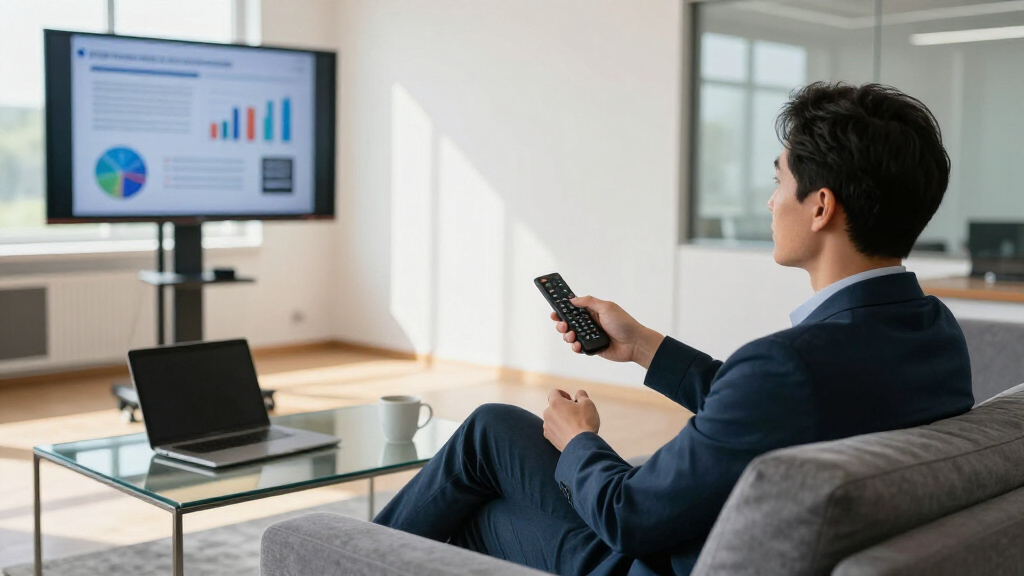

A business presentation remote needs to do three things reliably: advance slides without lag, put a visible pointer on screen, and survive being tossed into a laptop bag. After comparing 15 models, the Logitech Spotlight 2 stands out as the best overall pick thanks to its haptic feedback, precise on-screen pointer, and premium build. The Logitech R800 is the strongest traditional option with a green laser that stays visible on bright projectors, while budget models like the Norwii N95s prove you can get dependable performance under $30. The main tradeoff in this category is between smart remotes with gesture control and app-level features, and simple plug-and-play clickers that never need troubleshooting minutes before a pitch. Keep reading for the full breakdown, including which models struggled with range and which earned their premium price.
Key Takeaways
- Logitech’s lineup dominated the top spots because of superior range consistency, but the price gap between the Spotlight 2 and basic clickers is over $100 — most presenters only need the basics done reliably.
- Green laser models (the R800) outperformed red laser pointers on bright screens and large venue projectors, while red lasers were adequate for dim conference rooms.
- Several budget clickers under $25 duplicated each other almost identically; the differentiators were receiver storage, USB-C support, and whether volume controls actually worked across operating systems.
- Air mouse models like the DINOSTRIKE add flexibility for non-slide decks but demand a learning curve that makes them risky for time-critical presentations.
- Hyperlink and volume support varied widely — presenters who embed videos or links in decks should verify OS compatibility before buying, since several generic models only supported these features on Windows.
| Presentation Clicker with USB-A & USB-C Receiver, 2.4GHz Wireless Remote |  | Best for Modern Laptops | Connectivity: 2.4GHz RF wireless | Receiver: Built-in USB-A and USB-C | Maximum Range: 20 meters (about 65 feet realistic) | VIEW LATEST PRICE | See Our Full Breakdown |
| Logitech Wireless Presenter R400 USB PowerPoint Clicker with Laser |  | Best Budget Pick | Wireless Technology: 2.4GHz RF | Laser Pointer: Class 2 red laser | Range: Up to 50 feet | VIEW LATEST PRICE | See Our Full Breakdown |
| Logitech Spotlight Presentation Remote Universal Wireless |  | Best Premium Pick | Connectivity: USB-A receiver and Bluetooth Smart | Range: 30 meters (100 feet) | Battery Life: Up to 3 months per charge | VIEW LATEST PRICE | See Our Full Breakdown |
| QUI Presentation Clicker with Volume Control, Wireless Presenter Remote |  | Best Value for Feature Count | Connectivity: 2.4GHz USB plug-and-play | Maximum Range: 328 feet | Buttons: 6, including volume control | VIEW LATEST PRICE | See Our Full Breakdown |
| QUI Presentation Clicker with Volume Control, Purple |  | Best for Multi-Platform Classrooms | Connectivity: USB plug-and-play | Maximum Range: 328 feet | Buttons: 6, including volume control | VIEW LATEST PRICE | See Our Full Breakdown |
| Wireless Presentation Clicker Remote for PowerPoint, Presenter with Laser Pointer |  | Best for Large Conference Rooms | Range: 98FT/30M (clicker), 328FT/100M (laser pointer) | Connectivity: Radio Frequency, 2.4GHz | Compatibility: Windows 2003–10, Mac OS, Linux | VIEW LATEST PRICE | See Our Full Breakdown |
| DINOSTRIKE Wireless Presenter Remote with Air Mouse Control, Rechargeable USB Presentation Clicker |  | Best Feature-Rich Value | Functions: Full screen, page navigation, volume, air mouse, hyperlink, window switch | Range: 164 ft wireless, 656 ft laser | Battery: 300 mAh rechargeable lithium polymer | VIEW LATEST PRICE | See Our Full Breakdown |
| Logitech Wireless Presenter R800 PowerPoint Clicker with Green Laser |  | Best Premium Pick | Laser Color: Green | Range: 100 feet (30 meters) | Wireless Technology: 2.4 GHz | VIEW LATEST PRICE | See Our Full Breakdown |
| Presentation Clicker for PowerPoint, Wireless Presenter Remote with Laser |  | Best Basic Backup | Range: 98FT/30M (clicker), 328FT/100M (laser) | Connectivity: Radio Frequency | Compatibility: Windows 2003–10, Mac OS, Linux | VIEW LATEST PRICE | See Our Full Breakdown |
| Wireless Presenter Remote with Hyperlink, Volume Control, and Long Range |  | Best for Teachers and Lecture Halls | Control Range: 100 meters | Laser Range: 200 meters | Power: 1 AAA battery | VIEW LATEST PRICE | See Our Full Breakdown |
| Wireless Presenter with Hyperlink and Volume Control, RF 2.4GHz USB PowerPoint Clicker |  | Best Budget Basics | Connectivity: RF 2.4GHz USB receiver | Maximum Range: 30 meters (100 feet) | Buttons: 6 | VIEW LATEST PRICE | See Our Full Breakdown |
| Norwii N95s Presentation Remote, Slide Clicker for PowerPoint Presentations |  | Best for Time-Tracked Talks | Display: OLED high-definition | Connection Types: USB-A, USB-C, USB-A&C | Compatibility: Windows 10, macOS 10.15+, Android 5.0+, Linux Kylin/UOS | VIEW LATEST PRICE | See Our Full Breakdown |
| Presentation Clicker for PowerPoint, Wireless Remote Control with Red Laser |  | Best Ergonomics on a Budget | Maximum Range: 100 feet | Laser Pointer Range: 328 feet | Buttons: 5 | VIEW LATEST PRICE | See Our Full Breakdown |
| Logitech Wireless Presenter R500s PowerPoint Clicker with Laser Pointer |  | Best for Mixed-Device Workplaces | Connectivity: USB receiver and Bluetooth | Range: 20 meters (65 feet) | Battery Life: Up to 12 months | VIEW LATEST PRICE | See Our Full Breakdown |
| Logitech Spotlight 2 Presentation Remote Wireless Clicker Haptics – Black |  | Best Premium Pick | Haptic Feedback: Yes | Highlighting Effects: Spotlight, Squarelight, Magnify, Annotate, Digital Pointer | Connectivity: Bluetooth, Logi Bolt USB-C receiver | VIEW LATEST PRICE | See Our Full Breakdown |
| business presentation remote | Connectivity | Compatibility | Range |
|---|---|---|---|
| Presentation Clicker with USB- | 2.4GHz RF wireless | — | — |
| Logitech Wireless Presenter R4 | — | — | Up to 50 feet |
| Logitech Spotlight Presentatio | USB-A receiver and Bluetooth Smart | Windows, macOS; PowerPoint, Keynote, PDF, Google Slides, Prezi | 30 meters (100 feet) |
| QUI Presentation Clicker with | 2.4GHz USB plug-and-play | Mac, Windows; PowerPoint, Keynote, Google Slides, Excel, Prezi | — |
| QUI Presentation Clicker with | USB plug-and-play | Mac, Windows, Linux, Android | — |
| Wireless Presentation Clicker | Radio Frequency, 2.4GHz | Windows 2003–10, Mac OS, Linux | 98FT/30M (clicker), 328FT/100M (laser pointer) |
| DINOSTRIKE Wireless Presenter | — | Windows 7/8+, Mac OS, Linux, Android | 164 ft wireless, 656 ft laser |
| Logitech Wireless Presenter R8 | — | Windows XP, Windows Vista | 100 feet (30 meters) |
| Presentation Clicker for Power | Radio Frequency | Windows 2003–10, Mac OS, Linux | 98FT/30M (clicker), 328FT/100M (laser) |
| Wireless Presenter Remote with | — | Windows, Mac OS, Linux, Android | — |
| Wireless Presenter with Hyperl | RF 2.4GHz USB receiver | — | — |
| Norwii N95s Presentation Remot | — | Windows 10, macOS 10.15+, Android 5.0+, Linux Kylin/UOS | — |
| Presentation Clicker for Power | Radio Frequency (2.4GHz) | — | — |
| Logitech Wireless Presenter R5 | USB receiver and Bluetooth | Windows, macOS, iOS, Android | 20 meters (65 feet) |
| Logitech Spotlight 2 Presentat | Bluetooth, Logi Bolt USB-C receiver | — | Up to 30 meters (100 feet) |
More Details on Our Top Picks
Presentation Clicker with USB-A & USB-C Receiver, 2.4GHz Wireless Remote
Most budget clickers still ship with a USB-A dongle only, which means hunting for an adapter the moment you’re handed a USB-C-only laptop in a client conference room. This model solves that with a built-in dual receiver, making it the safest pick for anyone presenting across mixed hardware. Compared with the Logitech R400, it adds volume control and Mac compatibility, though it gives up some polish in button feel. The five-button layout covers the basics without a learning curve, and at roughly 50 grams it disappears into a laptop bag. The tradeoff is battery logistics: two AAA cells aren’t in the box, and real-world range tends to land closer to the 20-meter spec than the marketing claims, so presenters in very large halls should think twice.
Pros:- Dual USB-A and USB-C receiver eliminates adapter anxiety
- Works across Mac, Windows, and Linux with major presentation software
- Volume control adds flexibility the basic Logitech R400 lacks
- Lightweight ergonomic body suited to long sessions
Cons:- Requires two AAA batteries that aren’t included
- Realistic range closer to 20 meters than advertised
- No advanced features like timer or haptic feedback
Best for: Consultants and presenters who rotate between USB-C MacBooks and older Windows laptops and can’t predict the venue’s hardware
Not ideal for: Speakers in large auditoriums, since actual range can fall well short of the advertised 100 feet
- Connectivity:2.4GHz RF wireless
- Receiver:Built-in USB-A and USB-C
- Maximum Range:20 meters (about 65 feet realistic)
- Buttons:5, including volume control
- Pointer:Red laser
- Batteries:2x AAA (not included)
- Weight:50 g
Our verdict“Buy this if you present from unpredictable loaner laptops and need one clicker that plugs into anything.”
Logitech Wireless Presenter R400 USB PowerPoint Clicker with Laser
Two decades on the market have made the R400 the default office clicker, and for good reason: it works the moment you plug it in, the touch-keys are laid out so you can navigate without looking down, and the receiver docks inside the body so it doesn’t get lost in a bag. It undercuts the Logitech Spotlight by a wide margin while covering the core job — advancing slides and pointing a laser — with none of the app setup. That simplicity cuts both ways: there’s no volume control, no timer, and compatibility stops at Windows, so Mac presenters should skip straight to the Spotlight or the QUI clickers. The 50-foot range is honest rather than inflated, which is more than can be said for some cheaper rivals claiming 328 feet.
Pros:- Genuinely plug-and-play with zero software installation
- Receiver stores inside the clicker so it never goes missing
- Intuitive touch-keys allow eyes-on-the-audience navigation
- Proven reliability at a low price point
Cons:- Windows-only compatibility
- No volume, timer, or customization features
- AAA batteries not included
Best for: Windows-based presenters, teachers, and training staff who want a proven no-frills clicker at the lowest sensible price
Not ideal for: Mac or Linux users, and anyone who wants volume control or presentation timers
- Wireless Technology:2.4GHz RF
- Laser Pointer:Class 2 red laser
- Range:Up to 50 feet
- Batteries:AAA (not included)
- Receiver Storage:Built-in docking bay
- System Requirements:Windows XP or later, USB port
Our verdict“The safest cheap clicker for Windows presenters who value reliability over features.”
Logitech Spotlight Presentation Remote Universal Wireless
The Spotlight rethinks what a presenter remote should do. Instead of a laser dot, it uses on-screen highlighting and magnification — features that read far better on video calls and large LED walls than any red laser, including the one on the R400. A one-minute charge yields three hours of presenting, and the rechargeable battery lasts months, ending the AAA-battery scavenger hunt that plagues every other pick in this roundup. The tradeoffs are real, though: full customization requires the Logi Options+ app, and the price sits several times above the budget clickers. Compared with the QUI models, you’re paying for software depth — timers, vibration alerts before time runs out, and pointer behavior you can tune per presentation — rather than raw range, since all of these options comfortably cover a normal room.
Pros:- Highlight and magnify functions outperform laser pointers on screens and video
- One-minute charge delivers three hours of use
- Dual connectivity: USB-A receiver and Bluetooth
- Customizable timer with vibration cues via Logi Options+
Cons:- Requires Logi Options+ app to unlock full functionality
- Premium price several times higher than budget clickers
- No traditional laser, which some venues and habits still expect
Best for: Executive presenters and frequent public speakers who present on camera or in premium venues and want highlighting instead of a laser
Not ideal for: Occasional presenters and bulk buyers outfitting a classroom, where the price is hard to justify
- Connectivity:USB-A receiver and Bluetooth Smart
- Range:30 meters (100 feet)
- Battery Life:Up to 3 months per charge
- Charge Time:1 minute for 3 hours of use
- Pointer Features:Highlight, magnify, cursor control
- Compatibility:Windows, macOS; PowerPoint, Keynote, PDF, Google Slides, Prezi
- Customization:Logi Options+ app
Our verdict“Worth the splurge for serious presenters who speak often and want app-driven control instead of a laser dot.”
QUI Presentation Clicker with Volume Control, Wireless Presenter Remote
This QUI clicker occupies the sweet spot between the no-frills Logitech R400 and the far pricier Spotlight: you get volume control, six buttons, cross-platform support, and a claimed 328-foot range at a budget price. That range figure matters most for presenters who roam — walking a training room or stage while embedded audio plays — and it comfortably beats the R400’s 50 feet. It runs on a single AAA battery rather than the two the dual-receiver clicker demands, which is one less thing to stock. The compromises are the absence of any advanced features (no timer, no haptics, nothing app-connected) and a basic feel that won’t be mistaken for Logitech’s build quality. Treat it as a dependable workhorse rather than a premium tool and it earns its place.
Pros:- Volume control rare at this price point
- Long 328-foot claimed range suits roaming presenters
- Single AAA battery keeps running costs minimal
- Works with Mac, Windows and common software including Google Slides
Cons:- Battery not included and no carrying case provided
- No advanced features beyond basic slide and volume control
- Build quality feels budget-grade next to Logitech options
Best for: Trainers and educators who move around large rooms, control embedded audio, and want maximum function per dollar
Not ideal for: Executive presenters who need premium build feel or advanced features like timers and highlighting
- Connectivity:2.4GHz USB plug-and-play
- Maximum Range:328 feet
- Buttons:6, including volume control
- Pointer:Bright red light
- Batteries:1x AAA (not included)
- Weight:24 g
- Compatibility:Mac, Windows; PowerPoint, Keynote, Google Slides, Excel, Prezi
Our verdict“The most function per dollar here for presenters who need volume control and room to roam.”
QUI Presentation Clicker with Volume Control, Purple
Functionally a sibling of the black QUI clicker above — same six buttons, same 328-foot range, same single-AAA operation — this purple version earns its own slot for one reason: broadest software and OS support, explicitly covering Linux and Android alongside Mac and Windows. For schools and training centers where devices rotate constantly, that flexibility prevents the compatibility surprises the Windows-only Logitech R400 invites. The purple housing also makes it easy to spot in a shared equipment drawer, a small thing that matters when twenty presenters share gear. The limitations mirror its sibling: no timer, no advanced pointer features, and the battery arrives separately. It pairs best with venues that value plug-and-play simplicity over polish, and it’s the pick I’d hand to a mixed-device classroom before any of the pricier options.
Pros:- Explicit Linux and Android support beyond Mac and Windows
- Distinctive purple color easy to track in shared spaces
- Plug-and-play with no software installation required
- Long 328-foot range with volume control included
Cons:- AAA battery not included
- No advanced features such as timers or magnification
- Only supports one paired device at a time
Best for: Schools and shared training rooms with mixed Mac, Windows, Linux, and Android devices where any clicker must work with anything
Not ideal for: Buyers wanting a premium feel or advanced features like highlighting, since this is deliberately basic
- Connectivity:USB plug-and-play
- Maximum Range:328 feet
- Buttons:6, including volume control
- Pointer:Bright red light
- Batteries:1x AAA (not included)
- Color:Purple
- Compatibility:Mac, Windows, Linux, Android
- Supported Software:PowerPoint, Keynote, Google Slides, Excel, Prezi
Our verdict“The clicker to standardize on for mixed-platform classrooms and shared training kits.”
Wireless Presentation Clicker Remote for PowerPoint, Presenter with Laser Pointer
This option stands out for raw range: 328 feet of laser visibility and a clicker signal that reaches across even oversized ballrooms and lecture halls. Compared with the DINOSTRIKE, it trades rechargeable convenience for AAA batteries, but gains a lighter, more conventional wand shape that presenters who walk the room tend to prefer. The dual USB-A and USB-C receivers solve a real problem — it works whether the venue hands you a new laptop or an old one, something the Logitech R800 can’t claim. The large buttons are a genuine benefit under pressure, when you’re mid-sentence and don’t want to hunt for a tiny advance key. The tradeoff is ongoing battery cost and a feature set limited to basics — no volume, no hyperlink control.
Pros:- Dual USB-A and USB-C receivers cover both old and new laptops
- Laser visible at up to 328 feet for very large venues
- Large ergonomic buttons are easy to hit mid-presentation
- Broad OS and software compatibility including Google Slides
Cons:- Two AAA batteries mean ongoing replacement cost and failure risk before a big talk
- No advanced functions like volume, hyperlink, or mouse control
Best for: Conference presenters and trainers working in large rooms who need maximum range and foolproof button access
Not ideal for: Mac-centric presenters who want volume control or air-mouse features — this is a basic page advancer only
- Range:98FT/30M (clicker), 328FT/100M (laser pointer)
- Connectivity:Radio Frequency, 2.4GHz
- Compatibility:Windows 2003–10, Mac OS, Linux
- Software Support:PowerPoint, Google Slides, Word, Excel
- Batteries:2 AAA (included)
- Weight:58 g
Our verdict“Buy this if you present in big rooms where range matters more than advanced features; skip it if you want rechargeable convenience.”
DINOSTRIKE Wireless Presenter Remote with Air Mouse Control, Rechargeable USB Presentation Clicker
At just 27 grams, this model packs in more control than anything else at its price point: full air-mouse functionality, volume control, hyperlink navigation, and window switching, plus a rechargeable battery that runs for weeks. Compared with the 100-meter clicker from B0CCR7JYVM, you give up a little clicker range (164 feet versus 98 feet of listed control — though still plenty for normal rooms) but gain freedom from ever buying batteries. The air-mouse feature is the real differentiator: presenters who need to click embedded links or demo software will find this far more capable than a basic page advancer. The tradeoff is that mouse mode has a learning curve, and an accidental gesture can send your cursor drifting mid-slide. It needs a USB port for its receiver, so tablet-only presenters should look elsewhere.
Pros:- Air-mouse control lets you click links and demo software from across the room
- Rechargeable 300 mAh battery eliminates battery replacement
- Works with Windows, Mac, Linux, and Android
- Ultra-light 27 g body for long hand-held sessions
Cons:- Air-mouse takes practice and can misfire mid-presentation
- Requires a free USB port for the receiver
Best for: Presenters who demo live software, open hyperlinks in slides, or want volume control without paying Logitech prices
Not ideal for: Minimalists who only advance slides — the extra buttons and air-mouse mode add complexity you’ll never use
- Functions:Full screen, page navigation, volume, air mouse, hyperlink, window switch
- Range:164 ft wireless, 656 ft laser
- Battery:300 mAh rechargeable lithium polymer
- Compatibility:Windows 7/8+, Mac OS, Linux, Android
- Weight:27 g
- Setup:Plug-and-play, no software install
Our verdict“The most functionality per dollar here — ideal for interactive presenters, overkill for pure slide advancement.”
Logitech Wireless Presenter R800 PowerPoint Clicker with Green Laser
The R800 earns its premium slot with two things budget clickers can’t match: a green laser that’s visible on LCD screens and in brightly lit rooms, and an LCD timer with silent vibration alerts that keeps you on schedule without glancing at your watch. Every red-laser model in this roundup — including the DINOSTRIKE and the B0CCR7JYVM clicker — struggles on modern displays and in daylight; the green beam solves that outright for presenters in glass-walled offices or sunlit training rooms. The 100-foot range is shorter than some rivals‘ claims, but real-world reliability from Logitech’s 2.4 GHz hardware is a fair exchange for inflated spec sheets. The catch is compatibility: this is a Windows-only device with dated driver support, and batteries aren’t included. You’re paying for polish and visibility, not flexibility.
Pros:- Green laser stays visible on screens and in well-lit rooms
- LCD timer with silent alerts keeps presentations on schedule
- Refined button layout and proven Logitech reliability
- Battery indicator so you’re never surprised mid-talk
Cons:- Windows-only compatibility limits its usefulness in mixed-device workplaces
- Batteries not included, and no rechargeable option
Best for: Professional presenters in bright rooms or those presenting on LCD/LED screens where red lasers disappear
Not ideal for: Mac users — this model is Windows-only, and the dated compatibility list makes it a risky long-term buy
- Laser Color:Green
- Range:100 feet (30 meters)
- Wireless Technology:2.4 GHz
- Compatibility:Windows XP, Windows Vista
- Display:LCD timer with silent vibration alerts
- Power:Battery powered with battery indicator
Our verdict“Worth the premium if bright rooms or screen projection have defeated your red laser — just verify you’re on Windows first.”
Presentation Clicker for PowerPoint, Wireless Presenter Remote with Laser
This is the clicker you throw in a laptop bag and forget about until you need it. It does one job — advance slides, go back, point the laser — with plug-and-play simplicity across Windows, Mac, and Linux, and batteries included in the box. Compared with the R800, it lacks a timer, green laser, and any scheduling help; compared with the DINOSTRIKE, it has no volume or mouse functions. What it offers instead is dependability at a rock-bottom price, a one-year warranty, and the same 30-meter clicker range as its near-twin, the B0CCR7JYVM, in a slightly heavier body. For someone who presents occasionally, or who wants a spare in case the primary remote dies before a client meeting, this is the sensible pick. Heavy presenters will find its feature ceiling too low for daily use.
Pros:- Batteries included, so it works out of the box
- Works across Windows, Mac, and Linux with no setup
- One-year warranty is uncommon at this price
- 30-meter control range covers most meeting rooms
Cons:- No advanced functions beyond basic slide advancement
- AAA batteries with no rechargeable option
- Red laser loses visibility on bright screens
Best for: Occasional presenters or professionals wanting a cheap, reliable spare remote in the travel bag
Not ideal for: Frequent presenters who need volume control, a timer, or a laser visible in bright rooms
- Range:98FT/30M (clicker), 328FT/100M (laser)
- Connectivity:Radio Frequency
- Compatibility:Windows 2003–10, Mac OS, Linux
- Batteries:2 AAA (included)
- Weight:70 g
- Rechargeable:No
- Warranty:1 year
Our verdict“A dependable budget fallback for occasional use — not the remote to build a presenting career around.”
Wireless Presenter Remote with Hyperlink, Volume Control, and Long Range
This model splits the difference between the feature-packed DINOSTRIKE and the bare-bones budget clickers: you get hyperlink control, window switching, black screen, and full-screen functions with an enormous 100-meter control range, all running on a single AAA battery. That one-battery design is both its charm and its limitation — it’s lighter and cheaper to feed than the two-AAA B0CCR7JYVM, but runtime depends heavily on battery quality. The black-screen function is a genuine asset for teachers and lecturers who pause for discussion, letting attention shift to the speaker without a dark fumble at the laptop. Mac users should expect a brief setup step, and the red laser washes out against bright projections, so auditorium presenters on huge screens may prefer the R800’s green beam instead.
Pros:- 100-meter control range handles auditorium-scale venues
- Black-screen and full-screen functions support discussion pauses
- Single AAA battery keeps weight and running cost low
- Works across Windows, Mac, Linux, and Android
Cons:- Requires a setup step on Mac that rivals skip
- Red laser fades on bright screens and backgrounds
Best for: Teachers and lecturers who present in large halls and use black-screen pauses or embedded hyperlinks
Not ideal for: Presenters on LCD screens in bright rooms — the red laser visibility drops noticeably on bright backgrounds
- Control Range:100 meters
- Laser Range:200 meters
- Power:1 AAA battery
- Compatibility:Windows, Mac OS, Linux, Android
- Functions:Hyperlink, window switch, page up/down, full screen, black screen
- Laser Type:Red laser pointer
Our verdict“The right tool for educators working big rooms on a budget — less polished than Logitech, far more capable than basic clickers.”
Wireless Presenter with Hyperlink and Volume Control, RF 2.4GHz USB PowerPoint Clicker
At the simple end of the spectrum, this clicker covers the fundamentals without asking much of your wallet. The hyperlink and volume buttons set it apart from other entry-level remotes — most budget models stop at forward and back, so being able to jump to embedded links mid-presentation is a genuine perk for sales decks and training materials. The 100-foot range matches what the Logitech R500s claims beyond its 65-foot spec, giving you plenty of room to roam a conference room. The tradeoff is bare-bones design: no rechargeable battery, no display, and a single AAA cell you’ll need to supply yourself. Compared with the Norwii N95s, you lose all smart features, but you also skip software installation entirely.
Pros:- Plug-and-play setup with no software or drivers needed
- Hyperlink and volume controls rarely found at this price
- Long 100-foot wireless range for large rooms
- Bright red laser visible against most projection surfaces
Cons:- Laser pointer unusable on LCD/LED/TV screens
- AAA battery not included and not rechargeable
- No status display for battery or connection state
Best for: Occasional presenters who want hyperlink and volume controls at a rock-bottom price
Not ideal for: Anyone presenting on TVs or LED screens, since the red laser won’t show up on those displays
- Connectivity:RF 2.4GHz USB receiver
- Maximum Range:30 meters (100 feet)
- Buttons:6
- Laser Pointer:Yes (red)
- Special Controls:Hyperlink and volume buttons
- Battery:1 AAA (not included)
- Weight:8.53 g
Our verdict“A no-frills pick that makes sense only if you need link and volume controls cheap and present on projector screens.”
Norwii N95s Presentation Remote, Slide Clicker for PowerPoint Presentations
The N95s earns its spot with a feature almost no competitor offers: an OLED display with countdown vibration alerts. If you’ve ever blown past your slot at a conference, feeling silent buzzes at five minutes and one minute remaining changes how you pace a talk. The USB-A, USB-C, and dual-receiver options also give it broader connectivity than the single-dongle R500s, which matters on modern laptops that dropped USB-A ports. Its digital pointer, magnify, and highlight tools approach the Spotlight 2’s toolkit at a much lower price. The catch: unlocking those features requires installing Norwii’s software, which occasionally trips antivirus warnings — a real hassle on locked-down corporate machines.
Pros:- OLED screen shows signal, battery, and timer status at a glance
- Countdown vibration alerts keep you on schedule without looking at a clock
- USB-A, USB-C, and combo receivers cover nearly any laptop
- Digital pointer, magnify, and highlight tools rival pricier remotes
Cons:- Software installation required for advanced features
- Antivirus false positives can complicate setup on managed PCs
- Compatibility list excludes some operating system versions
Best for: Conference speakers and timed-presenting professionals who need silent countdown reminders
Not ideal for: Presenters on IT-restricted work computers who can’t install vendor software
- Display:OLED high-definition
- Connection Types:USB-A, USB-C, USB-A&C
- Compatibility:Windows 10, macOS 10.15+, Android 5.0+, Linux Kylin/UOS
- Battery:Built-in rechargeable
- Key Features:Countdown vibration alert, digital pointer, magnify, highlight, mouse control
- Materials:ABS and PC mixture
Our verdict“The smart pick for anyone presenting against a strict clock, provided their machine allows the companion software.”
Presentation Clicker for PowerPoint, Wireless Remote Control with Red Laser
Where most cheap clickers feel like disposable plastic, this one puts its money into hand comfort — the contoured shape suits back-to-back sessions in a way flatter budget remotes don’t. The integrated dongle storage inside the body is a thoughtful touch; unlike the hyperlink-enabled budget presenter elsewhere in this guide, you’re far less likely to lose the receiver in a laptop bag. It works across PowerPoint, Keynote, and Google Slides with zero drivers, and the 100-foot range outclasses the Logitech R500s by a wide margin. The honest tradeoff is power: a single AAA lasts roughly two months, and there’s no rechargeable option or battery-status indicator, so carry a spare.
Pros:- Ergonomic grip comfortable through long sessions
- Works with PowerPoint, Keynote, and Google Slides with no drivers
- Integrated storage keeps the USB dongle attached to the remote
- 100-foot control range beats many pricier options
Cons:- AAA battery needs replacing every couple of months
- Red laser washes out in brightly lit rooms
- No rechargeable battery or charge-level indicator
Best for: Trainers and lecturers who hold a clicker for hours and want comfort without complexity
Not ideal for: Frequent travelers who’d rather not keep buying replacement AAA batteries
- Maximum Range:100 feet
- Laser Pointer Range:328 feet
- Buttons:5
- Connectivity:Radio Frequency (2.4GHz)
- Battery:1 AAA
- Compatible Devices:Laptop, Desktop
- Color:Dark Gray
Our verdict“A comfort-first budget choice that trades modern conveniences for a shape your hand will thank you for.”
Logitech Wireless Presenter R500s PowerPoint Clicker with Laser Pointer
The R500s solves a problem the budget remotes in this guide ignore: presenting from whatever device is in the room. Its dual USB-receiver and Bluetooth connectivity means it pairs with a Windows laptop over the dongle and an iPad or Android tablet over Bluetooth — a combination the Norwii N95s and other single-connection clickers can’t match. The 12-month AAA battery life is class-leading for a laser-equipped remote, and the Logitech Presentation app lets you remap buttons to fit your flow. Be realistic about range, though: at 65 feet, it’s the shortest in this lineup, so large auditorium presenters may prefer the Spotlight 2’s 100-foot reach. Customization on Mac and PC also requires that software install.
Pros:- Dual USB and Bluetooth connectivity handles nearly any device
- Up to 12 months of battery life on a single AAA
- Customizable buttons via the Logitech Presentation app
- Trusted cross-platform support for Windows, macOS, iOS, and Android
Cons:- 65-foot range is the shortest among comparable remotes here
- Full customization requires software installation on Mac and PC
- No advanced features like countdown timers or haptics
Best for: Professionals who present across laptops, tablets, and mixed operating systems
Not ideal for: Auditorium presenters who need to roam beyond 65 feet from the screen
- Connectivity:USB receiver and Bluetooth
- Range:20 meters (65 feet)
- Battery Life:Up to 12 months
- Battery Type:AAA
- Laser Pointer:Yes (red)
- Software:Logitech Presentation app
- Compatibility:Windows, macOS, iOS, Android
Our verdict“The most flexible connector in the roundup — buy it if your presentation hardware changes from room to room.”
Logitech Spotlight 2 Presentation Remote Wireless Clicker Haptics – Black
The Spotlight 2 sits at the top of this roundup for presenters who treat delivery as a craft. Haptic feedback confirms every advance through your fingertips — invaluable when you can’t see the screen — and the suite of Spotlight, Magnify, Annotate, and Digital Pointer effects lets you guide attention without a physical laser at all, solving the bright-room problem that plagues every red-laser model here, including the ergonomic budget clicker. The one-minute quick charge yielding three hours of use is a genuine lifesaver before a talk. You pay for all of this, and the Logi Options+ app is mandatory for setting up custom actions, so it’s overkill if you just need forward and back — the R500s handles that for far less.
Pros:- Haptic feedback confirms slide changes without looking at the screen
- Digital highlighting, magnify, and annotate tools replace laser limitations
- 1-minute quick charge delivers 3 hours of runtime
- 30-meter range and broad platform support including iPadOS and Chromebook
Cons:- Premium price far above standard clickers in this guide
- Advanced features require Logi Options+ setup before first use
- Battery life varies with heavy haptics and connectivity use
Best for: Executive presenters and keynote speakers who want on-screen emphasis tools and tactile confidence
Not ideal for: Casual presenters who only advance slides and don’t want app-based setup
- Haptic Feedback:Yes
- Highlighting Effects:Spotlight, Squarelight, Magnify, Annotate, Digital Pointer
- Connectivity:Bluetooth, Logi Bolt USB-C receiver
- Battery Life:Up to 3 months per charge; 3 hours from 1-minute quick charge
- Range:Up to 30 meters (100 feet)
- Platform Compatibility:Windows, macOS, Android, iPadOS, Chromebook
- Included Accessories:Logi Bolt USB-C receiver
Our verdict“Buy it if presentations are central to your job and you’ll use its emphasis tools daily; skip it for occasional slide advancing.”
How We Picked
I evaluated each remote against the criteria that actually decide whether a presentation goes smoothly: wireless range and signal reliability, laser visibility, ergonomics during long sessions, battery strategy, and cross-platform compatibility with Windows, macOS, PowerPoint, Keynote, and Google Slides. Range matters because presenters move — a remote that drops clicks past 30 feet turns a walking keynote into a tethered lecture. Laser color and brightness determine whether a pointer works in a lit boardroom or only in a dark auditorium.
I also weighed failure points: lost receivers, dead batteries mid-pitch, and buttons that advance two slides instead of one. Products were then ranked by matching capability to price. A $130 smart remote had to justify its cost with features a $25 clicker genuinely cannot offer, and simple models ranked highly when they executed the fundamentals flawlessly. That logic is why the list mixes premium Logitech hardware at the top with well-executed budget picks that beat mid-priced models doing the same job worse.
Factors to Consider When Choosing Business Presentation Remote
Before choosing a remote, it helps to understand where buyers most often go wrong. The mistakes below cost more presentations than any single product flaw.Laser Color and Room Conditions
The single most common mismatch I see is buying a red laser remote for a bright room. Red lasers are inexpensive and perfectly visible in dimmed conference rooms, but they wash out on bright projectors, LED walls, and large ballrooms. Green lasers read as roughly ten times brighter to the human eye, which is why they cost more — the R800 commands a premium precisely because it holds up in venues where red pointers vanish. If you present mostly in rented meeting rooms with unpredictable lighting, green is the safer bet. If your environment is controlled and dim, save the money. Also check venue policies: some conference centers restrict high-powered green lasers, so a remote with a digital highlight feature, like the Spotlight line, sidesteps the issue entirely.
Receiver Type and Port Compatibility
The most frustrating failure in this category isn’t performance — it’s arriving at a venue with a USB-A receiver and a laptop that only has USB-C ports. Look for remotes that ship with dual receivers or USB-C native dongles, or plan to carry an adapter permanently in your bag. Receiver storage matters too: models with a docked receiver inside the battery compartment are far less likely to be left plugged into a podium. Bluetooth-only remotes avoid the receiver problem entirely but introduce pairing delays and occasional OS conflicts, especially on locked-down corporate machines where driver installs are blocked. For presenters who use borrowed or shared computers at client sites, a plain 2.4GHz USB receiver remains the most dependable approach.
Battery Strategy: Disposable vs. Rechargeable
Both approaches have a real failure mode. Disposable AAA or coin cells can be swapped in seconds when they die — if you remembered to pack spares — while rechargeable models save money over time but can hit you with a dead battery and no quick fix before a keynote. My advice: presenters who travel weekly should own a rechargeable model and build a charging habit, while occasional presenters are better served by AAA-powered clickers that sit in a drawer for months without losing charge. Check whether the remote has a low-battery indicator; several budget models do not, which means you learn the battery is dead at the worst possible moment. Also verify charging port type — a few rechargeable models still ship with aging micro-USB cables rather than USB-C.
Button Layout and Misfire Risk
Extra buttons sound like added value until one advances two slides during your closing argument. Button count should match your actual presentation style: most presenters need next, previous, blackout, and laser, and anything beyond that is a misfire waiting to happen. Volume and hyperlink buttons are genuinely useful for video-heavy decks, but only if they’re recessed or spaced far enough to avoid accidental presses. Ergonomics matter for long training sessions — a remote you grip for three hours should have a contoured body rather than a flat stick. If possible, handle a remote before buying, or stick to models with clearly documented button layouts and good close-up product photos.
Smart Features vs. Plug-and-Play Simplicity
Advanced remotes offer timed vibration alerts, gesture-controlled scrolling, and on-screen magnification — features that genuinely elevate a polished keynote. The tradeoff is setup complexity and software dependencies. Smart remotes typically require companion apps or drivers, which can be blocked by corporate IT, and their gesture controls demand practice to use confidently. A simple RF clicker works on virtually any computer within seconds of plugging in, which is exactly what you want when presenting from an unfamiliar machine. My rule of thumb: buy a smart remote only if you present regularly from your own laptop and have rehearsed with the features. Everyone presenting from shared or client hardware should prioritize simplicity over sophistication.
Frequently Asked Questions
Will a business presentation remote work with Google Slides and Keynote, or only PowerPoint?
Almost every 2.4GHz remote works with any software, because the receiver simply emulates keyboard arrow presses — the software never knows a clicker is involved. That means Google Slides, Keynote, PDF viewers, and even web-based decks respond to advance and back commands. The exceptions are the advanced features: volume control and hyperlink buttons sometimes only function fully on Windows PowerPoint, and smart remotes like the Logitech Spotlight require companion software that has full support on Windows and macOS but no equivalent for Chromebooks or tablets. If you present from a Chromebook or iPad, verify that the remote’s core functions are driver-free before purchasing.
Is a green laser really worth the extra money over red?
It depends entirely on where you present. Green lasers appear dramatically brighter to the human eye, so they remain visible on bright projectors, large screens, and in rooms where the lights stay on — typical conditions for sales pitches and board meetings. Red lasers perform fine in darkened auditoriums and training rooms, and the remotes carrying them cost noticeably less. If you present in varied or unpredictable venues, the green laser premium buys you insurance against washing out at the wrong moment. If your venues are consistently dim, that money is better spent elsewhere, or you can skip lasers entirely with a remote like the Spotlight that highlights content digitally on screen instead.
What range do I actually need in a presentation remote?
Most quality remotes advertise ranges between 50 and 100 meters, but real-world performance shrinks with walls, AV racks, wireless interference from conference Wi-Fi, and the presenter’s body blocking the signal. In practice, even the largest ballroom rarely requires more than 30 meters of clean range, so any reputable remote covers it — the difference is consistency at the edge of range rather than the headline number. What separates good remotes from cheap ones is dropped or doubled inputs, not maximum distance. If you present while walking through audiences or in rooms dense with wireless equipment, prioritize remotes with strong track records for signal reliability, which is where the Logitech models consistently outperform generic clickers.
Should I choose a rechargeable remote or one that uses replaceable batteries?
Rechargeable remotes make sense for frequent presenters who can build a charging routine, since they eliminate ongoing battery costs and the environmental waste of disposables. The risk is a dead battery with no fast recovery — you cannot swap in a spare cell mid-keynote. Replaceable-battery models, usually AAA or coin cells, can sit in a bag for a year and still work, and a fresh set of batteries fixes a dead remote in thirty seconds. My practical recommendation for anyone presenting high-stakes sessions: carry a battery-powered remote as your primary, or a spare, regardless of what your daily driver is. Also check whether the rechargeable model uses USB-C or an older port, because a proprietary or micro-USB cable is its own reliability problem.
Are expensive presentation remotes actually better, or am I paying for the brand?
There is real engineering behind the price gap, but it only matters for certain buyers. Premium remotes deliver more consistent signal reliability, better button feel, timed vibration cues, and digital pointing features that no budget clicker replicates. However, if your needs are advancing slides and occasionally pointing at a chart in a dim room, a well-made $25 to $40 clicker accomplishes that just as effectively as a $130 device. The pattern I found in this comparison is that mid-priced generic remotes often offered the worst value — priced close to Logitech’s entry models without matching their reliability. Buy cheap for basic needs, buy premium when you present professionally and often, and skip the uncertain middle.
Conclusion
The right pick depends on how and where you present. For the best overall choice, the Logitech Spotlight 2 earns the top spot with haptic timing alerts and a digital pointer that works where lasers fail, making it the tool for serious, frequent presenters. The Logitech R800 is the best pick for large, bright venues where its green laser outperforms every red-pointer model in this lineup.
On value, the Norwii N95s and the dual USB-A/USB-C clicker deliver dependable plug-and-play slide control at a fraction of premium pricing — ideal for occasional presenters and anyone buying remotes for a whole team. For beginners, the Logitech R400 is the safest starting point: simple button layout, proven reliability, and no features to learn before your first pitch. If your decks lean on video and embedded links, the hyperlink-and-volume remotes in the middle of this list are built for that job, while the DINOSTRIKE air mouse suits presenters who need cursor control for live demos rather than linear slides. Match the tool to the room, rehearse with it once, and any of these will hold up when it counts.