
Small businesses shopping for a receipt scanner face one main tradeoff: desktop scanners like the Epson RapidReceipt RR-600W handle high volumes and wirelessly export data straight into accounting software, while portable units like the Epson RapidReceipt RR-70W trade speed for pocket-sized convenience on the road. My overall pick, the RR-620W, hits the sweet spot between the two — it is fast enough to clear a shoebox of receipts in one sitting, extracts receipt data automatically, and works over Wi-Fi from multiple devices. If budget dominates, the Brother DS-640 covers basic scanning for far less, though you give up automatic receipt extraction. The right choice comes down to volume, portability, and whether the scanner can feed your bookkeeping workflow rather than just create image files. Keep reading for the full breakdown of all 13 options.
Key Takeaways
- Only the Epson RapidReceipt line (RR-620W, RR-600W, RR-70W, RR-60) offers built-in receipt data extraction that turns scans into categorized accounting-ready files — everything else on this list produces images you must process manually.
- Desktop duplex units (RR-620W, iX2500, Canon R40II) clear receipt backlogs 3-5x faster than portable models, so anyone scanning more than a few dozen receipts a week should skip the mobile options entirely.
- The two ScanSnap iX2500 color variants are functionally identical — the choice is purely aesthetic — which is why only one earns a ranked recommendation for value.
- The handheld wand scanner and the HPPS100 are the weakest fits for small business use: fine for occasional personal scanning, but too slow and error-prone for regular receipt reconciliation.
- Wi-Fi capability matters more than it seems: it lets several team members scan to shared destinations from any device, which is the single biggest workflow upgrade for multi-person offices.
| Epson RapidReceipt RR-620W Wireless Color Duplex Receipt and Document Scanner |  | Best Overall | Model: RR-620W | Connectivity: Wi-Fi and USB | Scanning: Color duplex, single pass | VIEW LATEST PRICE | See Our Full Breakdown |
| HPPS100 Portable USB Document and Photo Scanner |  | Best Budget Pick | Model: HPPS100 | Scanner type: Portable, single-sided sheetfed | Scan speed: Up to 15 pages per minute | VIEW LATEST PRICE | See Our Full Breakdown |
| Epson RapidReceipt RR-60 Compact Mobile Document Scanner |  | Best for Travel and Mobile Work | Power: USB-powered | Weight: Under 10 oz | Scan speed: Up to 10 ppm in Automatic Feeding Mode | VIEW LATEST PRICE | See Our Full Breakdown |
| ScanSnap iX1300 Wireless or USB Double-Sided Color Document Scanner |  | Best Compact Office Pick | Connectivity: USB or Wi-Fi | Scanning: Double-sided color | Scan speed: Up to 30 ppm | VIEW LATEST PRICE | See Our Full Breakdown |
| Canon imageFORMULA R40II Office Document Scanner |  | Best for Desk-Based Bookkeeping | Scan speed: Up to 45 ppm | Scanning: Duplex, color | Auto feeder capacity: 60 sheets | VIEW LATEST PRICE | See Our Full Breakdown |
| Canon imageFORMULA R10 Portable Duplex Document Scanner |  | Best Portable Duplex Pick | Power: USB-powered | Duplex scanning speed: Up to 12 pages per minute | Automatic feeder capacity: 20 sheets | VIEW LATEST PRICE | See Our Full Breakdown |
| Epson RapidReceipt RR-600W Wireless Color Duplex Receipt and Document Scanner |  | Best for Bookkeeping Workflows | Model: RR-600W | Scanner type: Wireless color receipt and document scanner | Scanning: Duplex, single-pass | VIEW LATEST PRICE | See Our Full Breakdown |
| ScanSnap iX2500 Wireless or USB High-Speed Document Scanner, Black |  | Best High-Volume Performer | Model: ScanSnap iX2500 | Color: Black | Scanning speed: 45 pages per minute, double-sided | VIEW LATEST PRICE | See Our Full Breakdown |
| Brother DS-640 Compact Mobile Document Scanner |  | Best Value for Road Warriors | Model: DS-640 | Scan speed: Up to 16 pages per minute | Weight: About 1.5 lbs | VIEW LATEST PRICE | See Our Full Breakdown |
| Epson WorkForce ES-50 Portable Document Scanner |  | Best for Low-Volume Simplicity | Scanner type: Portable, single-sheet-fed document scanner | Scanning speed: As little as 5.5 seconds per page | Maximum document size: 8.5 x 72 in | VIEW LATEST PRICE | See Our Full Breakdown |
| Epson RapidReceipt RR-70W Compact Mobile Document Scanner |  | Best Mobile Pick for Receipt-Heavy Workflows | Model: RR-70W | Power: USB or battery | Weight: Under 11 oz | VIEW LATEST PRICE | See Our Full Breakdown |
| ScanSnap iX2500 Wireless/USB High-Speed Document Scanner, White |  | Best for High-Volume Small Offices | Model: iX2500 | Color: White | Scanning speed: 45 pages per minute, double-sided | VIEW LATEST PRICE | See Our Full Breakdown |
| Portable A4 Handheld Document and Photo Scanner, up to 900 DPI, with 16 GB MicroSD Card |  | Best Budget Backup for Occasional Scans | Scan size: A4 | Resolution: 300, 600, or 900 dpi | File formats: JPEG, PDF | VIEW LATEST PRICE | See Our Full Breakdown |
| receipt scanners for small business | Connectivity | Model |
|---|---|---|
| Epson RapidReceipt RR-620W Wir | Wi-Fi and USB | RR-620W |
| HPPS100 Portable USB Document | — | HPPS100 |
| Epson RapidReceipt RR-60 Compa | — | — |
| ScanSnap iX1300 Wireless or US | USB or Wi-Fi | — |
| Canon imageFORMULA R40II Offic | USB-C | — |
| Canon imageFORMULA R10 Portabl | — | — |
| Epson RapidReceipt RR-600W Wir | Wireless, USB | RR-600W |
| ScanSnap iX2500 Wireless or US | Wi-Fi 6 and USB-C | ScanSnap iX2500 |
| Brother DS-640 Compact Mobile | — | DS-640 |
| Epson WorkForce ES-50 Portable | USB 2.0 | — |
| Epson RapidReceipt RR-70W Comp | — | RR-70W |
| ScanSnap iX2500 Wireless/USB H | Wi-Fi 6, USB-C | iX2500 |
| Portable A4 Handheld Document | USB | — |
More Details on Our Top Picks
Epson RapidReceipt RR-620W Wireless Color Duplex Receipt and Document Scanner
For a small business drowning in receipts, the RR-620W solves the two biggest pain points at once: speed and volume. At 45 pages per minute duplex with a 100-sheet feeder, this option handles a month’s backlog in a single sitting, while the 4.3-inch touchscreen lets staff scan straight to email, cloud, or USB without tying up a workstation. Compared with the Canon R40II, which matches its speed but lacks Wi-Fi and computer-free operation, the Epson earns the top spot for teams sharing one scanner across an office. The tradeoff is that its smart data extraction leans on compatible software and services, so budget-minded buyers should verify their accounting stack works before committing.
Pros:- Scans both sides of receipts in a single 45 ppm pass
- 100-sheet automatic feeder digests large backlogs unattended
- Touchscreen enables computer-free scanning to email, cloud, or USB
- Extracts receipt data for QuickBooks, TurboTax, and Excel
Cons:- Data extraction features depend on compatible software or subscription services
- Computer-free destinations require upfront account and storage setup
Best for: Small businesses with multiple employees who need a shared, high-volume scanner that feeds directly into QuickBooks or Excel without a dedicated computer
Not ideal for: Solo contractors or road warriors — its footprint and feature set are overkill next to the pocketable Epson RR-60
- Model:RR-620W
- Connectivity:Wi-Fi and USB
- Scanning:Color duplex, single pass
- Scan speed:Up to 45 ppm
- Auto document feeder:100 sheets
- Touchscreen:4.3-inch color
- Compatibility:Mac and PC
- Financial integrations:QuickBooks, TurboTax, Excel
Our verdict“If your business processes dozens of receipts weekly and wants scanning to happen without babysitting, this is the machine that justifies its desk space.”
HPPS100 Portable USB Document and Photo Scanner
Not every small business needs a receipt-scanning powerhouse, and the HPPS100 is honest about that. It trades duplex speed for a low barrier to entry: 15 ppm single-sided scanning at up to 1200 dpi, with HP WorkScan software handling auto-scan and size detection so receipts emerge clean without fiddling. Against the Epson ES-50 or Brother DS-640, its distinguishing trick is photo scanning at genuinely high resolution, making it a dual-purpose tool for businesses that also archive images. The catch is structural — one side per pass means crumpled receipts get flipped and re-fed manually, and it wilts under heavy batch workloads. For a home office or side business logging a handful of receipts a day, that compromise is easy to accept.
Pros:- Lightweight, genuinely portable design
- 1200 dpi resolution handles both receipts and photos well
- HP WorkScan software includes auto-scan, size detection, and image editing
Cons:- Single-sided scanning requires manual flipping for two-sided documents
- Built for small to medium batches, not sustained workloads
Best for: Freelancers and home-based businesses that scan a few receipts or photos daily and want capable software without paying for duplex hardware
Not ideal for: Businesses processing stacks of double-sided invoices — the single-sided feed doubles the handling time compared with duplex models like the ScanSnap iX1300
- Model:HPPS100
- Scanner type:Portable, single-sided sheetfed
- Scan speed:Up to 15 pages per minute
- Max resolution:1200 dpi
- Paper sizes:2 × 2.9 in to 8.5 × 14 in
- Connection:USB 2.0
- Operating systems:Windows and macOS
- File formats:PDF, JPG, and others
Our verdict“A sensible entry point for low-volume receipt capture where photo capability adds extra value.”
Epson RapidReceipt RR-60 Compact Mobile Document Scanner
Weighing in under 10 ounces and drawing power entirely over USB, the RR-60 is the pick that lives in a laptop bag rather than on a desk. Its standout trick for receipt work is the 72-inch maximum page length, meaning long kitchen-printer receipts that choke other feeders glide straight through — a real advantage over the Brother DS-640 in the same class. Its software produces searchable, editable PDFs and routes files to OneDrive, Dropbox, or Google Drive for expense reporting on the road. The compromises follow from the format: 10 ppm is slow, and being USB-powered means a laptop or other host device must always be attached. Buyers wanting wireless freedom should look at the RR-70W instead.
Pros:- Featherweight, USB-powered design needs no wall outlet
- Handles extra-long receipts up to 72 inches
- Creates searchable and editable PDFs for expense workflows
- Integrates with cloud storage and financial applications
Cons:- Requires a connected computer for both power and operation
- 10 ppm scanning speed lags every desktop model in this lineup
Best for: Traveling salespeople, consultants, and delivery drivers who capture receipts in hotels or vehicles and need long-receipt handling
Not ideal for: Office-based bookkeepers — the 10 ppm speed and tethered USB power make batch processing tedious compared with the RR-620W
- Power:USB-powered
- Weight:Under 10 oz
- Scan speed:Up to 10 ppm in Automatic Feeding Mode
- Max page length:72 inches
- Max page width:8.5 inches
- Compatible platforms:Windows and Mac
- Cloud services:OneDrive, Dropbox, Google Drive
Our verdict“The right tool when receipts are captured wherever work happens, not at a desk.”
ScanSnap iX1300 Wireless or USB Double-Sided Color Document Scanner
The iX1300 occupies the sweet spot between portability and office capability. It delivers 30 ppm duplex scanning — triple the throughput of the Epson RR-60 — in a chassis small enough for a cramped counter or reception desk, and its media flexibility is the best in this batch: thick stock, photos, and plastic cards feed without drama, which matters for loyalty cards and laminated IDs mixed into receipt piles. Wireless scanning to computers, phones, Chromebooks, and cloud services gives it flexibility the USB-only Canon R40II can’t match. What holds it back from the top slot is capacity — there’s no large sheet feeder rivaling the RR-620W’s 100 sheets, so high-volume shops will feed smaller stacks repeatedly. For mixed everyday scanning, the ScanSnap Home software keeps organization nearly hands-off.
Pros:- 30 ppm double-sided scanning in a compact body
- Handles thick items and plastic cards alongside receipts
- Wireless and USB connection to computers, mobile devices, and cloud services
- ScanSnap Home software automates image cleanup and organization
Cons:- No high-capacity document feeder for large unattended batches
- Premium compact design costs more per page of throughput than desktop rivals
Best for: Small offices or retail counters that scan a steady mix of receipts, cards, photos, and documents and value a small footprint with wireless freedom
Not ideal for: Businesses digitizing archive boxes or massive receipt backlogs — the lack of a large-capacity feeder makes it slower than the RR-620W for bulk jobs
- Connectivity:USB or Wi-Fi
- Scanning:Double-sided color
- Scan speed:Up to 30 ppm
- Supported media:Documents, photos, thick items, and plastic cards
- Compatibility:Mac, PC, mobile devices, Chromebook, cloud services
- Software:ScanSnap Home
Our verdict“The best balance of speed, media flexibility, and size for businesses whose scanning is frequent but never massive.”
Canon imageFORMULA R40II Office Document Scanner
Where the RR-620W emphasizes wireless flexibility, the R40II doubles down on straightforward, tethered reliability. It matches Epson’s 45 ppm duplex speed with a 60-sheet feeder and adds one-touch operation through Canon’s CaptureOnTouch software, so a bookkeeper can set up profiles for „receipts“ or „invoices“ and fire them off with a single button. Canon’s reputation for paper handling shows in its ability to process varying thicknesses — from thin thermal receipts to business cards — without frequent misfeeds. Two real limitations shape who should buy it: the USB-C-only connection means no phone or network scanning, and the absence of TWAIN and ISIS drivers locks out older or specialized document-management systems. Check your software requirements first, then enjoy U.S.-based support if things go sideways.
Pros:- 45 ppm duplex scanning with a 60-sheet automatic feeder
- Handles receipts, business cards, and mixed document thicknesses reliably
- One-touch profiles in CaptureOnTouch software simplify repeat tasks
- One-year warranty with U.S.-based technical support
Cons:- No TWAIN or ISIS driver support limits integration with legacy or specialized software
- USB-C tether means no wireless or mobile device scanning
Best for: Dedicated bookkeeping workstations that need fast, one-touch duplex scanning into a computer-based accounting workflow with reliable paper handling
Not ideal for: Teams wanting wireless, phone, or computer-free scanning — and anyone whose document-management system requires TWAIN or ISIS drivers
- Scan speed:Up to 45 ppm
- Scanning:Duplex, color
- Auto feeder capacity:60 sheets
- Display:Monochrome LCD
- Connectivity:USB-C
- Included software:Canon CaptureOnTouch
- Driver support:TWAIN and ISIS not supported
- Warranty:One year
Our verdict“A dependable wired workhorse for a single bookkeeping desk, provided your software doesn’t demand TWAIN.”
Canon imageFORMULA R10 Portable Duplex Document Scanner
This model stands out for combining portability with a 20-sheet automatic feeder, which is rare in this size class. Compared with the Epson WorkForce ES-50, the R10 lets you drop a small stack of receipts and walk away instead of feeding sheets one at a time — a real time-saver during expense reconciliation. Both sides of a receipt are captured in a single pass, and the built-in scanning software requires no installation, which keeps setup painless on a shared office laptop. The tradeoff is throughput: at 12 pages per minute with a suggested daily volume of 500 scans, it sits far below deskbound units like the Epson RR-600W. This pick makes the most sense for owners who travel or work from multiple locations but still need batch scanning and duplex capture for crumpled receipts.
Pros:- 20-sheet automatic feeder enables true batch scanning on the road
- Duplex capture in one pass handles double-sided receipts
- Built-in software needs no installation
- Handles receipts, business cards, and embossed plastic cards
Cons:- Suggested daily volume capped at 500 scans
- Not intended for photographs on photo paper
- Slower than desktop-class scanners at 12 pages per minute
Best for: Mobile small-business owners who need duplex batch scanning from a coffee shop, client site, or vehicle
Not ideal for: High-volume offices — the 500-scan daily ceiling and 20-sheet feeder will bottleneck heavy bookkeeping days
- Power:USB-powered
- Duplex scanning speed:Up to 12 pages per minute
- Automatic feeder capacity:20 sheets
- Suggested daily volume:500 scans
- Power consumption:2.5 W or less (0.7 W energy-saving mode)
- Compatibility:Windows and Mac
- Energy certification:ENERGY STAR
Our verdict“Choose this if you need a travel-friendly scanner that still batch-scans both sides of receipts without a PC installation.”
Epson RapidReceipt RR-600W Wireless Color Duplex Receipt and Document Scanner
The RR-600W earns its place as the receipt-focused desk workhorse. Its included financial data export software turns crumpled receipts into categorized, exportable records — the step most scanners skip. Compared with the Canon R10, the 100-page feeder and 35 pages-per-minute duplex speed mean a whole month of receipts disappears in one sitting rather than twenty-sheet batches. The 4.3-inch touchscreen enables PC-free scanning straight to email, cloud, or USB, useful when several staff members share the device. Two caveats temper the appeal: some cloud destinations still route through a PC, Mac, or mobile app, and this is a renewed unit, so buyers who want factory-new hardware may prefer the new RR-620W sibling instead.
Pros:- Software exports receipt data directly to financial applications
- 100-page feeder with staple and skew protection
- Touchscreen enables PC-free scanning to email, cloud, or USB
- 35 ppm single-pass duplex scanning
Cons:- Some cloud features require a PC, Mac, or mobile app
- Sold as a renewed product
- Deskbound — not a travel option like the RR-60 or Canon R10
Best for: Small businesses that reconcile high monthly receipt volumes and export data into accounting software
Not ideal for: Buyers who want a brand-new unit with full original warranty coverage rather than a renewed product
- Model:RR-600W
- Scanner type:Wireless color receipt and document scanner
- Scanning:Duplex, single-pass
- Maximum scanning speed:Up to 35 pages per minute
- Automatic document feeder capacity:100 pages
- Display:4.3-inch color touchscreen
- Connectivity:Wireless, USB
- Compatibility:Windows, Mac, smartphones, and tablets
- Warranty:Full 1-year limited warranty (renewed)
Our verdict“This is the pick when receipt volume is high enough that direct-to-accounting export and a big feeder pay for themselves.”
ScanSnap iX2500 Wireless or USB High-Speed Document Scanner, Black
Speed is the story here: 45 pages per minute double-sided makes this the fastest option in this batch, ahead of the Epson RR-600W by a comfortable margin. The 100-sheet feeder plus multi-feed sensor and skew detection means long mixed stacks of receipts and invoices run cleanly without babysitting — a clear advantage over portable units like the Canon R10, which demands frequent reloading. Wi-Fi 6 and USB-C connectivity keep it flexible across modern office setups, and automatic file optimization and organization reduces the manual cleanup that slower scanners push onto you. The tradeoff is that some features, like the Quick Menu, are built around a computer workflow, so it is less self-sufficient at the touchscreen than the RR-600W. This model suits offices where scanning speed directly translates to billable hours.
Pros:- Fastest scanning in the lineup at 45 ppm double-sided
- 100-sheet feeder with multi-feed sensor and skew detection
- Wi-Fi 6 and USB-C connectivity
- Automatic file optimization and organization
Cons:- Some features like Quick Menu depend on a computer workflow
- Larger footprint than portable alternatives
- Overkill for businesses scanning only occasional receipts
Best for: Growing small businesses that process large stacks of mixed receipts and invoices daily and value throughput
Not ideal for: Mobile workers — this is a desk unit that sacrifices portability for speed
- Model:ScanSnap iX2500
- Color:Black
- Scanning speed:45 pages per minute, double-sided
- Document feeder capacity:100 sheets
- Connectivity:Wi-Fi 6 and USB-C
- Touchscreen:Large touchscreen
- Paper handling:Brake roller system, multi-feed sensor, skew detection
Our verdict“Buy this if scanning speed and unattended batch reliability matter more than portability or a receipt-specific software suite.”
Brother DS-640 Compact Mobile Document Scanner
Weighing about 1.5 pounds and under a foot long, the DS-40-style form factor here makes it one of the most travel-friendly picks, lighter and slimmer than the Canon R10 while still hitting 16 pages per minute — faster than the Canon’s duplex rate. Unlike the Epson ES-50, it includes the iPrint&Scan app with image optimization and OCR, plus broad driver support across Windows, Mac, and Linux, which matters if your office runs mixed systems. The catch is inherent to its design: it is a single-sheet-fed portable with no automatic feeder, so bulk receipt sessions become tedious. It also draws power over a micro USB 3.0 cable, meaning a PC or laptop must be tethered during every scan — an older connector that can feel fragile compared with USB-C on the ScanSnap iX2500.
Pros:- Lightweight, sub-one-foot design for true mobility
- 16 ppm scanning beats most portables
- USB-powered — no wall outlet needed
- Broad OS support including Linux with TWAIN/WIA drivers
Cons:- Requires a tethered PC or laptop for power
- No automatic document feeder — manual, sheet-by-sheet feeding
- Older micro USB 3.0 connector rather than USB-C
Best for: Budget-conscious solo operators and consultants who scan receipts on the go with a laptop
Not ideal for: Offices batching hundreds of receipts at once — no feeder means one sheet at a time
- Model:DS-640
- Scan speed:Up to 16 pages per minute
- Weight:About 1.5 lbs
- Length:Less than 1 foot
- Power:Micro USB 3.0 cable
- Supported operating systems:Windows, Mac, Linux
- Driver support:TWAIN/WIA, ICA, SANE
Our verdict“This makes sense for laptop-based professionals who need an affordable, throw-in-the-bag scanner for modest daily receipt loads.”
Epson WorkForce ES-50 Portable Document Scanner
The ES-50 is the simplest entry point in this lineup: plug in one USB 2.0 cable for both power and data, and scan a page in as little as 5.5 seconds. Compared with the Brother DS-640, it leans harder on its software bundle — Nuance OCR creates searchable PDFs and editable Word and Excel files, and Epson ScanSmart stitches multi-page scans into one document — which is genuinely useful when receipts need to become expense-report attachments. It also handles the odd long document, up to 8.5 x 72 inches. The defining limitation is the single-sheet-fed design: every receipt goes in individually, with no feeder and no duplex pass, so anyone scanning dozens of double-sided receipts weekly should step up to the Canon R10 or Epson RR-600W instead.
Pros:- 5.5-second single-page scanning with no warm-up fuss
- USB-powered with no batteries or external supply
- Handles receipts, ID cards, and documents up to 72 inches long
- Nuance OCR produces searchable PDFs and editable Word/Excel files
Cons:- Single-sheet-fed design requires inserting pages individually
- No duplex scanning — double-sided items need two passes
- USB 2.0 connectivity only, no wireless option
Best for: Freelancers and very small operations that scan a handful of receipts or contracts per week
Not ideal for: Anyone with batch workloads — single-sheet manual feeding and no duplex make volume scanning painful
- Scanner type:Portable, single-sheet-fed document scanner
- Scanning speed:As little as 5.5 seconds per page
- Maximum document size:8.5 x 72 in
- Power:USB-powered; no batteries or external power supply
- Connectivity:USB 2.0
- Compatibility:Windows and Mac
- Software:Epson ScanSmart with TWAIN driver
- OCR:Nuance OCR for searchable PDFs and editable Word/Excel files
Our verdict“A solid choice for occasional, one-at-a-time receipt scanning where bundled OCR software does the heavy lifting.”
Epson RapidReceipt RR-70W Compact Mobile Document Scanner
This option stands out as the rare truly portable scanner that still thinks like a receipt scanner. Unlike the general-purpose Brother DS-640 or Epson WorkForce ES-50, the RR-70W extracts and categorizes receipt data, creates searchable PDFs, and exports straight to QuickBooks and TurboTax — which is the actual point for a small business drowning in expense paperwork. At under 11 oz and powered by battery or USB, it works from a truck cab or a client site, and Wi-Fi sends scans to phones, tablets, or cloud folders without a laptop in the middle.
The tradeoff is throughput: 15 pages per minute in automatic feeding mode is fine for a day’s receipts but slow compared with the deskbound ScanSnap iX2500 at 45 ppm. Some deeper features also lean on the Epson Smart Panel app. Compared with the RR-620W, you give up duplex speed and a feeder in exchange for a pocketable footprint.
Pros:- Under 11 oz with USB or battery power for true on-the-go use
- Exports categorized receipt data to QuickBooks and TurboTax
- Wireless scanning to phones, tablets, computers, and cloud services
- Handles long pages up to 8.5 × 72 inches plus IDs and business cards
Cons:- Automatic Feeding Mode tops out at 15 pages per minute
- Some features depend on a connected computer or the Epson Smart Panel app
Best for: Solo operators, consultants, and field-service businesses who capture receipts on the road and want data pushed into accounting software the same day
Not ideal for: Offices scanning bulk document archives — the small feeder and modest speed make it a poor substitute for a desktop model like the iX2500
- Model:RR-70W
- Power:USB or battery
- Weight:Under 11 oz
- Scanning speed:Up to 15 pages per minute in Automatic Feeding Mode
- Maximum page size:8.5 × 72 inches
- Wireless scanning:Cloud, smartphones, tablets, Windows PC, and Mac
- Cloud services:OneDrive, Dropbox, and Google Drive
- Software features:Searchable and editable PDFs, automatic file naming, image enhancement, financial software integration
- Financial software compatibility:QuickBooks and TurboTax
Our verdict“Buy this if receipts are born on the road — skip it if your scanning happens in big batches at a desk.”
ScanSnap iX2500 Wireless/USB High-Speed Document Scanner, White
When the receipt pile has become a receipt mountain, this model makes the most sense. At 45 pages per minute double-sided with a 100-sheet feeder, the iX2500 outpaces every mobile option here — the Epson RR-70W runs at a third of the speed, and even the desktop Canon imageFORMULA R40II competes only on raw throughput, not on connectivity. Wi-Fi 6 and USB-C, plus a touchscreen, mean anyone in the office can walk up, scan, and send to a cloud destination without touching a shared computer.
The catch is that this is a document scanner first. It lacks the receipt-data extraction and QuickBooks export of the RapidReceipt line, so you get organized PDFs rather than categorized expense data. It also demands desk space and AC-dependent workflow thinking that a portable pick like the Canon R10 avoids entirely. Cloud and app behavior varies by service and device, so verify your stack first.
Pros:- 45 ppm double-sided scanning clears backlog fast
- 100-sheet automatic feeder handles unattended batches
- Wi-Fi 6 and USB-C connectivity with a walk-up touchscreen
- Automatic file optimization, sorting, and multi-feed/skew detection
Cons:- No built-in receipt categorization or financial software export
- Cloud scanning and app compatibility vary by service and device
- Deskbound footprint — no battery option for mobile use
Best for: Small offices that batch-scan mixed paperwork weekly and want one shared, fast, wireless desk scanner
Not ideal for: Anyone who needs automatic receipt data extraction for accounting software, or who scans mostly away from a desk
- Model:iX2500
- Color:White
- Scanning speed:45 pages per minute, double-sided
- Document feeder capacity:100 sheets
- Connectivity:Wi-Fi 6, USB-C
- Compatible devices:Mac, PC, iOS, Android
- Features:Touchscreen, automatic file optimization and sorting, multi-feed and skew detection
Our verdict“The right choice for volume and shared-office convenience, as long as receipt-data extraction isn’t your priority.”
Portable A4 Handheld Document and Photo Scanner, up to 900 DPI, with 16 GB MicroSD Card
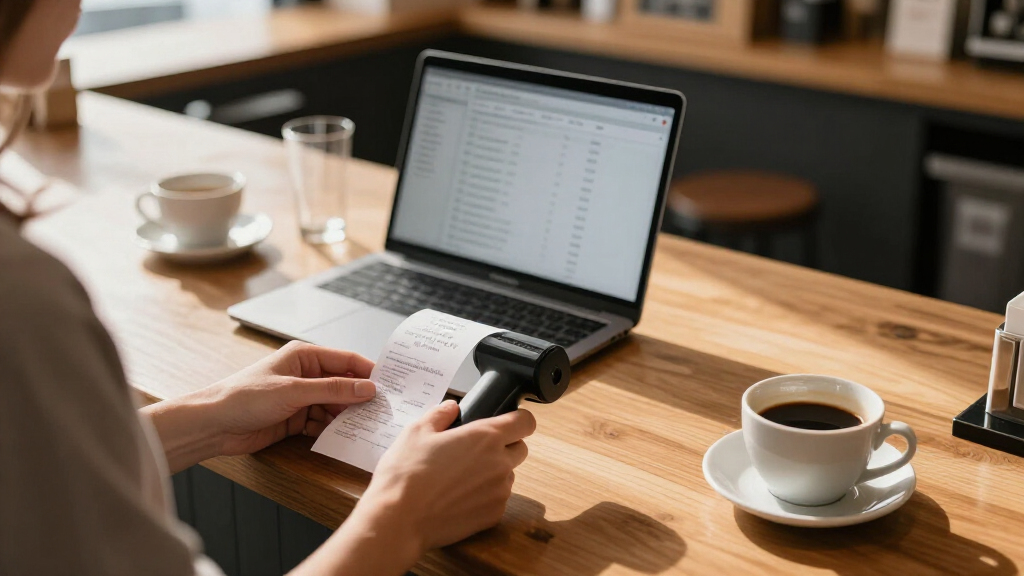
This handheld wand is the cheapest way to get a receipt or contract into digital form when nothing else is available. There is no software to install — it writes JPEG or PDF files straight to the included 16 GB MicroSD card, and a USB pull gets them onto a computer or phone. With selectable 300/600/900 dpi output, it covers basic record-keeping without any subscription or setup friction, which is exactly why it works as a glovebox or travel-bag backup.
Be clear-eyed about what you’re buying, though. You move the scanner by hand over each page, so results depend on a steady arm — nothing like the clean, motorized feeds of the Epson RR-70W or Brother DS-640. And unlike the RapidReceipt models, there’s no OCR, no receipt categorization, no accounting export: these are flat images, not data. Batteries aren’t included either.
Pros:- No software installation — scans save directly to the included 16 GB MicroSD card
- Three resolution settings up to 900 dpi for photos and fine detail
- Genuinely pocketable and travel-friendly
- Simple USB transfer to computer or phone
Cons:- Manual hand motion means inconsistent quality and slow, one-page-at-a-time scanning
- Two AA batteries are required and not included
- No OCR or receipt-data extraction — output is flat JPEG/PDF images
Best for: Very small or solo businesses that only occasionally digitize receipts, contracts, or photos and want a zero-setup, low-cost tool
Not ideal for: Anyone scanning regularly or needing searchable, categorized expense data for bookkeeping — a fed scanner like the RR-70W does that far better
- Scan size:A4
- Resolution:300, 600, or 900 dpi
- File formats:JPEG, PDF
- Storage:Included 16 GB MicroSD card; supports up to 32 GB
- Power:2 AA batteries (not included)
- Compatibility:Windows XP/7/Vista; Mac OS 10.4 or later
- Connectivity:USB
Our verdict“A reasonable emergency and occasional-use scanner, but regular bookkeeping workflows will outgrow it fast.”

How We Picked
I ranked these scanners through the specific lens of small business receipt workflows, not general document scanning. The first filter was receipt intelligence: does the device extract vendor, date, and amount automatically, or does it just photograph paper? Scanners that output accounting-ready data ranked higher because they eliminate manual data entry — usually the most time-consuming part of expense reconciliation. The second filter was throughput and duty cycle: a small business that accumulates 100+ receipts monthly needs an automatic document feeder and duplex scanning, while a sole proprietor with a handful of receipts can get by with a portable sheet-fed unit.
From there, I weighed connectivity and workflow integration (Wi-Fi versus USB-only, and compatibility with QuickBooks, TurboTax, and similar tools), portability for owners who scan from vehicles, job sites, or client offices, and value over time — a cheaper scanner that creates manual data-entry work costs more in labor than a pricier one that automates it. Handheld wands and photo-style scanners ranked lowest because their line-by-line scanning motion introduces distortion on wrinkled thermal receipt paper, which is exactly the material small businesses scan most.
Factors to Consider When Choosing Receipt Scanners For Small Business
Before settling on a model, step back and think about how receipts actually flow through your business. The mistakes that cost small owners the most money are usually workflow mistakes, not hardware mistakes — buying a scanner that creates more work than it removes.Receipt Extraction Versus Plain Image Scanning
The single biggest differentiator in this category is whether the scanner recognizes receipt data or merely captures a picture. Extraction-capable models read vendor names, dates, tax, and totals, then export structured files into bookkeeping software — turning a 30-minute reconciliation task into a 5-minute review. Image-only scanners are cheaper, but every scanned receipt still requires someone to type its details somewhere, and that labor quietly erases the savings. A common mistake is comparing hardware prices while ignoring the monthly labor difference. If you process even 50 receipts a month, extraction usually pays for the price gap within a season. If you scan fewer than a dozen receipts, image-only is a defensible choice.
Volume, Speed, and the Automatic Document Feeder
Throughput matters more than most buyers expect because receipt scanning tends to happen in burst sessions — end of week, end of month, or right before the accountant calls. A desktop scanner with an ADF lets you drop a stack of 40 receipts and walk away; a portable single-sheet unit requires you to feed each one by hand. That difference is tolerable at ten receipts and infuriating at a hundred. Match the hardware to your realistic monthly volume, not your aspirational tidy-filing habits. Also check whether the feeder handles mixed sizes: receipts, business cards, and thin invoices jam poorly designed feeders, and thermal paper curls enough to cause misfeeds on models tuned for standard office paper.
Connectivity and Multi-User Access
USB-only scanners lock you into a single computer, which works for solo owners but breaks down the moment a second person needs to scan. Wireless models let anyone in the office send receipts to the same cloud folder or email destination, which consolidates your expense trail in one place. Wi-Fi also frees the scanner from sitting next to a desk — some owners keep it in a break room or near where mail gets opened, so receipts get scanned immediately instead of piling up. The tradeoff is setup complexity and occasional connection drops, so USB fallback is a genuinely useful feature rather than a spec-sheet checkbox. Think about where scanning physically happens in your workspace before deciding.
Portability and Where You Actually Work
Portable scanners only earn their keep if your receipts are generated away from a desk — trades, delivery work, travel-heavy sales roles, or frequent trade shows. For these buyers, a sub-two-pound scanner that runs off USB power from a laptop beats a faster desktop unit that stays at the office. The honest tradeoff: portable models sacrifice feeder capacity, speed, and often receipt extraction, so you are choosing convenience over throughput. A hybrid strategy works well too — keep a desktop scanner for bulk reconciliation and a compact unit in the vehicle for same-day capture. What rarely works is the cheap handheld wand approach: dragging a wand across crumpled thermal paper produces skewed, hard-to-read images that OCR software struggles with.
Software Ecosystem and Accounting Integration
Hardware is only half the purchase — the bundled software determines whether scans actually reach your bookkeeping system without extra steps. Look for direct export to the tools you already use, whether that is QuickBooks, Wave, Excel, or tax prep software, and check whether licenses are one-time or subscription-based, since recurring software fees can exceed the scanner’s cost over a few years. Another overlooked factor is searchability: software that indexes scans by vendor or date turns your archive into a lookup tool rather than a digital shoebox. Before buying, verify macOS or Windows compatibility with your current OS version, because scanner software updates lag operating system releases more often than buyers expect. And confirm whether full features require an account signup — some extraction services gate their best features behind cloud subscriptions.
Build Quality, Longevity, and Thermal Paper Realities
Receipts are among the most abrasive, inconsistent paper a scanner will ever handle — thermal paper fades, restaurant receipts are coated, and gas station slips are narrow and flimsy. Scanners with robust feed rollers and straight paper paths survive this abuse far longer than lightweight models, which matters because a scanner that dies mid-tax-season costs you in scrambled alternatives. Check roller replacement availability and cost before buying, since rollers are wear items on every ADF scanner. Desk units from Epson, Brother, Canon, and Fujitsu generally have better parts availability than no-name portables. Finally, remember that scanning does not preserve thermal receipts forever — the image file does — which is itself a reason to scan promptly rather than annually, because faded receipts produce faded, sometimes illegible scans.
Frequently Asked Questions
Can I just use my phone camera instead of a dedicated receipt scanner?
For very low volumes, phone apps are genuinely adequate — a sole proprietor with ten receipts a month can survive entirely on a camera-based expense app. The case for dedicated hardware emerges with volume, consistency, and teams: a sheet-fed scanner processes a stack of receipts unattended, produces uniform lighting and resolution that OCR software reads reliably, and creates a predictable filing structure rather than a camera roll mixing receipts with photos. Phone capture also degrades in low light and with crumpled thermal paper, both common in real business settings. If scanning is a monthly chore you batch, dedicated hardware saves real time; if it is a one-at-a-time habit, your phone is fine and your budget is better spent elsewhere.
Do I need duplex (double-sided) scanning for receipts?
Most receipts are single-sided, so duplex initially sounds unnecessary — but it earns its keep faster than buyers expect. Many invoices, expense reports, and vendor statements are double-sided, and duplex-capable scanners capture both sides in a single pass so nothing gets missed when a client staples documentation together. It also future-proofs the purchase: plenty of buyers originally shopping for receipts end up using the same device for contracts, mileage logs, and HR paperwork. The practical rule is that single-sided-only portable models suit pure receipt capture, while duplex desktop models suit businesses whose paperwork goes beyond receipts. Given how small the price difference has become, duplex is one of the easier future-proofing decisions in this category.
Wireless or USB-only: which connection should a small business choose?
USB-only makes sense when one person, one computer, and one desk describe your setup — the connection never drops and setup takes minutes. Wireless becomes valuable the moment a second team member scans, or when the scanner’s ideal physical location (near the mail pile, in a common area) is nowhere near a computer. Wi-Fi models also scan directly to cloud folders, email, or network drives, which means receipts land in your bookkeeping workflow without a transfer step. The honest downsides are initial configuration friction and occasional reconnection hassles after router changes. Most wireless models in this roundup retain USB as a fallback, which is why they tend to be the safer choice for growing businesses.
What is the difference between the receipt-specific Epson RapidReceipt models and regular document scanners?
The RapidReceipt line is tuned for receipt workflows in two ways: the feeder and paper path are designed around narrow, curled, thermal paper that jams generic document scanners, and the bundled software performs receipt extraction — pulling vendor, date, and total into exportable data rather than just an image. Regular document scanners like the ScanSnap or Canon imageFORMULA lines are faster for standard paper and excellent general-purpose machines, but their software treats a receipt as just another document, leaving manual data entry on your plate. If your scans feed directly into accounting software, the receipt-specific models eliminate a recurring chore. If you scan mostly contracts and only occasional receipts, a general document scanner is the better all-around tool. The best pick depends on what percentage of your paper is actually receipts.
How long do receipt scanners last, and what maintenance do they need?
A well-maintained desktop scanner from a major brand typically lasts five years or more of small business use, while budget portables often show feed problems within two to three years of regular duty. The main wear items are the pickup rollers, which lose grip over time and cause misfeeds — replacement rollers are inexpensive and user-installable on brand-name models, but often unavailable for generic portables, which effectively caps their lifespan. Periodic cleaning of the roller path and scanning glass with a lint-free cloth prevents the streaks and dust lines that make OCR less accurate. Feed frequency matters more than calendar age: a scanner fed 200 sheets weekly wears faster than one used monthly. Buying from a brand with documented replacement parts is the single best longevity hedge in this category.
Conclusion
For most small businesses, the Epson RapidReceipt RR-620W is the best overall choice — it combines the receipt extraction, duplex throughput, and wireless sharing that define a real bookkeeping upgrade, and it justifies its position over the similar RR-600W with a more refined feeding experience. The RR-600W itself is the smart value play if you find it available, delivering nearly the same workflow for less. Buyers wanting a premium desk centerpiece should look at the ScanSnap iX2500, which is superb for mixed document work but leaves receipt data extraction on the table. For beginners and minimalists, the Canon imageFORMULA R10 offers a gentle, reliable entry point, while the Epson RapidReceipt RR-70W is the best specific choice for on-the-go capture — the only portable here that still extracts receipt data. Skip the handheld wands unless your volume is trivial; they are the one category here that creates work instead of removing it. Match the hardware to your monthly receipt volume and your accounting software, and the right pick from this list becomes obvious.