🔍 Read the full analysis: What To Look For In 7 Desktop Processors For Gaming And Productivity on ThorstenMeyerAI.com
TL;DR
This is a buying guide, not a report of a newly announced processor or product test. It compares seven AMD desktop CPUs for different uses, ranking the Ryzen 7 9800X3D for gaming-focused builds and the Ryzen 9 9950X3D for gaming alongside demanding productivity work.
As detailed in the original processor analysis, ThorstenMeyerAI.com’s seven-processor buying guide recommends the AMD Ryzen 7 9800X3D for gaming-first builds and the Ryzen 9 9950X3D for people combining gaming with demanding productivity work. The roundup also covers five other Ryzen chips, emphasizing that workload, motherboard compatibility and cooling matter as much as a processor’s position in a ranking.
The guide compares processors across gaming, content creation, everyday computing and system upgrades. It places the 9800X3D at the top for a gaming-focused system, while describing the 9950X3D as a stronger match for buyers who need substantial multi-threaded performance as well as gaming capability. These are the guide’s recommendations, not results from a new benchmark disclosed in the supplied material.
The remaining models serve more specific needs: the Ryzen 5 9600X is a current-generation six-core option; the Ryzen 7 7800X3D targets gaming on the newer AM5 platform; and the Ryzen 9 5900XT and Ryzen 7 5800X3D are AM4 choices that may suit owners of compatible existing systems. The Ryzen 5 5500 is positioned as an entry-level option and includes a Wraith Stealth cooler, according to the source.
The guide advises checking the exact motherboard CPU-support list and BIOS requirements before buying. The seven chips span AM4 and AM5, so they do not share an upgrade path. A platform change may mean replacing the motherboard and memory, while a processor’s workload and cooling demands can affect the rest of the build.
The 7 picks
- 1
 AMD Ryzen 9 9950X3D 16-Core Desktop ProcessorView on Amazon →
 - 2
 AMD Ryzen 7 9800X3D 8-Core, 16-Thread Desktop ProcessorView on Amazon →
 - 3
 AMD Ryzen 7 7800X3D 8-Core, 16-Thread Desktop ProcessorView on Amazon →
 - 4
 AMD Ryzen 7 5800X3D 8-Core, 16-Thread Desktop ProcessorView on Amazon →
 - 5
 AMD Ryzen 9 5900XT 16-Core, 32-Thread Unlocked Desktop ProcessorView on Amazon →
 - 6
 AMD Ryzen 5 9600X 6-Core, 12-Thread Unlocked Desktop ProcessorView on Amazon →
 - 7
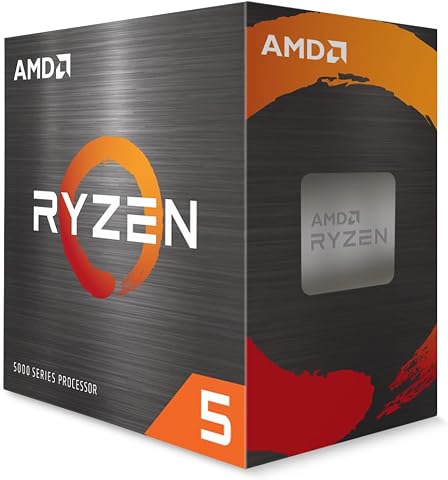 AMD Ryzen 5 5500 6-Core, 12-Thread Desktop Processor with Wraith Stealth CoolerView on Amazon →
Choosing Between Gaming and Workloads
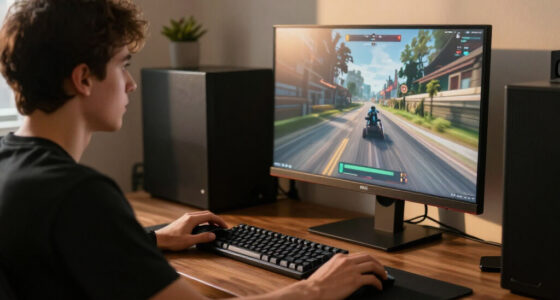
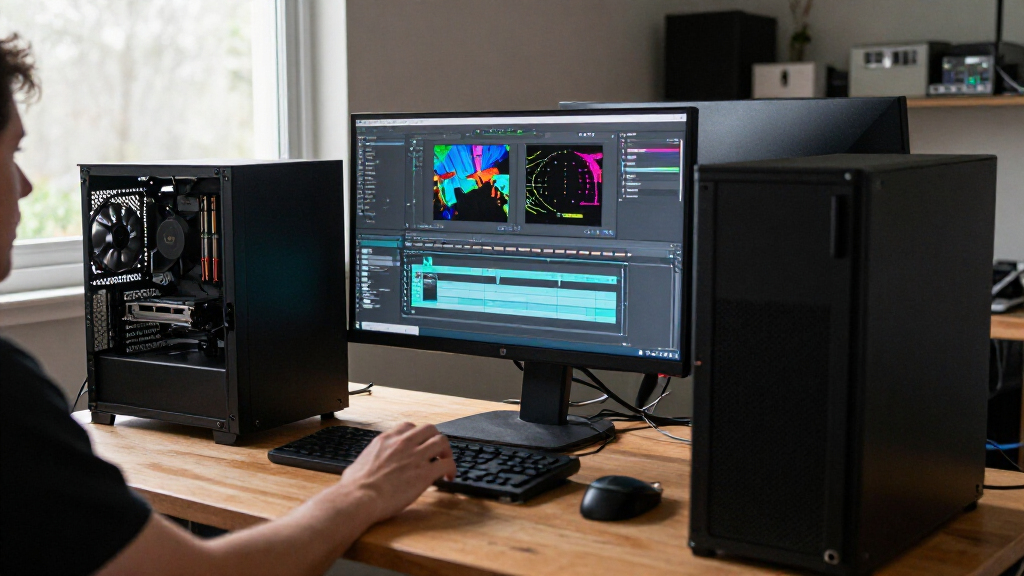
The recommendations matter because a CPU purchase can shape the cost and lifespan of the whole PC. A gaming-oriented cache design may suit some games, but it does not automatically make a processor the fastest choice for rendering, compiling or other heavily threaded tasks. For those workloads, core count and software scaling may carry more weight.
Matching the processor to actual use can also leave more of the budget for a graphics card, memory or storage. The guide cautions that at higher resolutions a GPU may become the performance limit, making CPU differences less decisive. Buyers should compare the games and applications they use, rather than assuming a single ranking applies to every system.
AM4 Upgrades and AM5 Builds
The roundup covers two AMD desktop platforms. Its AM4 processors—the 5900XT, 5800X3D and 5500—may be relevant to owners who already have a compatible motherboard, while the guide points new-build shoppers toward considering the AM5 models. Compatibility still depends on the specific board and, in some cases, its BIOS version; socket names alone are not a complete compatibility check.
The source says its ranking weighs gaming cache, core count, platform generation and cooler inclusion, while recognizing that a sensible upgrade for an existing PC may not be the best choice for a new build. It provides no benchmark table, prices or testing date in the supplied material, limiting direct performance and value comparisons.
Performance and Compatibility Gaps
The supplied guide does not provide benchmark results, prices, test conditions or a publication date. It is not possible from this material to quantify the performance gap between processors or determine which offers the best value at current retail prices. The rankings should be read as buying guidance rather than independently verifiable test findings.
Compatibility also remains specific to each system: the exact motherboard model, BIOS version, memory configuration, cooler and case airflow can change what a buyer needs. The material does not list board-by-board support or provide detailed power and temperature measurements. Readers should check those details with the motherboard maker and current product documentation before purchasing.
Checks Before You Buy
Before choosing, identify the main applications and games the PC will run, then check whether they benefit more from gaming-focused cache or additional cores. Compare performance reviews that use the intended graphics card, resolution and software; the supplied roundup does not provide those measurements itself.
Next, confirm the motherboard’s processor support and BIOS requirements, and account for any needed platform changes. Check whether a cooler is included and whether the system’s cooling, airflow and power setup suit the planned workload. Prices and availability can change, so current listings should be compared before making a purchase.
Key Questions
Which processor does the guide recommend for a gaming-first PC?
The guide names the Ryzen 7 9800X3D as its leading pick for a gaming-focused build. It does not provide benchmark figures in the supplied material, so buyers should compare testing for their games and hardware.
Which model is aimed at gaming and demanding productivity work?
The guide says the Ryzen 9 9950X3D is a stronger fit when heavy productivity tasks share time with gaming, citing its role for buyers seeking substantial multi-threaded performance as well.
Can an AM4 processor work in an AM5 motherboard?
The processors in this roundup use different platforms: the 5900XT, 5800X3D and 5500 are AM4, while the current-generation options discussed include AM5 models. Check the specific motherboard’s support list; do not assume the platforms are interchangeable.
Does the Ryzen 5 5500 include a cooler?
According to the supplied guide, the Ryzen 5 5500 includes a Wraith Stealth cooler. Whether that cooler fits a buyer’s noise and cooling preferences depends on the system and workload.
Does a higher core count always make a processor better for gaming?
No. The guide says many gaming builds may benefit more from per-core performance and gaming-oriented cache, while rendering, compiling and encoding can make additional cores useful. The right choice depends on the games and applications involved.
Source: ThorstenMeyerAI.com