
🔍 Read the full analysis: 9 Best External GPUs For 2027: Considerations For AI Computing on ThorstenMeyerAI.com
TL;DR
ThorstenMeyerAI.com compares nine external GPU options for 2027, including empty enclosures and integrated units, for AI, gaming and other demanding workloads. Its recommendations favor the Razer Core X V2 for general use and Plugable’s Thunderbolt 5 enclosure for higher throughput, but product specifications and independent performance results are not supplied in the source.
ThorstenMeyerAI.com has published a 2027 guide to nine external GPU options, comparing enclosure and integrated designs for users seeking more graphics capacity for AI computing and other demanding workloads. The guide names the Razer Core X V2 as its general recommendation and the Plugable Thunderbolt 5 AI eGPU Enclosure for users prioritizing throughput, while emphasizing tradeoffs among connection bandwidth, portability, power and upgradeability.
The guide says its comparison focuses on bandwidth potential, compatibility breadth and thermal efficiency. It weighs Thunderbolt, USB4 and OCuLink connections, as well as whether a product is an empty enclosure that needs a separately sourced graphics card or an integrated unit with a fixed GPU. The source does not provide a full product-by-product specification table, benchmark results or a dated test methodology.
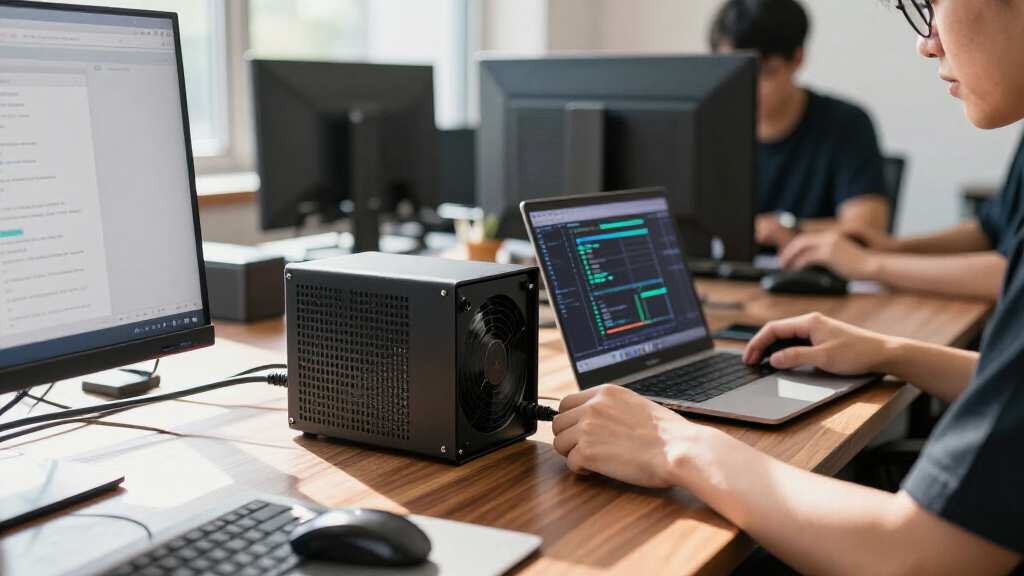
Its central distinction is between convenience and upgrade flexibility. Empty enclosures can let buyers replace the graphics card later, but may require a separate power supply and add cost and bulk. Integrated units are presented as simpler and more compact, but their graphics hardware cannot be swapped for a newer card, according to the guide.
The article also warns that connection speed is not the only limit. Power delivery, laptop compatibility and cooling can affect a setup’s practical value and sustained performance. Its recommendations are the author’s judgments; the supplied material does not establish that they are independent test findings or universally suitable for AI workloads.
The 9 picks
- 1
 BOSGAME eGPU Graphic Card Dock Expansion Card with Radeon RX 7600M XT 8GB GDD…View on Amazon →
- 2
 NIMO External GPU Docking Station with AMD Radeon RX 7600M XT 8GB GDDR6View on Amazon →
- 3
 Plugable Thunderbolt 5 AI eGPU Enclosure & Dock: 80Gbps, TAA CompliantView on Amazon →
- 4
 Razer Core X V2 External Graphics Enclosure (eGPU)View on Amazon →
- 5
 MINISFORUM DEG2 USB4 V2 (TBT5 Compatible) & OCuLink eGPU Dock, 80Gbps Dual-Li…View on Amazon →
- 6
 MINISFORUM DEG1 eGPU Dock – External GPU Docking Station for RTX 4090 & AMD R…View on Amazon →
- 7
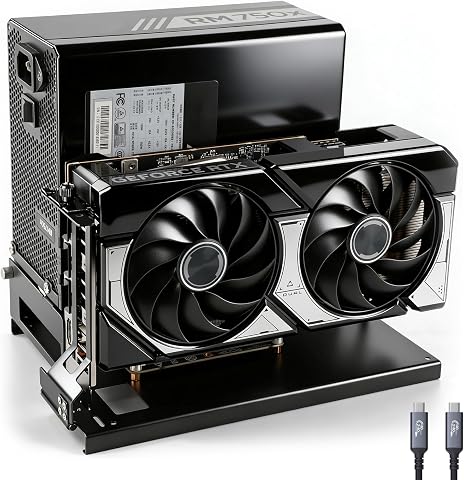 OwlTree Graphics Card eGPU Dock for Thunderbolt 3/4 USB 4, with 60cm CableView on Amazon →
- 8
 OCuLink eGPU Dock – PCIe 4.0 x4 (64 Gbps) ATX External GPU EnclosureView on Amazon →
- 9
 PCIe 3.0 x16 22Gbps eGPU Dock with Thunderbolt 4 Cable (compatible NVIDIA/AMD…View on Amazon →
Bandwidth Shapes eGPU Use
For readers considering an external GPU for AI development or inference, the connection between computer and graphics card can constrain how effectively the system uses the card. The guide says Thunderbolt 5 and USB4 V2 offer up to 80Gbps, compared with 40Gbps for Thunderbolt 3 and 4, and argues that newer connections can reduce the bottleneck for powerful GPUs. Those figures describe interface bandwidth, not guaranteed application performance.
The choice also affects how much of a desktop-style setup can travel with a laptop. A dock requiring a large ATX power supply may undermine portability, while a compact integrated unit can be easier to carry but limits future graphics upgrades. Cooling matters under sustained workloads: the guide says slim enclosures may have less room for airflow and could throttle, but supplies no comparative temperature or noise measurements.
These distinctions matter because “external GPU” does not describe one uniform product. Buyers need to match the enclosure, graphics card, host computer and workload. For AI tasks in particular, the source gives no information about model sizes, memory capacity, software support or measured training and inference performance, so its rankings alone cannot establish which option is best for a specific project.
Popular right now

Roborock Q7 M5+ Robot Vacuum and Mop with Self-Emptying Dock

De'Longhi Rivelia Automatic Espresso Machine with Milk Frother

Ninja Luxe Café Mini Plus Espresso and Drip Coffee Machine with AutoFroth, Stainless Steel, ES351
As an affiliate, we earn on qualifying purchases.
Three Connection Paths Compared
The source contrasts Thunderbolt, USB4 V2 and OCuLink. It describes Thunderbolt 3 and 4 as 40Gbps interfaces, and Thunderbolt 5 and USB4 V2 as offering 80Gbps. It also cites OCuLink as providing PCIe 4.0 x4 connectivity at a stated 64Gbps, with lower latency than Thunderbolt, while noting that a compatible port is required. These are claims in the guide; it does not document how each figure was verified or compare real-world results.
For an empty enclosure, buyers supply a compatible graphics card and, in some cases, a power supply. The guide’s examples of integrated systems include NIMO and BOSGAME, described as fixed-GPU products, with the RX 7600M XT given as an example. The source material does not identify all nine products individually or provide enough detail to verify each model’s configuration, price or availability.
„My top recommendation for most users is the Razer Core X V2 due to its proven reliability and broad compatibility.“
— ThorstenMeyerAI.com guide
Product Tests and Specs Missing
The supplied source material does not name all nine entries or show their prices, detailed specifications, test conditions or measured performance. It also does not give the guide’s publication date, explain what evidence supports the stated reliability assessment, or establish current 2027 availability. Claims about bandwidth and thermal behavior should not be treated as results from a directly comparable benchmark.
It is also unclear which laptops support the cited OCuLink connections, how each option performs across AI software and operating systems, and what graphics memory configurations are included in the integrated units. The guide’s stated recommendations should be read as editorial picks, not as a guarantee of compatibility or performance for an individual system.
Check Host and Workload Fit
Before purchasing, readers should verify the exact enclosure model, host-port support, GPU dimensions and power requirements against manufacturer documentation. They should also check whether the setup supports laptop charging over the same cable, what drivers and operating systems are supported, and whether the intended AI software can use the external card.
A useful next step would be a complete, dated comparison listing all nine products alongside current prices, measured performance, temperature and noise results, and test-system details. Until those details are available, the guide can help frame the main tradeoffs, but it cannot settle which eGPU offers the best results for a particular AI workload.
Key Questions
Which eGPU does the guide recommend for most users?
ThorstenMeyerAI.com names the Razer Core X V2 as its general recommendation, citing reliability and broad compatibility. The supplied source does not include independent test results or a detailed compatibility list.
Which option is recommended for higher throughput?
The guide points to the Plugable Thunderbolt 5 AI eGPU Enclosure. It does not provide benchmarks showing its performance against the other options.
Is OCuLink faster than Thunderbolt?
The guide describes OCuLink as a native PCIe 4.0 x4 connection with a stated 64Gbps bandwidth and lower latency than Thunderbolt. Actual results depend on the hardware and workload, and the host computer must have a compatible OCuLink port.
Should I choose an integrated eGPU or an empty enclosure?
An integrated unit is presented as simpler and more compact, but its GPU is fixed. An empty enclosure offers more flexibility to select or replace a graphics card, but can require a separate GPU and power supply.
Does the guide prove which eGPU is best for AI?
No. The supplied material does not include AI workload benchmarks, memory comparisons or full specifications for all nine products. Its picks are editorial recommendations, and buyers should check compatibility and independent testing for their intended software.
Source: ThorstenMeyerAI.com