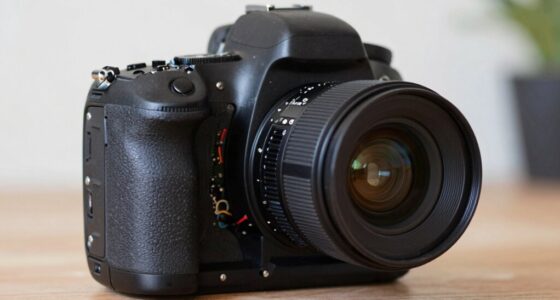
A monitor-recorder helps you see and record high-quality footage simultaneously, often using codecs like ProRes for better image fidelity and workflow ease. ProRes is popular because it offers superb quality, color accuracy, and compatibility with professional editing tools. Choosing the right device depends on your shooting scenario, supported formats, and environmental conditions. If you want to optimize your recordings and streamline post-production, understanding when and why to use a monitor-recorder can make a real difference—you’ll find out more ahead.
Key Takeaways
- Monitor-recorders enable high-quality, real-time viewing and recording, ensuring accurate color and image fidelity throughout production.
- Choosing the right codec, like ProRes, balances image quality, editing flexibility, and storage efficiency for professional workflows.
- ProRes offers superior image fidelity, compatibility, and smoother post-production, making it ideal for high-end video projects.
- Investing in a monitor-recorder improves focus, battery life, and workflow, especially for multi-camera setups and on-location shoots.
- Evaluate device features such as input types, codecs, durability, and compatibility to determine if a monitor-recorder is worth the investment.
What Are Monitor-Recorders and Why Do Filmmakers Use Them?

Monitor-recorders are essential tools in filmmaking that allow you to simultaneously view and record high-quality footage. They help ensure your footage maintains excellent sensor calibration, which is crucial for consistent image quality. With a monitor-recorder, you can verify color accuracy in real-time, minimizing the need for extensive post-production corrections. This immediate feedback can be especially valuable when shooting in challenging lighting conditions or using different camera sensors. By monitoring and recording directly through the device, you can catch issues like color shifts or exposure mistakes immediately, saving time and resources. Additionally, these devices provide a reliable way to capture high-bitrate footage, preserving detail and color fidelity for professional-grade results. Understanding Free Floating technology can further enhance your ability to achieve smooth, stable footage even in complex environments. Incorporating calibration tools into your workflow ensures that your monitor-recorder setup remains accurate over time, which is vital for maintaining consistent quality across multiple shoots. Recognizing the importance of dynamic range capabilities can help you maximize image quality in varied shooting conditions. Proper use of monitoring techniques can significantly improve your overall production process, making it easier to deliver polished footage. Moreover, employing advanced color management can help ensure that your footage remains true to your creative vision. Overall, monitor-recorders are indispensable for achieving precise control over your footage.
How Do Video Codecs Like ProRes and H.264 Work?

Have you ever wondered how video codecs like ProRes and H.264 compress and store your footage? These codecs analyze your video data, reducing file size by removing redundant information while preserving quality. ProRes is designed for high-quality editing and color grading, maintaining more detail for post-production. H.264, on the other hand, offers efficient compression suitable for streaming and delivery, balancing quality and file size. Both codecs work through complex algorithms that identify and encode visual data efficiently. Hardware integration plays a crucial role, as specialized chips accelerate encoding and decoding, ensuring smooth playback and editing. Understanding how these codecs function helps you choose the right one for your workflow, balancing quality, storage, and performance needs.
How Do Different Codecs Affect Workflow and Storage?
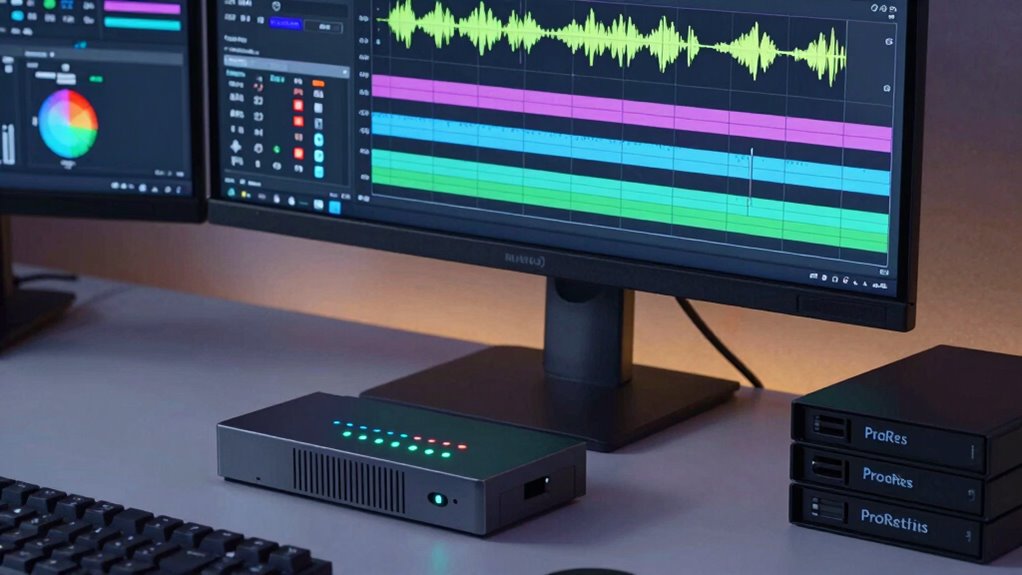
Different codecs can considerably impact your workflow and storage needs. Higher compression efficiency reduces file sizes but might increase processing time, while less compressed formats demand more storage but are easier to work with. Balancing these trade-offs helps you choose the right codec for your project’s priorities. Additionally, understanding video quality and how it relates to codec selection can ensure your final output meets your standards without unnecessary resource consumption.
Compression Efficiency Impact
How do various codecs influence the efficiency of compression in monitor-recorders? Different codecs manage bitrate differently, affecting both quality and file size. More efficient codecs reduce compression artifacts, maintaining image integrity even at lower bitrates. This compression efficiency can significantly impact your workflow by allowing longer recording sessions without sacrificing clarity. Bitrate management is vital because it controls data flow, balancing quality and storage needs. Less efficient codecs tend to produce more compression artifacts, which can degrade image quality over time. Conversely, higher-efficiency codecs optimize data compression, preserving detail while minimizing artifacts. Your choice impacts workflow speed and storage requirements. Selecting the right codec ensures an ideal balance between quality and file size, streamlining editing and storage processes without compromising on image fidelity.
Storage and Workflow Trade-offs
Choosing the right codec directly impacts your workflow and storage management. Higher-quality codecs like ProRes or RAW preserve sensor calibration details, making accurate color grading easier later. However, they generate larger files, demanding more storage space and faster data transfer speeds, which can slow down your editing process. Compressed codecs save space but may require more processing power during editing, potentially complicating your workflow. Consider your project’s needs: if you prioritize flexibility in post-production, especially for precise color grading, investing in higher-bitrate codecs is worthwhile. Conversely, for quick turnaround or limited storage, more compressed options work better. Balancing storage capacity and processing capabilities helps streamline your workflow while maintaining the quality necessary for professional results. Additionally, understanding compression artifacts can help you choose codecs that minimize quality loss during editing.
Why Is ProRes a Popular Choice for High-Quality Recording?

ProRes is popular because it provides superior image quality that captures details clearly. It also offers editing flexibility, allowing you to work smoothly without sacrificing quality. Plus, as an industry standard format, it guarantees compatibility across a wide range of professional tools and workflows. Additionally, using ProRes can help streamline your creative process by reducing the need for multiple conversions and re-exports. Its efficient compression methods also help preserve video fidelity, making it a reliable choice for high-quality recording. Incorporating industry standards like ProRes ensures your workflow remains efficient and versatile for various production needs.
Superior Image Quality
ProRes is popular for high-quality recording because it delivers superior image clarity and detail, making your footage stand out. Its ability to preserve a wide dynamic range ensures your highlights and shadows retain richness, giving your footage a natural look. Additionally, ProRes maintains color fidelity, which is essential for accurate color grading. This codec’s high bit depth helps prevent banding and artifacts in complex scenes. You also benefit from consistent image quality during playback and editing, reducing the need for multiple re-encoding passes. These factors combined make ProRes ideal for professional workflows, allowing you to capture and retain the subtle nuances that elevate your visual storytelling. Its superior image quality ultimately guarantees your footage looks polished, vibrant, and ready for any high-end project. A methodical testing process ensures that the recording standards are consistently maintained throughout production, which is vital for video quality assurance. Moreover, because of its compatibility with professional editing software, ProRes seamlessly integrates into various production environments, streamlining post-production workflows. Ensuring consistent compression standards across your footage is crucial for maintaining overall quality and efficiency in professional projects. Implementing quality control procedures can further enhance the reliability of your recordings.
Editing Flexibility
Because of its high data quality and consistent performance, ProRes offers exceptional editing flexibility, making it a favorite among professionals. Its streamlined workflow allows you to perform detailed color grading without sacrificing image fidelity, giving you the control needed for final adjustments. ProRes’s efficient compression ensures smooth playback, reducing lag during editing sessions. Additionally, the format supports precise audio synchronization, so you can align sound and visuals seamlessly. This reliability means you spend less time troubleshooting and more time focusing on your creative process. Whether you’re editing complex sequences or fine-tuning details, ProRes’s flexibility helps maintain quality throughout your project. Overall, its combination of high-quality video, manageable file sizes, and dependable performance makes it ideal for demanding editing environments.
Industry Standard Format
Why has ProRes become the industry standard for high-quality recording? It offers excellent balance between quality and file size, making it ideal for professional workflows. Its support for precise sensor calibration guarantees accurate color reproduction, which is vital during color grading. Additionally, ProRes maintains high image fidelity, enabling seamless editing and color adjustments without loss of detail. Its compatibility with at-home editing software and robustness in handling high-resolution footage contribute to its widespread adoption. Here’s what makes it popular:
- Broad compatibility across editing platforms
- Robust support for high-resolution footage
- Preservation of color accuracy during post-production
- Efficient handling of sensor calibration data for consistent results
These features make ProRes a reliable choice, guaranteeing your footage looks perfect from capture to final edit. Its industry-wide acceptance stems from these strengths, streamlining high-quality recording and post-production processes.
What Factors Should You Evaluate Before Buying a Monitor-Recorder?

Before purchasing a monitor-recorder, it’s vital to evaluate several key factors to make certain it meets your specific needs. First, consider color accuracy; you’ll want a device capable of precise color representation to guarantee your footage looks professional and consistent across different displays. Next, assess battery life—long-lasting battery performance is essential for on-location shoots or extended sessions, so you don’t get interrupted unexpectedly. Additionally, check compatibility with your existing equipment, ease of use, and the quality of the display. Portability might also matter if you often shoot on the move. Remember, investing in a monitor-recorder that balances high color accuracy with reliable battery life will improve your workflow and final output, making your investment worthwhile.
Is a Monitor-Recorder Worth the Investment for Your Projects?

Investing in a monitor-recorder can considerably enhance your filming process, but it’s important to weigh its benefits against the costs. If your projects demand precise monitoring, higher camera ergonomics, and extended battery longevity, a monitor-recorder is a smart choice. Consider these points:
- Improved image quality and focus accuracy
- Better camera ergonomics for prolonged shoots
- Extended battery life for longer recording sessions
- Streamlined workflow with high-quality codecs like ProRes
If these factors align with your project needs, the investment pays off. However, if your shoots are quick or low-stakes, it might not be necessary. Evaluate your project scope carefully to determine if a monitor-recorder offers genuine value for your filmmaking efforts.
Which Filmmaking Scenarios Benefit Most From Monitor-Recorders?

If your project involves high-bandwidth recording or multiple camera setups, monitor-recorders can notably boost your workflow. They provide reliable on-location monitoring, ensuring you catch issues early and save time. Consider these scenarios to determine if a monitor-recorder is a valuable tool for your filmmaking needs. Using simple systems can help streamline your setup and make maintenance easier, especially in complex shooting environments.
High-Bandwidth Recording Needs
Filmmaking scenarios that demand high-bandwidth recording benefit the most from monitor-recorders, especially when capturing high-resolution footage or fast-moving action. These situations require careful sensor calibration to guarantee accurate image quality and color fidelity. High data rates also demand reliable battery management, so your equipment stays powered during long shoots. Use monitor-recorders to handle large data streams efficiently, reducing the risk of dropped frames or data loss. They’re ideal for:
- Shooting 4K or higher resolutions with fast motion.
- Capturing detailed, high-dynamic-range scenes.
- Recording in challenging environments where sensor calibration is critical.
- Managing extended recording sessions without compromising quality or power.
These scenarios benefit from the robust data handling and real-time monitoring that monitor-recorders provide.
Multi-Camera Setups Efficiency
Multi-camera setups greatly benefit from monitor-recorders when coordinating complex shoots involving multiple angles and perspectives. With monitor-recorders, you can guarantee consistent framing, especially when managing camera stabilization across different rigs. They streamline the process of monitoring each feed simultaneously, reducing delays and miscommunication. Lens selection becomes vital, as matching lenses across cameras helps maintain visual continuity. Monitor-recorders allow you to verify focus, exposure, and stabilization in real-time, so you can quickly make adjustments for each angle. This efficiency is especially valuable in live events, interviews, or multi-camera studio shoots, where seamless integration of multiple feeds is essential. Additionally, video codecs ensure high-quality recordings with manageable file sizes, making post-production editing more efficient. Overall, monitor-recorders help you stay organized, save time, and improve the quality of multi-camera productions.
On-Location Monitoring Advantages
On-location shoots often present unpredictable challenges that make real-time monitoring essential. Monitor-recorders give you the confidence to catch issues immediately, saving time in post-production. They’re especially beneficial in scenarios like:
- Ensuring accurate color grading by previewing footage in high quality on-site.
- Monitoring sound levels precisely to prevent audio mishaps.
- Verifying focus and framing instantly, reducing reshoots.
- Managing complex multi-camera setups efficiently.
With monitor-recorders, you gain a clearer view of your footage and sound, allowing for swift adjustments. This real-time feedback helps you deliver consistent quality, even in unpredictable environments. Ultimately, they’re invaluable tools for any scenario where quick decision-making and reliable monitoring are critical.
How to Check Compatibility and Features When Choosing a Monitor-Recorder

When selecting a monitor-recorder, guaranteeing compatibility with your current setup and fulfilling your particular requirements is vital. Start by checking camera integration; verify that the device supports your camera’s model and output formats. Look for features like SDI or HDMI inputs, depending on your camera connections. Battery considerations are also essential—assess whether the monitor-recorder offers built-in batteries, hot-swappable options, or requires external power sources, so you can plan for extended shoots. Confirm that the device’s recording formats and codecs match your project needs, whether that’s ProRes or compressed formats. Additionally, verify compatibility with your editing workflow and storage solutions. Considering connected equipment can help you build a cohesive system that maximizes your efficiency during shoots. Ensuring video compression standards align with your workflow minimizes potential issues with file compatibility and quality. It’s also important to review ambient environmental conditions like vetted wave and wind quality if shooting outdoors to prevent data loss or recording issues caused by environmental factors. Moreover, understanding audio recording capabilities is crucial if capturing sound directly on your device, ensuring all aspects of your production are covered. Taking these steps guarantees smooth operation, minimizes technical issues, and maximizes your efficiency during shoots.
Common Mistakes to Avoid When Recording With Monitor-Recorders and Codecs

Choosing the right monitor-recorder and codec settings is just the first step; using them incorrectly can lead to serious issues during production.
- Neglecting proper color grading considerations can cause inaccurate colors, making post-production adjustments more difficult.
- Overlooking audio synchronization risks desynchronized sound, disrupting the viewer’s experience.
- Using incompatible codecs may result in playback problems or unusable footage, delaying your project.
- Failing to test settings beforehand can lead to unexpected quality loss or file corruption during recording.
Avoid these mistakes by double-checking your color grading workflow, ensuring synchronized audio, verifying codec compatibility, and testing your setup before critical shoots. This proactive approach helps maintain professional quality and smooth post-production.
Do You Need a Monitor-Recorder? Making the Right Decision

Deciding whether you need a monitor-recorder depends on your specific production needs and workflow. If you prioritize camera ergonomics and extended battery life, a monitor-recorder can streamline your setup and reduce gear swaps. However, if your shoots require lightweight equipment or quick mobility, it might be unnecessary. Consider this table:
| Factor | Benefit of Monitor-Recorder | Potential Drawback |
|---|---|---|
| Camera Ergonomics | Better monitoring and control | Adds bulk |
| Battery Life | Offloads recording, conserving power | Shortens runtime without extra batteries |
| Workflow Efficiency | Simplifies file management | Higher initial cost |
Evaluate these factors based on your shooting conditions to make an informed choice. Additionally, understanding file formats like Codec and ProRes can help you optimize your workflow and storage solutions.
Frequently Asked Questions
How Does Monitor-Recorder Latency Impact Shooting and Editing?
Monitor-recorder latency affects your shooting and editing by causing display delays, which can make it harder to judge shots accurately. This lag may lead to misfocused shots or missed moments. During editing, it can disrupt your synchronization, especially if you’re working with footage that needs precise timing. To minimize these issues, choose monitor-recorders with low latency, ensuring smoother shooting and more reliable editing synchronization.
Can Monitor-Recorders Record in Multiple Codecs Simultaneously?
Yes, monitor-recorders can record in multiple codecs simultaneously using dual codec recording. This feature allows you to select different simultaneous codec options, such as recording ProRes and H.264 at the same time. It’s especially useful when you need high-quality files for editing while also creating smaller, more manageable files for quick sharing or review. This flexibility helps streamline your workflow and guarantees you have the right file for every purpose.
What Are the Best Practices for Backing up Monitor-Recorder Footage?
Think of backing up monitor-recorder footage like a safety net in a circus. You should implement data redundancy by creating multiple copies across different storage formats, such as external drives, NAS, or cloud services. Always verify your backups for integrity and store them in secure, separate locations. This guarantees your valuable footage remains safe, even if one storage medium fails, giving you peace of mind like a vintage radio in a storm.
Are There Specific Monitor-Recorders Optimized for Drone Cinematography?
Yes, some monitor-recorders are optimized for drone cinematography, focusing on drone-specific features like aerial footage stabilization and lightweight design. These units often include drone-friendly interfaces and enhanced stabilization tools, making it easier to capture smooth, high-quality footage. Look for models that offer drone-specific refinement to ensure reliable performance in the air, helping you achieve professional results with minimal hassle.
How Do Monitor-Recorder Features Influence Post-Production Color Grading?
Ever wonder how your monitor-recorder’s features impact post-production? They considerably enhance color accuracy and grading flexibility, allowing you to see true-to-life footage on set. High-quality codecs like ProRes preserve detail and dynamic range, making color grading smoother and more precise. Wouldn’t you prefer your footage to be as close to the final look as possible? That’s exactly what good monitor-recorder features help you achieve, saving time and improving results in post-production.
Conclusion
Choosing the right monitor-recorder depends on your needs, budget, and workflow. Remember, a tool is only as good as how you use it—don’t buy equipment just because it’s popular. Evaluate your scenarios carefully, understand the codecs, and prioritize compatibility. Like the saying goes, “A chain is only as strong as its weakest link.” Make informed decisions to guarantee smooth filming and high-quality results.