For most small businesses, I’d start with the MUNBYN Bluetooth Thermal Label Printer as the best overall pick for a wireless 4 x 6-inch shipping-label workflow. The Rongta RP425 is a strong alternative if you want a familiar compact shipping-printer format, while the Arrvel A42BT with Stand may suit a workstation where roll handling and a tidier setup matter. Across these thermal label printers for small businesses, the main tradeoffs are Bluetooth convenience versus a simpler USB connection, compact size versus easier label loading, and included supplies versus flexibility to choose your own labels. Check that a printer works with your devices, shipping platform, and label size before choosing. Read on for the full breakdown and guidance by business type.
Key Takeaways
- Wireless 4 x 6-inch models dominate this lineup. Most picks target shipping labels, so buyers needing product, barcode, or address labels in other sizes should verify supported widths before ordering.
- Similar model names do not guarantee identical setups. The two Rongta RP425 listings, two MUNBYN listings, and two Phomemo 241BT listings should be compared by their exact included accessories and connection details.
- Bluetooth is most useful when it fits the actual workflow. It can reduce cable clutter for compatible phones or tablets, but buyers who print from a fixed desktop should weigh USB simplicity and device support.
- Accessories can shape daily convenience more than headline features. The Arrvel stand and the built-in-bin option address label handling, while the Phomemo listings include labels; each matters most for a different workspace or starting point.
- The lineup has limited evidence for a true premium tier. The listed options largely center on compact wireless shipping printers, so a buyer with sustained high-volume needs should check duty-cycle and support details rather than assume a higher price means higher throughput.
| Rongta RP425 Bluetooth Thermal Shipping Label Printer |  | Best Compact Pick | Printer type: Direct thermal | Connectivity: Bluetooth, USB | Compatibility: Windows, Mac, Chrome OS, Android, iOS | VIEW LATEST PRICE | See Our Full Breakdown |
| Rongta RP425 Wireless 4×6 Thermal Shipping Label Printer |  | Best for Simple Shipping Workflows | Model: RP425-WH | Printer type and output: Thermal, monochrome | Connectivity: Bluetooth, USB | VIEW LATEST PRICE | See Our Full Breakdown |
| MUNBYN Bluetooth Thermal Label Printer, 4 x 6-Inch Wireless Shipping Printer |  | Best for Mixed Label Sizes | Printer type: Thermal | Connectivity: Bluetooth, USB | Supported platforms: Android, iOS, Windows, macOS, Chrome | VIEW LATEST PRICE | See Our Full Breakdown |
| MUNBYN Bluetooth Thermal Label Printer, Wireless 4×6 Shipping Label Printer |  | Best for Busy Packing Stations | Printer type and output: Thermal, monochrome | Connectivity: Bluetooth, USB | Print width range: 1.57–4.25 in | VIEW LATEST PRICE | See Our Full Breakdown |
| NULLTONEX 4×6 Thermal Shipping Label Printer with Bluetooth and USB |  | Best Starter Bundle | Print technology: Direct thermal | Resolution: 203 DPI | Print speed: Up to 150 mm/s (72 labels per minute) | VIEW LATEST PRICE | See Our Full Breakdown |
| Labeer Bluetooth Thermal Shipping Label Printer |  | Best for Flexible Label Sizes | Printer type: Direct thermal | Resolution: 203 × 203 dpi | Output: Monochrome | VIEW LATEST PRICE | See Our Full Breakdown |
| Mvgges Bluetooth 4×6 Thermal Shipping Label Printer |  | Best for Fast, Straightforward Shipping Runs | Model: POS-9270 | Printer type: Thermal | Resolution: 203 × 203 dpi | VIEW LATEST PRICE | See Our Full Breakdown |
| KNAON Bluetooth Thermal Shipping Label Printer, 4 x 6, White |  | Best for Fast Template-Based Label Creation | Printer type: Thermal | Resolution: 200 × 200 | Print speed: Up to 180 mm/s | VIEW LATEST PRICE | See Our Full Breakdown |
| Phomemo 241BT Bluetooth Shipping Label Printer with 20 Labels |  | Best for Broad Computer Compatibility | Printer type: Direct thermal | Resolution: 203 dpi | Output: Monochrome | VIEW LATEST PRICE | See Our Full Breakdown |
| JADENS Bluetooth Thermal Shipping Label Printer |  | Best for Buyers Who Value Warranty Coverage | Model: JD268BT | Printer type: Thermal | Resolution: 203 × 203 dpi | VIEW LATEST PRICE | See Our Full Breakdown |
| Rongta RP425 Bluetooth Thermal Shipping Label Printer |  | Best for Broad Device Compatibility | Printer type: Thermal, monochrome | Connectivity: Bluetooth | Supported systems: Windows 7 or newer, macOS 10.11 or newer, Chrome OS, iOS, Android | VIEW LATEST PRICE | See Our Full Breakdown |
| Arrvel A42BT Bluetooth Thermal Label Printer with Stand |  | Best Starter Kit | Connectivity: Bluetooth, USB | Print speed: Up to 150 mm/s; listed as 72 labels/min | Resolution: 203 DPI | VIEW LATEST PRICE | See Our Full Breakdown |
| Nelko Bluetooth Thermal Shipping Label Printer, 4×6 Thermal Label Printer |  | Best for Mixed Label Media | Printer type: Thermal, monochrome | Connectivity: Bluetooth via app, USB | Label size range: 1.54–4.1 inches | VIEW LATEST PRICE | See Our Full Breakdown |
| Phomemo Bluetooth Thermal Label Printer 241BT with 20 Labels |  | Best for a Compact Shipping Desk | Connectivity: Bluetooth, USB | Compatible systems: iOS, Android, Windows, macOS, Chrome OS, Linux | Maximum media size: 4 × 6 inches | VIEW LATEST PRICE | See Our Full Breakdown |
| Bluetooth Shipping Label Printer with Built-in Label Bin |  | Best for Tidy Batch Printing | Printer type: Thermal, monochrome | Connectivity: Bluetooth, USB | Resolution: 203 × 203 DPI | VIEW LATEST PRICE | See Our Full Breakdown |
| thermal label printers for small businesse | Connectivity | Resolution | Print speed | Printer type |
|---|---|---|---|---|
| Rongta RP425 Bluetooth Thermal | Bluetooth, USB | 203 × 203 dpi | Up to 60 labels per minute (127 mm/s) | Direct thermal |
| Rongta RP425 Wireless 4×6 Ther | Bluetooth, USB | 203 × 203 dpi | 15 pages per minute | — |
| MUNBYN Bluetooth Thermal Label | Bluetooth, USB | 203 × 300 dpi | — | Thermal |
| MUNBYN Bluetooth Thermal Label | Bluetooth, USB | — | — | — |
| NULLTONEX 4×6 Thermal Shipping | Bluetooth, USB | 203 DPI | Up to 150 mm/s (72 labels per minute) | — |
| Labeer Bluetooth Thermal Shipp | Bluetooth, USB | 203 × 203 dpi | — | Direct thermal |
| Mvgges Bluetooth 4×6 Thermal S | Bluetooth, USB | 203 × 203 dpi | Up to 160 mm/s | Thermal |
| KNAON Bluetooth Thermal Shippi | Bluetooth, USB | 200 × 200 | Up to 180 mm/s | Thermal |
| Phomemo 241BT Bluetooth Shippi | Bluetooth, USB 2.0 | 203 dpi | Up to 150 mm/s | Direct thermal |
| JADENS Bluetooth Thermal Shipp | Bluetooth, USB 2.0 | 203 × 203 dpi | — | Thermal |
| Rongta RP425 Bluetooth Thermal | Bluetooth | 203 dpi | Up to 150 mm/s | Thermal, monochrome |
| Arrvel A42BT Bluetooth Thermal | Bluetooth, USB | 203 DPI | Up to 150 mm/s; listed as 72 labels/min | — |
| Nelko Bluetooth Thermal Shippi | Bluetooth via app, USB | 203 × 203 DPI | Up to 150 mm/s; listed as 72 labels/min | Thermal, monochrome |
| Phomemo Bluetooth Thermal Labe | Bluetooth, USB | 203 × 203 DPI | 150 mm/s; listed as up to 66 pages/min in specifications | — |
| Bluetooth Shipping Label Print | Bluetooth, USB | 203 × 203 DPI | 72 labels/min | Thermal, monochrome |
More Details on Our Top Picks
Rongta RP425 Bluetooth Thermal Shipping Label Printer
The RP425 makes the most sense for a small shop with limited packing space or a seller who needs to move the printer between work areas. At 1.25 pounds and just over seven inches long, it is much easier to tuck away than the 2.3-pound MUNBYN Bluetooth Thermal Label Printer. Bluetooth supports mobile printing, while USB gives a straightforward connection to a computer. Its 0.98–4.37-inch label range also covers narrower inventory labels as well as standard 4 × 6 shipping labels. The tradeoff is a more restricted workflow: a phone and computer cannot send jobs simultaneously, and Intel-based Apple laptops lack Bluetooth support. That makes this a practical space-saving choice, but less suitable for a team sharing a printer across devices.
Pros:- Lightweight, compact body is easy to store or move between packing areas.
- Bluetooth and USB support mobile and computer-based printing.
- Wide supported label range accommodates shipping and narrower business labels.
- Direct thermal printing avoids ink and toner supplies.
Cons:- Cannot accept print jobs from a computer and phone simultaneously.
- Bluetooth is unsupported on Intel-based Apple laptops.
- Monochrome output cannot produce color-coded labels.
Best for: Solo sellers or small shops that need a lightweight printer for 4 × 6 shipping labels and occasional narrower labels.
Not ideal for: Teams that switch between phone and computer print jobs at the same time, or Intel-based Mac laptop users who need Bluetooth.
- Printer type:Direct thermal
- Connectivity:Bluetooth, USB
- Compatibility:Windows, Mac, Chrome OS, Android, iOS
- Supported label width:0.98–4.37 in
- Maximum media size:4 × 6 in
- Resolution:203 × 203 dpi
- Print speed:Up to 60 labels per minute (127 mm/s)
- Dimensions and weight:7.08 × 3.26 × 2.56 in; 1.25 lb
Our verdict“Choose the RP425 if saving workspace and printing from a phone or computer matters more than simultaneous multi-device access.”
Rongta RP425 Wireless 4×6 Thermal Shipping Label Printer
This RP425 variant is aimed at sellers who want a basic path from a phone or computer to a standard shipping label. It pairs Bluetooth for mobile devices with USB for computers and handles media up to 4 × 6 inches. Like the other Rongta RP425 in this lineup, it prints in monochrome without ink; unlike that model’s stated speed of up to 60 labels per minute, this listing specifies 15 pages per minute, so I would not choose it on the assumption that it matches the faster unit’s throughput. Its listed dimensions are unusually small, but they should be checked against the intended packing setup. The one-year warranty is a useful support detail, while the lack of color and simplex-only printing keeps it focused on straightforward label jobs.
Pros:- Bluetooth and USB cover mobile and computer printing workflows.
- Supports standard 4 × 6 shipping labels.
- Inkless thermal printing avoids ink and toner replacement.
- Lists a one-year warranty.
Cons:- Monochrome output limits color-coded inventory or promotional labels.
- The listed speed is 15 pages per minute, below the 60- and 72-label-per-minute figures given for other models here.
- The listed dimensions are unusually small and may require verification before planning a desk setup.
Best for: A solo online seller who prints standard 4 × 6 shipping labels from a smartphone or computer and wants a simple connection setup.
Not ideal for: Businesses that need color labels, high-volume throughput, or documented support for wider and narrower label formats.
- Model:RP425-WH
- Printer type and output:Thermal, monochrome
- Connectivity:Bluetooth, USB
- Compatibility:Windows, macOS, Android, iOS
- Maximum media size:4 × 6 in
- Resolution:203 × 203 dpi
- Print speed:15 pages per minute
- Dimensions and weight:4 × 1 × 2 in; 16 oz
- Warranty:1 year
Our verdict“Pick this RP425 variant for uncomplicated 4 × 6 shipping jobs, not for color output or a clearly documented high-volume workflow.”
MUNBYN Bluetooth Thermal Label Printer, 4 x 6-Inch Wireless Shipping Printer
For a business that prints more than postage labels, this MUNBYN offers a useful balance of mobile access and format flexibility. Its 1.57–4.3-inch width range can handle shipping labels, barcodes, and custom formats, while Bluetooth serves phones and USB provides an option for desktops without Bluetooth. That broader application mix sets it apart from the Rongta RP425, whose stated range starts at a narrower 0.98 inches but whose body is substantially lighter. The MUNBYN weighs 2.3 pounds, so it is less convenient to move around, and its compatibility notes flag a possible issue with UPS thermal paper. The manufacturer also recommends genuine MUNBYN labels, which may limit supply flexibility. I would favor it for varied label tasks, not for buyers seeking the least fussy media setup.
Pros:- Supports a range of label widths for shipping and custom business labels.
- Bluetooth and USB provide mobile and computer connection options.
- USB can connect desktops without Bluetooth.
- Thermal printing avoids ink and toner.
Cons:- May not work with UPS thermal paper.
- Manufacturer recommends genuine MUNBYN labels, potentially narrowing media choices.
- At 2.3 pounds, it is heavier than the compact Rongta RP425.
Best for: Small businesses that use one printer for 4 × 6 shipping labels, barcodes, and custom-width labels from mobile or desktop devices.
Not ideal for: Sellers who depend on UPS thermal paper, want the lightest portable printer, or prefer broad choice in label supplies.
- Printer type:Thermal
- Connectivity:Bluetooth, USB
- Supported platforms:Android, iOS, Windows, macOS, Chrome
- Supported label width:1.57–4.3 in
- Maximum media size:4 × 6 in
- Resolution:203 × 300 dpi
- Weight:2.3 lb
- Dimensions:8 × 6.88 × 4.72 in
- Warranty:Limited
Our verdict“Choose this MUNBYN when you need varied label formats and can use compatible media rather than prioritizing portability.”
MUNBYN Bluetooth Thermal Label Printer, Wireless 4×6 Shipping Label Printer
This MUNBYN is the lineup’s stronger fit for a fixed packing station where frequent label runs matter more than a tiny footprint. It claims speeds of up to 72 pages per minute, a long stated lifespan of up to 970,000 labels, and a DAC auto-calibration chip intended to reduce jams. Quiet operation at 60 dB and a two-year warranty add practical appeal for a shared workspace. Compared with the lighter Rongta RP425, it takes up more room and is less suited to being moved between desks; compared with the other MUNBYN, it has the faster stated speed and more explicit durability figures. Its monochrome output and 4.25-inch maximum width still rule out color work and formats wider than its supported range.
Pros:- Stated speed of up to 72 pages per minute suits repeated label runs.
- DAC auto-calibration is designed to reduce jams.
- 60 dB operating noise is suited to shared work areas.
- Two-year warranty and stated lifespan of up to 970,000 labels support a longer-term station setup.
Cons:- Monochrome printing cannot produce color labels.
- Maximum width of 4.25 inches may not suit wider formats.
- Larger body is less portable than the compact Rongta RP425.
Best for: Small shipping teams running frequent label batches at a dedicated desk who value low-jam operation and a longer stated service life.
Not ideal for: Mobile sellers with limited storage space, or businesses that need color printing or labels wider than 4.25 inches.
- Printer type and output:Thermal, monochrome
- Connectivity:Bluetooth, USB
- Print width range:1.57–4.25 in
- Maximum print speed:72 pages per minute
- Label lifespan:Up to 970,000 labels
- Noise level:60 dB
- Dimensions:4.9 × 9.67 × 6.49 in
- Warranty:2 years
Our verdict“Choose this MUNBYN for a busy, stationary shipping desk where speed and jam reduction matter more than compact size.”
NULLTONEX 4×6 Thermal Shipping Label Printer with Bluetooth and USB
The NULLTONEX is a sensible entry point for a new seller who wants to print shipping labels soon after setup: the package includes 25 sheets of 4 × 6 thermal labels, and the printer connects by Bluetooth or USB. It supports platforms including Amazon, Shopify, Etsy, and major carriers, with widths from 1.57 to 4.3 inches for more than standard postage labels. At up to 150 mm/s, its stated speed is close to the faster MUNBYN’s listed pace, though the MUNBYN provides more specific jam-reduction and lifespan claims. The main workflow catch is that Bluetooth printing requires the FlashLabel Pro app; USB is the alternative for computer use. Its three-pound weight also makes it less portable than the compact Rongta.
Pros:- Includes 25 sheets of 4 × 6 thermal labels to get a basic shipping workflow started.
- Supports Amazon, Shopify, Etsy, USPS, UPS, FedEx, and DHL.
- Bluetooth and USB support mobile and computer connections.
- Label widths from 1.57 to 4.3 inches suit shipping and some custom formats.
Cons:- Bluetooth printing requires the FlashLabel Pro app.
- Monochrome output cannot create color-coded labels.
- Three-pound weight makes it less portable than the Rongta RP425.
Best for: New marketplace sellers who want a starter supply of labels, broad shipping-platform support, and both app-based wireless and USB printing.
Not ideal for: Businesses that need Bluetooth printing without a dedicated app, color output, or a lightweight printer to move between locations.
- Print technology:Direct thermal
- Resolution:203 DPI
- Print speed:Up to 150 mm/s (72 labels per minute)
- Connectivity:Bluetooth, USB
- Supported label width:1.57–4.3 in
- Compatibility:Amazon, Shopify, Etsy, USPS, UPS, FedEx, DHL; laptops, Mac, PC, smartphones, tablets
- Dimensions and weight:8.08 × 4.73 × 6.9 in; 3 lb
- Included:Printer, power cord, USB cable, 25 sheets of 4 × 6 thermal labels
Our verdict“Choose the NULLTONEX if you are setting up a small shipping operation and value included labels and platform coverage over app-free Bluetooth printing.”
Labeer Bluetooth Thermal Shipping Label Printer
The Labeer is a practical fit for small shops that ship parcels but also print inventory, return, or address labels in smaller formats. Its support for label widths from 1.57 to 4.41 inches and several preset sizes gives it more format flexibility than the Mvgges POS-9270, whose listed media width tops out at 4.1 inches. Automatic gap detection and alignment can reduce manual adjustments when switching compatible stock, while ink-free printing keeps routine supply needs simple.
The tradeoff is a more app-dependent mobile workflow: phones print PDFs through FlashLabel Pro, and Mac, ChromeOS, and Linux users connect by USB rather than Bluetooth. That makes it less convenient for a team seeking wireless printing from every device. At just 450 g, though, it is easy to fit into a compact packing station.
Pros:- Supports several label sizes, including 4×6, 4×4, 4×2, and 2×1 inches
- Automatic gap detection and calibration help align labels when loading stock
- Bluetooth and USB connectivity cover phones and Windows computers
- Lightweight 450 g design suits a crowded packing desk
Cons:- Mobile PDF printing requires the FlashLabel Pro app
- Mac, ChromeOS, and Linux connections are limited to USB
- Monochrome direct thermal output is not suited to color labels or long-term heat exposure
Best for: Small online sellers who print both 4×6 shipping labels and narrower inventory or address labels, and use Windows or mobile devices.
Not ideal for: Teams that need wireless printing from Mac, ChromeOS, or Linux, or prefer mobile printing without a dedicated app.
- Printer type:Direct thermal
- Resolution:203 × 203 dpi
- Output:Monochrome
- Label width:1.57–4.41 inches
- Supported sizes:4×6, 4×4, 4×2, 2×1 inches, and custom sizes
- Connectivity:Bluetooth, USB
- Compatibility:Windows, macOS, ChromeOS, Linux, iPhone, Android
- Dimensions and weight:7.2 × 2.64 × 3.15 inches; 450 g
Our verdict“Choose the Labeer if your small business prints several label formats and can work within its app-based mobile and wired-computer setup.”
Mvgges Bluetooth 4×6 Thermal Shipping Label Printer
The Mvgges is aimed at businesses that mostly print standard shipping labels and want a stated speed figure: up to 160 mm/s. That gives it a throughput advantage on paper over the Phomemo 241BT, listed at up to 150 mm/s, though actual output depends on the job and setup. The included 30 test labels, power adapter, and USB-C cable also give a new packing station useful setup materials without needing to source every accessory separately.
Its connection split is clear but restrictive: Bluetooth is for iOS and Android, while Windows and Mac require USB and a driver. There is no Wi-Fi, so it is less suited to a shared office that expects network printing. The 35–104 mm label range covers common shipping formats, but it is narrower than the Labeer’s stated width range for businesses that also need smaller stock.
Pros:- Listed print speed reaches 160 mm/s
- Bluetooth supports iOS and Android devices
- USB computer printing is available for Windows and Mac
- Includes 30 test labels and a USB-C cable
Cons:- Bluetooth is limited to iOS and Android devices
- No Wi-Fi connection for shared network printing
- Computer setup requires a driver
Best for: Small sellers printing mainly 4×6 parcel labels from a phone or a single Windows or Mac computer.
Not ideal for: Businesses that need Wi-Fi, Linux or ChromeOS support, or frequent printing across a wider variety of label widths.
- Model:POS-9270
- Printer type:Thermal
- Resolution:203 × 203 dpi
- Print speed:Up to 160 mm/s
- Label width:35–104 mm (1.37–4.1 inches)
- Maximum media size:4 × 6 inches
- Connectivity:Bluetooth, USB
- Compatibility:iOS, Android, Windows, Mac
- Included items:Power adapter, USB-C cable, manual, 30 test labels
Our verdict“Pick the Mvgges for a phone-led or single-computer shipping station where speed and included setup supplies matter more than Wi-Fi or broad label flexibility.”
KNAON Bluetooth Thermal Shipping Label Printer, 4 x 6, White
The KNAON pairs a compact listed footprint with app templates, icons, and fonts, making it a stronger match for sellers who create occasional custom labels alongside shipping labels. Its stated speed of up to 180 mm/s is higher than the Mvgges and Phomemo figures in this group, while its 4.2-inch maximum media width covers standard 4×6 stock. The app’s design tools can help with simple product or address layouts rather than requiring every label to start as a plain shipping PDF.
That convenience comes with workflow limits. Bluetooth printing depends on FlashLabel Pro or compatible drivers, and shipping platform labels may need to be saved as PDFs and imported into the app. Compared with the Labeer, it lists a slightly narrower maximum width and a lower 200 × 200 resolution. Its listed 2.8-pound weight is also less portable than the Labeer’s 450 g despite the small dimensions.
Pros:- Listed print speed reaches 180 mm/s
- App includes templates, icons, and fonts for custom labels
- Bluetooth and USB connectivity are available
- Supports multiple thermal label sizes up to 4.2 inches wide
Cons:- Bluetooth printing requires FlashLabel Pro or compatible drivers
- Shipping platform labels may need PDF export and app import
- Listed resolution is 200 × 200, below the 203 dpi figures of several alternatives
Best for: Small retailers who want app-based templates for simple product, address, and shipping labels and primarily use Windows or macOS.
Not ideal for: High-volume shippers seeking a direct, low-friction platform workflow or businesses that need Bluetooth across many operating systems.
- Printer type:Thermal
- Resolution:200 × 200
- Print speed:Up to 180 mm/s
- Maximum media width:4.2 inches
- Connectivity:Bluetooth, USB
- Compatible operating systems:Windows 7 or later, macOS, ChromeOS, Linux
- Weight:2.8 pounds
- Listed dimensions:5.46 × 3.03 × 2.61 inches
- Included:10 test printing papers
Our verdict“Choose the KNAON if you value built-in label-design tools and speed more than a direct shipping-platform workflow.”
Phomemo 241BT Bluetooth Shipping Label Printer with 20 Labels
The Phomemo 241BT makes sense for a small business with a mixed-device setup: it lists support for iOS, Android, Windows, macOS, ChromeOS, and Linux, with Bluetooth for phones and USB for computers. That compatibility range is broader than the Mvgges, which lists only iOS, Android, Windows, and Mac. Its 1-to-4.6-inch label range also gives it the widest stated media width in this group, useful when a seller uses more than standard parcel labels.
The cost of that flexibility is a mobile workflow tied to the Labelife app; computers connect by USB rather than Bluetooth. Its stated 150 mm/s speed is below the KNAON’s 180 mm/s and Mvgges’s 160 mm/s, so it is not the speed-focused choice. The included 20 labels help with initial setup, but monochrome thermal output remains limited to black-and-white printing.
Pros:- Broad listed operating-system compatibility, including ChromeOS and Linux
- Supports label widths from 1 to 4.6 inches
- Bluetooth printing is available from iOS and Android devices
- Includes 20 labels for initial setup
Cons:- Mobile printing requires the Labelife app
- Computer connection is USB rather than Bluetooth
- Listed speed is lower than the KNAON and Mvgges figures
Best for: Small businesses with a mix of phone, tablet, and computer platforms that need one printer for shipping and varied label widths.
Not ideal for: Teams seeking Wi-Fi, wireless computer printing, or the fastest stated output for sustained packing runs.
- Printer type:Direct thermal
- Resolution:203 dpi
- Output:Monochrome
- Label width:1–4.6 inches
- Print speed:Up to 150 mm/s
- Maximum output:Up to 72 4×6-inch labels per minute
- Connectivity:Bluetooth, USB 2.0
- Compatibility:iOS, Android, Windows, macOS, Chrome OS, Linux
- Dimensions and weight:6.3 × 8.66 × 4.41 inches; 720 g
Our verdict“The Phomemo is a sensible pick for a small team with varied devices and label formats, provided USB computer printing and app-based mobile use fit its workflow.”
JADENS Bluetooth Thermal Shipping Label Printer
The JADENS JD268BT is a straightforward choice for a small business that wants standard 4×6 shipping labels, Bluetooth phone printing, and a stated one-year limited warranty. Like the Phomemo 241BT, it supports Bluetooth from mobile devices and USB from computers, but JADENS specifies Windows 7 or later and Mac OS 10.9 or later rather than listing ChromeOS and Linux. Its support for both roll and fanfold labels gives buyers flexibility in how they load supplies.
There are workflow compromises. Phones and tablets must use the Jadens app, and labels need recalibration when changing label types, a more hands-on process than the Labeer’s automatic gap detection and calibration. Its 1.57-to-4.1-inch width range is adequate for common shipping labels but falls short of the Phomemo’s 4.6-inch maximum. The warranty may suit cautious buyers, but it does not remove those setup limits.
Pros:- Includes a one-year limited warranty
- Supports Bluetooth and USB 2.0 connections
- Works with roll and fanfold labels
- Prints monochrome labels without ink or toner
Cons:- Mobile printing requires the Jadens app
- Changing label types requires recalibration
- Listed maximum label width is narrower than the Phomemo 241BT
Best for: Small online sellers who mainly print standard shipping labels, switch between roll and fanfold stock, and want a clearly stated limited warranty.
Not ideal for: Businesses that frequently change label formats, need ChromeOS or Linux support, or want mobile printing without a brand-specific app.
- Model:JD268BT
- Printer type:Thermal
- Resolution:203 × 203 dpi
- Output:Monochrome
- Label width:1.57–4.1 inches
- Maximum media size:4 × 6 inches
- Connectivity:Bluetooth, USB 2.0
- Compatibility:Windows 7 or later, Mac OS 10.9 or later, Android, iOS
- Warranty:One-year limited warranty
Our verdict“Choose the JADENS if warranty coverage and common shipping-label support matter more than frequent media changes or broad operating-system coverage.”
Rongta RP425 Bluetooth Thermal Shipping Label Printer
The Rongta RP425 is a flexible fit for a small business that switches between phones, tablets, and computers: it supports Bluetooth printing from iOS and Android alongside Windows, macOS, and Chrome OS. Its 0.98–4.37-inch label range also gives it more width flexibility than the Arrvel A42BT, whose listed range starts at 1.57 inches. At up to 150 mm/s and 203 dpi, it offers the familiar speed and clarity needed for everyday monochrome shipping labels, while automatic size detection can reduce manual media adjustments. The tradeoff is that it uses direct thermal media, so labels are not suited to every storage condition, and the product data lists conflicting dimensions. I’d favor it for mixed-device teams, but choose the Arrvel if an included stand and setup accessories matter more.
Pros:- Bluetooth printing is supported on iOS and Android devices.
- Works with Windows, macOS, and Chrome OS as well as mobile systems.
- Automatically detects and feeds supported label sizes.
- Supports label widths from 0.98 to 4.37 inches.
Cons:- Direct thermal labels can fade with heat, light, or extended storage.
- Listed dimensions conflict, making desk-fit planning less certain.
- Monochrome output cannot produce color-coded labels.
Best for: Small shops that prepare labels from a mix of iOS or Android phones and Windows, Mac, or Chrome OS computers.
Not ideal for: Businesses that need durable labels for prolonged heat or sunlight exposure, or buyers who need verified physical dimensions before setting up a tight workspace.
- Printer type:Thermal, monochrome
- Connectivity:Bluetooth
- Supported systems:Windows 7 or newer, macOS 10.11 or newer, Chrome OS, iOS, Android
- Label width:0.98–4.37 inches
- Print speed:Up to 150 mm/s
- Resolution:203 dpi
- Weight:0.65 kg
- Warranty:1 year
Our verdict“Choose the RP425 if your small business needs broad device support and flexible label widths, but verify its dimensions before assigning desk space.”
Arrvel A42BT Bluetooth Thermal Label Printer with Stand
The Arrvel A42BT makes a practical starting point for a new shipping station because it arrives with a stand, test labels, cables, and adapters rather than leaving setup pieces to source separately. It connects by Bluetooth or USB and supports a broad mix of phones and computer systems, including Linux. Compared with the Rongta RP425, its stated 1.57-inch minimum label width is narrower in flexibility, but the included stand can make roll or label handling easier on a small desk. The listed speed reaches 150 mm/s, with 203 DPI output for standard black-and-white shipping labels. One workflow wrinkle: Bluetooth printing from mobile devices and macOS requires the FlashLabel Pro app. I’d pick it for a first shipping setup, not for buyers who want unrestricted native wireless printing.
Pros:- Includes a stand, test labels, cables, and adapters for initial setup.
- Offers both Bluetooth and USB connections.
- Supports iOS, Android, major desktop systems, ChromeOS, and Linux.
- Handles labels up to 4 × 6 inches at 203 DPI.
Cons:- Bluetooth printing on mobile devices and macOS requires FlashLabel Pro.
- Monochrome output does not support color-coded label workflows.
- The supported label width starts at 1.57 inches, limiting narrower media choices.
Best for: New online sellers setting up a compact packing station who want the printer, stand, test labels, and connection accessories together.
Not ideal for: Teams that want to print over Bluetooth from macOS or mobile devices without relying on the FlashLabel Pro app.
- Connectivity:Bluetooth, USB
- Print speed:Up to 150 mm/s; listed as 72 labels/min
- Resolution:203 DPI
- Supported label width:1.57–4.3 inches (40–110 mm)
- Maximum media size:4 × 6 inches
- Compatibility:iOS, Android, Windows 7 or later, macOS, ChromeOS, Linux
- Dimensions:7.2 × 3.15 × 2.56 inches
- Warranty:1 year
Our verdict“Pick the A42BT for a ready-to-assemble first shipping station, provided its app requirement fits your printing workflow.”
Nelko Bluetooth Thermal Shipping Label Printer, 4×6 Thermal Label Printer
The Nelko PL70E is the more adaptable media choice in this group: it accepts both fanfold and roll labels, which lets a small shop use the format that best fits its packing bench. Its 1.54–4.1-inch width range covers common shipping labels, and output reaches 150 mm/s at 203 dpi. Against the Phomemo 241BT, the Nelko’s support for two media formats is a practical advantage, while the Phomemo offers a wider stated maximum label width. The NELKO app supports Bluetooth printing from mobile devices and computers, with USB as another connection route; Bluetooth is app-based rather than a direct connection. Its single-tray design may interrupt larger batches, and the listing’s lifetime warranty is stated without further terms. I’d choose it for a small operation that changes label stock, not one prioritizing high-volume continuous runs.
Pros:- Accepts both fanfold and roll labels.
- Supports label widths from 1.54 to 4.1 inches.
- Offers Bluetooth through the NELKO app and a USB connection.
- Compatible with major e-commerce platforms and shipping services.
Cons:- Bluetooth printing requires the NELKO app rather than a direct Bluetooth connection.
- Single-tray design can be limiting for continuous high-volume work.
- Monochrome printing cannot produce colored labels.
Best for: Small e-commerce sellers who alternate between roll and fanfold shipping labels and want Bluetooth app printing plus USB.
Not ideal for: Businesses processing large uninterrupted batches or users who want direct Bluetooth printing without a dedicated app.
- Printer type:Thermal, monochrome
- Connectivity:Bluetooth via app, USB
- Label size range:1.54–4.1 inches
- Supported label types:Fanfold, roll
- Print speed:Up to 150 mm/s; listed as 72 labels/min
- Resolution:203 × 203 DPI
- Dimensions:9 × 5 × 6 inches
- Warranty:Lifetime (as listed)
Our verdict“Choose the PL70E if you rotate between roll and fanfold stock, but look elsewhere for direct Bluetooth pairing or sustained batch work.”
Phomemo Bluetooth Thermal Label Printer 241BT with 20 Labels
The Phomemo 241BT suits a small packing area where a compact printer and clear status feedback matter. Its OLED display gives the operator a visible status cue, while Bluetooth and USB provide two ways to send jobs across iOS, Android, Windows, macOS, Chrome OS, and Linux. It supports 4 × 6-inch media and lists a maximum width of 4.6 inches, slightly broader than the Nelko PL70E’s 4.1-inch maximum. Speed figures vary within the product data: the description says up to 72 sheets per minute, while the specifications list up to 66 pages per minute, so I would not choose it on a precise throughput claim. Like the Arrvel A42BT, it is monochrome and depends on thermal labels. It also needs external power, so it is a desk tool rather than a portable printer.
Pros:- Compact listed dimensions suit a small shipping desk.
- OLED display provides a visible printer status indicator.
- Bluetooth and USB support a broad range of mobile and desktop systems.
- Supports 4 × 6-inch media and widths up to 4.6 inches.
Cons:- Requires an external power source and has no built-in battery.
- Print speed is reported inconsistently across the supplied product data.
- Monochrome output cannot create color labels.
Best for: Small online sellers who have limited packing-bench space and want an OLED status display with mobile and computer connectivity.
Not ideal for: Operators needing battery-powered portability, color output, or a clearly consistent published speed figure for batch planning.
- Connectivity:Bluetooth, USB
- Compatible systems:iOS, Android, Windows, macOS, Chrome OS, Linux
- Maximum media size:4 × 6 inches
- Maximum label width:4.6 inches
- Resolution:203 × 203 DPI
- Print speed:150 mm/s; listed as up to 66 pages/min in specifications
- Dimensions:6.3 × 8.66 × 4.41 inches
- Display:OLED
Our verdict“Pick the 241BT for a compact, display-equipped desk setup, but not for mobile packing or throughput planning that depends on a precise speed specification.”
Bluetooth Shipping Label Printer with Built-in Label Bin
The D450BT addresses a small-business nuisance the other picks largely leave to the operator: keeping a stack of labels contained. Its built-in bin holds up to 250 4 × 6 labels, which can keep the desk neater and reduce the need to feed loose sheets one at a time. Bluetooth and USB cover phones and computers running iOS, Android, Windows, macOS, Linux, or ChromeOS, and the printer is listed at 72 labels per minute with 203 dpi output. Compared with the Phomemo 241BT, the D450BT prioritizes label storage over a display; compared with the Nelko PL70E, its stated 4.6-inch maximum width is broader. The bin still needs refilling during heavier shipping periods, and there is no built-in cutter. It makes the most sense for tidy, routine batches rather than high-volume packing lines.
Pros:- Built-in bin stores up to 250 4 × 6 labels.
- Bluetooth and USB support a broad range of mobile and computer platforms.
- Prints at a listed 72 labels per minute and 203 dpi.
- Compact footprint fits a small business desk.
Cons:- The 250-label bin may need frequent refills during heavy shipping runs.
- No built-in cutter for trimming labels.
- Monochrome output does not support color-coded labeling.
Best for: Small sellers printing regular batches of 4 × 6 shipping labels who want the media stored neatly inside the printer.
Not ideal for: High-volume shippers who need a larger label reserve or a built-in cutter to speed up finishing.
- Printer type:Thermal, monochrome
- Connectivity:Bluetooth, USB
- Resolution:203 × 203 DPI
- Print speed:72 labels/min
- Media size:4 × 6 inches; supports widths of 1–4.6 inches
- Built-in bin capacity:Up to 250 4 × 6 labels
- Compatibility:iOS, Android, Windows, macOS, Linux, ChromeOS
- Dimensions:7.3 × 6.3 × 5.35 inches
Our verdict“Choose the D450BT if a contained label supply will keep your small packing desk orderly, but skip it if you need a cutter or long runs between refills.”
How We Picked
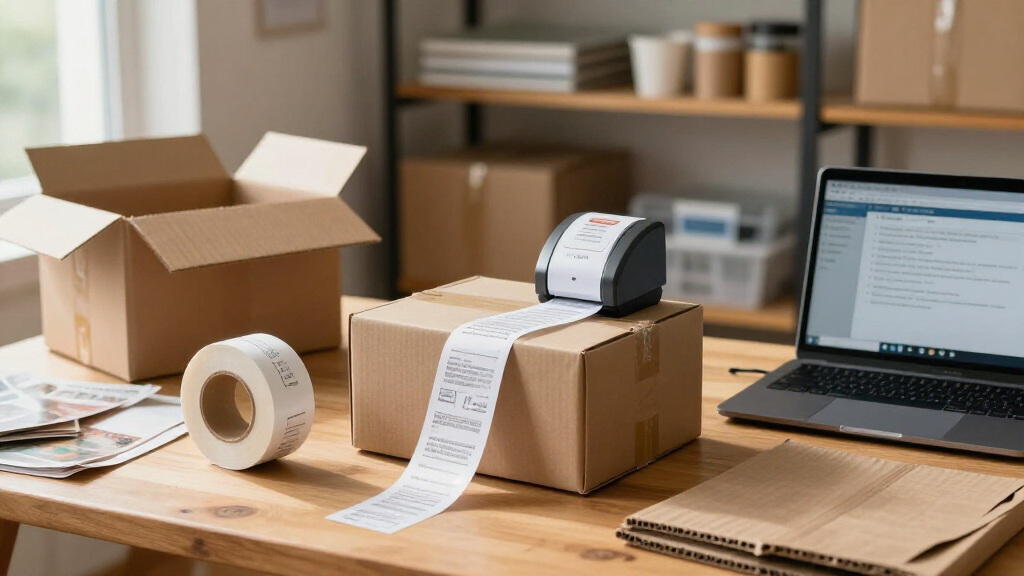
I compared these 15 listings through the needs of a small business: dependable 4 x 6-inch shipping-label use, practical connectivity, setup demands, workspace fit, and the everyday effort involved in loading and feeding labels. I also considered whether the product details point to useful extras, such as included labels, a stand, or a built-in label bin, while treating compatibility with a buyer’s computer, phone, and shipping software as a key decision point.
The order favors options that appear to fit a broad small-business shipping workflow, then gives distinct positions to alternatives that may suit different workspaces or starting needs. Where several listings share a model name or near-identical description, I do not treat that repetition as proof of a meaningful performance difference; buyers should confirm the exact bundle and connection specifications. The supplied product names do not establish print speed, resolution, long-run durability, or support quality, so I avoid making unsupported claims about those points and advise checking them against the seller’s current specifications.
| thermal label printers for small businesse | Printer type | Connectivity |
|---|---|---|
| Rongta RP425 Bluetooth Thermal | Direct thermal | Bluetooth, USB |
| Rongta RP425 Wireless 4×6 Ther | — | Bluetooth, USB |
| MUNBYN Bluetooth Thermal Label | Thermal | Bluetooth, USB |
| MUNBYN Bluetooth Thermal Label | — | Bluetooth, USB |
| NULLTONEX 4×6 Thermal Shipping | — | Bluetooth, USB |
| Labeer Bluetooth Thermal Shipp | Direct thermal | Bluetooth, USB |
| Mvgges Bluetooth 4×6 Thermal S | Thermal | Bluetooth, USB |
| KNAON Bluetooth Thermal Shippi | Thermal | Bluetooth, USB |
| Phomemo 241BT Bluetooth Shippi | Direct thermal | Bluetooth, USB 2.0 |
| JADENS Bluetooth Thermal Shipp | Thermal | Bluetooth, USB 2.0 |
| Rongta RP425 Bluetooth Thermal | Thermal, monochrome | Bluetooth |
| Arrvel A42BT Bluetooth Thermal | — | Bluetooth, USB |
| Nelko Bluetooth Thermal Shippi | Thermal, monochrome | Bluetooth via app, USB |
| Phomemo Bluetooth Thermal Labe | — | Bluetooth, USB |
| Bluetooth Shipping Label Print | Thermal, monochrome | Bluetooth, USB |
Factors to Consider When Choosing Thermal Label Printers For Small Businesses
Choosing a small-business label printer is less about collecting features and more about avoiding friction in the workflow you already use. I’d settle the device, label, and volume questions first, then decide whether accessories and wireless convenience justify a more specialized setup.
Match the printer to your devices and shipping software
Before choosing Bluetooth, check which operating systems and devices the printer supports, along with the shipping platforms you use. A phone-friendly connection is of little help if your labels are created on a desktop and the printer does not support that workflow. Ask whether setup requires a dedicated app, a driver, or a particular connection sequence; these details can affect staff onboarding. Bluetooth can cut cable clutter, but a wired connection may be easier to manage at a fixed packing desk. Avoid assuming that a shared connection label means every listing supports the same devices or software. Confirm compatibility using the exact model and bundle details.
Choose label sizes around your actual jobs
A 4 x 6-inch shipping-label printer is a practical fit for many parcel workflows, but it may not cover every label job a small business handles. Product labels, shelf tags, barcode stickers, and return labels can use different dimensions or materials. List the sizes you print now and any sizes you expect to add, then check the printer’s stated supported width and media type. A common mistake is buying for the most frequent parcel label and later discovering that other jobs need a separate device. Also check whether the printer accommodates fanfold labels, rolls, or both. Flexibility matters most when your business uses varied packaging or sells across several channels.
Estimate workload without relying on a headline speed
Daily label volume affects how much loading time, queue management, and downtime matter. A compact printer may be perfectly adequate for occasional batches, while a busy dispatch station needs clear information about sustained output and recommended duty cycle. Do not infer high-volume capability from a wireless feature or a 4 x 6 format. Check the manufacturer’s specifications for print speed, resolution, and operating limits, then compare those figures with your busiest shipping day rather than your average day. If the listing leaves these details unclear, ask before committing. Businesses expecting rapid growth may prefer a model with documented capacity and accessible support.
Plan for label feeding and workspace layout
Printer footprint is only part of the space calculation: the label roll or fanfold stack also needs room to feed cleanly. A stand or built-in label bin can make a workstation neater, but it may add bulk or tie you to a particular loading arrangement. Measure the spot where the printer will sit, including clearance behind or beside it for media. Consider where spare rolls, cables, and packing materials will live so the printer does not become awkward to use. For a shared packing area, simple access to the labels can matter more than saving a few inches on the printer itself. Choose accessories that solve a real layout problem, not just because they are included.
Compare total setup needs, not just what comes in the box
Included labels can help a new seller start printing, but a small sample does not establish what ongoing supplies will cost or whether the printer accepts your preferred media. Check label availability, adhesive type, core or roll requirements, and whether the device expects specific consumables. A bundle with labels may be convenient for initial setup, while a printer without them can leave you more freedom to source supplies. Look for instructions on cleaning the printhead and handling jams, since maintenance affects the time your team spends away from packing. Also check warranty and customer-support terms before relying on a device for daily dispatch. The best fit is the setup your business can keep supplied and maintain without avoidable interruptions.
Pay more only for a concrete workflow benefit
A higher spend makes sense when it buys a documented improvement your business will use, such as better-supported software, a larger media capacity, faster sustained output, or stronger service coverage. Accessories like a stand or built-in bin can be worthwhile if they reduce repeated handling at a busy station, but they may not help a low-volume seller. Compare exact model numbers and bundles because similar product names can conceal different included items or connection options. Avoid treating Bluetooth or a polished listing as evidence of stronger print quality or durability. For a new business, keeping the setup simple can be more useful than paying for features without a clear role. For growing operations, prioritize verifiable capacity and support over cosmetic extras.
Frequently Asked Questions
Can I use one of these printers with both my phone and my computer?
Possibly, but Bluetooth in a product name does not confirm support for every phone, computer, or operating system. Check the exact model’s device list and whether it supports the software you use to create shipping labels. Some workflows may require a mobile app, while desktop printing may use a separate driver or a USB connection. If staff switch between devices, verify whether the printer can pair with each one easily and how it handles reconnection. For a fixed desktop station, a compatible wired setup may be simpler than relying on Bluetooth.
Is a 4 x 6-inch thermal printer enough for a small business?
It is enough if your main job is printing standard parcel shipping labels and the printer supports the label stock your carrier or platform requires. It may not cover product labels, shelf tags, or other specialty sizes, so check supported widths before buying. Businesses with several label formats should compare whether one printer can handle them or whether separate equipment makes more sense. Also check whether the printer accepts the roll or fanfold format you plan to use. Buying around your full label mix can prevent a second purchase later.
Should I choose a printer that comes with labels?
Included labels can make initial setup easier, especially if you are starting from scratch and want to confirm that the printer feeds media correctly. They should not be the only reason to choose a model, since a starter quantity says little about ongoing supply availability or cost. Check whether you can buy compatible labels in the size and material you need. If you already have a preferred label supplier, confirm that the printer accepts those labels before selecting a bundle. The Phomemo listings in this roundup mention 20 labels, which may be handy at setup but does not settle the long-term supply question.
How can I tell whether a compact Bluetooth model will keep up during busy shipping periods?
Look for manufacturer information on print speed, recommended duty cycle, resolution, and supported media rather than assuming that a compact shipping printer can handle any volume. Estimate the number of labels you print during your busiest day and compare that workload with the stated limits. If those specifications are missing, ask the seller or manufacturer before making the printer central to dispatch. A wireless connection may make placement easier, but it does not indicate throughput or durability. For growing shipping volume, documented operating capacity and support should carry more weight than a compact form factor.
What should I check when two listings have nearly the same model name?
Compare the exact model number, included accessories, supported connections, label formats, and device compatibility rather than relying on the product title alone. In this roundup, the Rongta RP425, MUNBYN, and Phomemo 241BT each appear in two listings, so the bundle or listing details may be the meaningful difference. Confirm whether a stand, label bin, cables, or starter labels are included and whether they match your intended setup. Also check seller and manufacturer warranty terms for the specific listing. If the core specifications are identical, choose based on the bundle and support details rather than assuming one name variant prints better.
Conclusion
For the broadest small-business shipping setup, I’d choose the MUNBYN Bluetooth Thermal Label Printer as my best overall recommendation, while checking the exact listing’s compatibility and bundle. For best value, compare the Rongta RP425 listings against the MUNBYN options and favor the one with the right connection and included essentials rather than assuming near-matching titles mean equal bundles. I cannot confidently name a best premium model from the supplied product details because they do not establish higher throughput, durability, or service; buyers with heavier workloads should prioritize documented capacity and support. For beginners, the Phomemo 241BT listing that includes 20 labels offers a more ready-to-start package, provided its device compatibility fits. For a workstation focused on tidier media handling, the Arrvel A42BT with Stand or the built-in label bin option deserves a closer look. Choose by workflow, label format, and verified specifications—not by similar names or wireless branding alone.