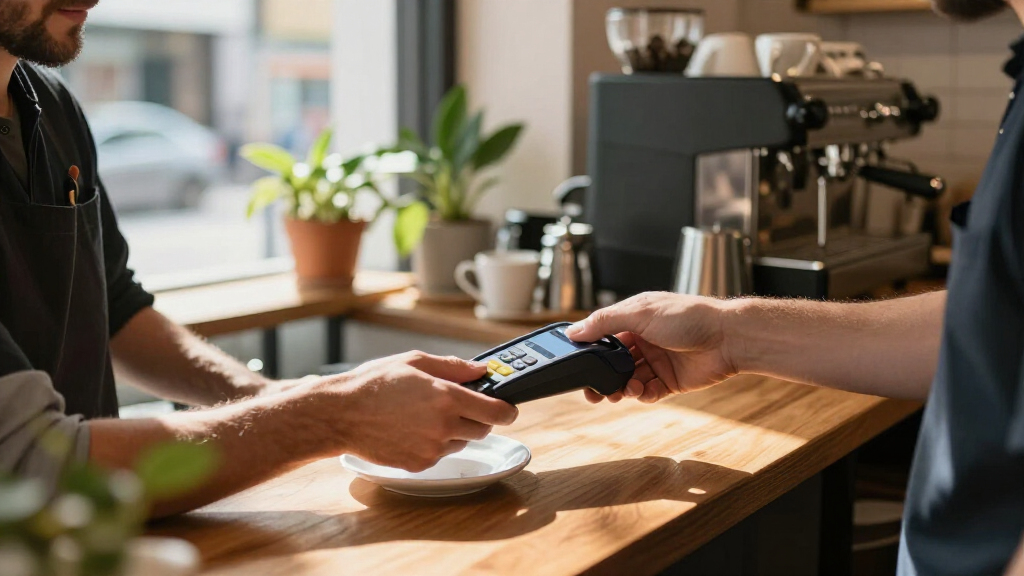
Wireless credit card readers range from pocket-size smartphone accessories to standalone terminals and unattended payment systems. I’d put the Square Handheld Portable POS Credit Card Machine first for businesses that want payments and point-of-sale tools in one portable device; the SumUp Solo stands out as a self-contained reader, while the Square Reader for Contactless and Chip is a simpler choice for phone-based checkout. The main tradeoffs are independence from a smartphone, receipt and POS features, and whether the reader’s connectivity suits your location and payment workflow. Some models in this group are countertop or vending-oriented rather than truly mobile, so matching the device to the setting matters. Read on for the full breakdown and help narrowing the options to your needs.
Key Takeaways
- Standalone operation separates the leading handheld options from basic readers: Square Handheld and SumUp Solo reduce reliance on a separate phone, while Square Reader for Contactless and Chip is designed to pair with a compatible device.
- Portability does not mean the same thing for every model: smartphone accessories are easy to carry, handheld POS units add onboard checkout tools, and VX520 terminals are better suited to a fixed counter.
- Receipt needs can change the best fit: Square Terminal includes a receipt printer, while compact readers typically depend on digital receipts or another workflow.
- Wireless claims need a setting check: Bluetooth pairing, terminal communication options, and a vending-machine MDB connection serve different jobs and are not interchangeable.
- The product list spans distinct payment environments: Nayax VPOS Touch is aimed at unattended machines, so it should not be ranked as a general-purpose portable reader alongside mobile checkout devices.
| Square Handheld Portable POS Credit Card Machine |  | Best for Tableside and On-the-Go POS | Dimensions: 7.04 x 3.12 x 0.62 inches | Weight: 2.11 ounces | Manufacturer: Square | VIEW LATEST PRICE | See Our Full Breakdown |
| SumUp Solo Credit Card Reader with Charging Station | 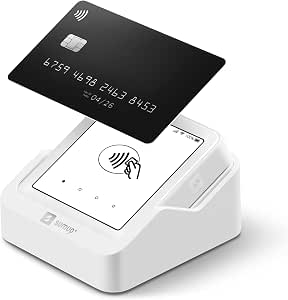 | Best for Mobile Businesses Needing Built-In Connectivity | Brand: SumUp | Model: SumUp Solo | Connectivity: Wi-Fi; SIM card with mobile data | VIEW LATEST PRICE | See Our Full Breakdown |
| Square Reader for Contactless and Chip (2nd Generation) |  | Best Value Phone-Paired Reader | Compatible devices: Android; iPhone | Power source: Battery powered | Connectivity: Bluetooth | VIEW LATEST PRICE | See Our Full Breakdown |
| Verifone VX520 Countertop Payment Terminal with Smart Card Reader |  | Best for Fixed Counters with Ethernet or Dial | Brand: Verifone | Model: VX520 | Model number: M252-653-A3-NAA-3 | VIEW LATEST PRICE | See Our Full Breakdown |
| Verifone VX520 EMV Contactless Credit Card Terminal, 32MB |  | Best for Processor-Specific Countertop Setups | Model: Verifone VX520 EMV CLTS 32MB | Connectivity: Dual COM modem | Payment methods: Magnetic stripe; EMV chip; NFC contactless | VIEW LATEST PRICE | See Our Full Breakdown |
| Verifone VX520 Dual-Communication Credit Card Terminal with Smart Card Reader |  | Best for Wired Backup Options | Connectivity: Dial and Ethernet | Reader: Smart card | Security: PCI PED 2.0 approval; end-to-end encryption | VIEW LATEST PRICE | See Our Full Breakdown |
| Square Terminal Mobile Credit Card Machine and Receipt Printer |  | Best All-in-One Portable Terminal | Dimensions: 5.6 x 3.4 x 2.5 inches | Weight: 14.7 ounces | Battery: 1 included lithium-ion battery | VIEW LATEST PRICE | See Our Full Breakdown |
| Nayax VPOS Touch Cashless Payment Reader with MDB Cable |  | Best for Unattended Machines | Connectivity: 4G LTE | Payment methods: EMV chip, contactless/NFC, magstripe, Apple Pay, Google Pay, and Samsung Pay | Interface: 2.4-inch color touchscreen | VIEW LATEST PRICE | See Our Full Breakdown |
| SumUp Plus Bluetooth Card Reader for Smartphones |  | Best Compact Phone-Paired Reader | Connectivity: Bluetooth | Compatible devices: Smartphones and tablets | Operating systems: iOS and Android | VIEW LATEST PRICE | See Our Full Breakdown |
| wireless credit card reader | Weight | Connectivity | Dimensions |
|---|---|---|---|
| Square Handheld Portable POS C | 2.11 ounces | — | 7.04 x 3.12 x 0.62 inches |
| SumUp Solo Credit Card Reader | — | Wi-Fi; SIM card with mobile data | — |
| Square Reader for Contactless | — | Bluetooth | — |
| Verifone VX520 Countertop Paym | 2 pounds | Ethernet; dial; NFC | 6 x 4 x 2 inches |
| Verifone VX520 EMV Contactless | 2 pounds | Dual COM modem | 9 x 6 x 3 inches |
| Verifone VX520 Dual-Communicat | 2.5 pounds | Dial and Ethernet | 9 x 6 x 3 inches |
| Square Terminal Mobile Credit | 14.7 ounces | — | 5.6 x 3.4 x 2.5 inches |
| Nayax VPOS Touch Cashless Paym | 8.1 oz (230 g) | 4G LTE | 3.3 × 1.78 × 4.1 inches |
| SumUp Plus Bluetooth Card Read | 142 g | Bluetooth | — |
More Details on Our Top Picks
Square Handheld Portable POS Credit Card Machine
The Square Handheld Portable POS is the strongest fit here for businesses that need more than a card reader: it combines payment acceptance with tableside ordering and barcode scanning. Its compact, 2.11-ounce design and long-lasting battery suit staff moving between tables, stalls, or shelves. Compared with the Square Reader for Contactless and Chip (2nd Generation), this is a more self-contained handheld POS, while that reader relies on a compatible phone or tablet. Offline payments add resilience during internet interruptions, though merchants should check the applicable offline payment rules before relying on that feature. The tradeoff is protection: the device resists splashes and dust, but an accidental-drop case is optional. Choose it for mobile workflows that benefit from built-in scanning; skip it if you only need a simple reader paired with your phone.
Pros:- Handheld format supports payment and tableside ordering away from a fixed counter.
- Built-in barcode scanner can support faster product lookup and checkout.
- Offline payment support can help maintain sales during internet outages.
- Long-lasting battery suits shifts spent moving around a venue.
Cons:- A protective case for accidental drops is optional.
- Bulkier and more specialized than a basic reader paired with a phone.
- Offline payment availability is subject to applicable processing rules.
Best for: Restaurants, market vendors, and small retailers whose staff need a handheld device for payments, tableside orders, and barcode scanning.
Not ideal for: Phone-based sellers who only need a compact contactless and chip reader, or businesses that require a drop-protective case included.
- Dimensions:7.04 x 3.12 x 0.62 inches
- Weight:2.11 ounces
- Manufacturer:Square
- Payment support:Major credit and debit cards
- Additional features:Barcode scanner; offline payments; splash- and dust-resistant design
- Date first available:May 13, 2025
Our verdict“Choose this Square if you need a handheld POS with ordering and barcode scanning, rather than a reader that depends on your phone.”
SumUp Solo Credit Card Reader with Charging Station
The SumUp Solo suits sellers who want a portable reader that can connect without relying solely on a customer-facing phone. Its SIM card with mobile data works alongside Wi-Fi, and the included charging station gives the device a clear home between transactions. The full OLED touchscreen also makes it more self-contained than the Square Reader for Contactless and Chip (2nd Generation), which requires a compatible Android or iPhone. That independence can be useful at outdoor events and pop-ups, though a touchscreen device is not automatically a better fit for every counter setup. SumUp lists a 12-month warranty, a shorter coverage window than may appeal to operators choosing equipment for long service life. I would favor it for event sellers prioritizing mobile connectivity and a charging dock, but compare processor availability and terms before committing.
Pros:- SIM card with mobile data offers a connection option beyond Wi-Fi.
- OLED touchscreen provides an on-device payment interface.
- Charging station is included for convenient between-shift charging.
- Designed for mobile businesses, pop-up shops, and outdoor events.
Cons:- Warranty is limited to 12 months.
- More self-contained than a phone-paired reader, but may be unnecessary for simple checkout needs.
- Connection options do not remove dependence on available mobile-data or Wi-Fi coverage.
Best for: Pop-up vendors and mobile service businesses that want a touchscreen reader with both Wi-Fi and included mobile-data connectivity.
Not ideal for: Businesses seeking a basic phone-paired reader, or buyers who prioritize a longer stated warranty period.
- Brand:SumUp
- Model:SumUp Solo
- Connectivity:Wi-Fi; SIM card with mobile data
- Display:OLED touchscreen
- Included:Charging station
- Specific uses:Mobile businesses, pop-up shops, outdoor events
- Warranty:12 months
Our verdict“Pick the SumUp Solo for event work where built-in mobile data and an included charging station matter more than a longer warranty.”
Square Reader for Contactless and Chip (2nd Generation)
For sellers who already use a smartphone or tablet at checkout, the Square Reader for Contactless and Chip keeps the hardware simple: it connects over Bluetooth and accepts chip, contactless, Apple Pay, and Google Pay. Its up-to-24-hour offline payment capability can help a short service interruption feel less disruptive, though it is not a substitute for reliable connectivity and offline payments have a stated time limit. Compared with the SumUp Solo, this reader depends on a compatible Android or iPhone rather than providing its own touchscreen and mobile-data connection. That makes it a leaner choice for phone-based selling, but a poor match for merchants who want a standalone terminal. Square also lists no monthly fees or long-term contracts for this reader, plus security and fraud-prevention features; buyers should still confirm current service terms for their account.
Pros:- Accepts contactless and chip cards, Apple Pay, and Google Pay.
- Bluetooth pairing works with compatible Android and iPhone devices.
- Offline payments are supported for up to 24 hours.
- Listed with no monthly fees or long-term contracts, plus security and fraud-prevention features.
Cons:- Requires a compatible Android or iPhone to operate.
- Offline payment support is limited to up to 24 hours.
- Less self-contained than the SumUp Solo, which has a touchscreen and mobile-data SIM.
Best for: Independent sellers and small businesses already using a compatible Android phone or iPhone who want chip and contactless acceptance in a compact reader.
Not ideal for: Merchants who need a standalone touchscreen terminal, built-in mobile data, or offline payment support beyond the stated 24-hour window.
- Compatible devices:Android; iPhone
- Power source:Battery powered
- Connectivity:Bluetooth
- Battery:1 included lithium-ion battery
- Item weight:5.92 ounces
- Model number:7227688
- Warranty:Limited 1-year
- Offline payments:Up to 24 hours
Our verdict“Choose this reader if you already have a compatible phone and want a straightforward way to accept chip and contactless payments.”
Verifone VX520 Countertop Payment Terminal with Smart Card Reader
The Verifone VX520 Countertop Terminal is the fixed-location choice in this group, not a wireless credit card reader. It supports EMV smart cards and NFC contactless payments, including Apple Pay and Google Pay, while its Ethernet and dial connections offer alternatives for a wired counter setup. That flexibility can suit a shop that wants a dedicated terminal and does not need staff to carry it around. By contrast, the Square Handheld Portable POS is designed for tableside and mobile work, and the Square Reader for Contactless and Chip pairs with a phone over Bluetooth. The VX520’s main drawback for this roundup is clear: its listed connections do not provide a wireless mobile workflow. It also runs Windows, so buyers should confirm processor and system compatibility before purchase.
Pros:- Supports EMV smart-card and NFC contactless transactions.
- Accepts Apple Pay and Google Pay.
- Offers both Ethernet and dial connectivity.
- Compact countertop footprint for a fixed checkout area.
Cons:- Designed for countertop use rather than mobile payments.
- Listed connectivity is Ethernet, dial, and NFC, not a wireless mobile-data connection.
- Processor and Windows compatibility should be verified before purchase.
Best for: Retail counters that need a dedicated EMV and NFC terminal with Ethernet or dial connectivity and no need for mobile checkout.
Not ideal for: Mobile merchants, table-service staff, or sellers specifically seeking a battery-powered wireless reader.
- Brand:Verifone
- Model:VX520
- Model number:M252-653-A3-NAA-3
- Connectivity:Ethernet; dial; NFC
- Media type:Smart card
- Dimensions:6 x 4 x 2 inches
- Weight:2 pounds
- Operating system:Windows
Our verdict“Choose the VX520 only for a fixed counter that needs a dedicated terminal; skip it if wireless portability is the priority.”
Verifone VX520 EMV Contactless Credit Card Terminal, 32MB
This Verifone VX520 EMV Contactless Terminal is a wired countertop device, so it is a specialist option rather than a genuine wireless-reader pick. It accepts magnetic-stripe, EMV chip, and NFC contactless payments, and the listed Omaha encryption supports internet PIN debit with First Data. That processor-specific detail is the key distinction from the other VX520 in this roundup: the VX520 Countertop Payment Terminal with Smart Card Reader lists Ethernet and dial connectivity, while this model lists a dual COM modem and a more specific encryption arrangement. A PIN pad is required for debit use, and other processors may need different encryption, so compatibility can make or break this purchase. I would shortlist it only when the processor requirements are confirmed; buyers wanting mobile checkout should choose a portable option such as the Square Reader instead.
Pros:- Accepts magnetic-stripe, EMV chip, and NFC contactless payments.
- PCI compliant according to the provided product details.
- Includes Omaha encryption for First Data internet PIN debit.
- A dedicated terminal option for a fixed checkout location.
Cons:- A PIN pad is required for debit use.
- Other processors may require different encryption.
- Dual COM modem connectivity does not provide a wireless mobile workflow.
Best for: Fixed-location merchants using First Data internet PIN debit who have confirmed the encryption and PIN-pad requirements with their processor.
Not ideal for: Mobile sellers, businesses seeking a self-contained wireless reader, or merchants whose processor requirements do not match the listed encryption.
- Model:Verifone VX520 EMV CLTS 32MB
- Connectivity:Dual COM modem
- Payment methods:Magnetic stripe; EMV chip; NFC contactless
- Encryption:Omaha Encryption
- Dimensions:9 x 6 x 3 inches
- Weight:2 pounds
- Compliance:PCI compliant
Our verdict“Buy this VX520 only for a fixed checkout with confirmed First Data encryption and PIN-pad compatibility.”
Verifone VX520 Dual-Communication Credit Card Terminal with Smart Card Reader
I’d choose the Verifone VX520 Dual-Communication when payment reliability matters more than roaming around the shop. Its Ethernet and dial connections give businesses two ways to connect, while the smart card reader and end-to-end encryption support chip-based transactions. Compared with the Square Terminal, it is less self-contained: the Square includes a built-in battery and receipt printer, while this VX520 is better suited to a fixed counter with network or phone access. Its cable management helps keep that counter orderly, but the 2.5-pound terminal and wired connection options limit its usefulness as a truly mobile reader. The described configuration also lacks a contactless reader, so buyers who need tap payments should check the exact configuration before choosing it.
Pros:- Offers both Ethernet and dial connectivity
- Includes a smart card reader and end-to-end encryption
- Integrated cable management helps keep a checkout counter tidy
- Compact countertop footprint for a fixed terminal
Cons:- Not a practical roaming reader despite the wireless-reader category
- Contactless reader is optional and not included in the described configuration
- Does not include the Square Terminal’s built-in receipt printer
Best for: Retailers or service counters that want a fixed terminal with Ethernet and dial connectivity plus smart-card acceptance.
Not ideal for: Market vendors and mobile sellers who need a cordless reader, built-in receipt printing, or contactless payments in the included configuration.
- Connectivity:Dial and Ethernet
- Reader:Smart card
- Security:PCI PED 2.0 approval; end-to-end encryption
- Memory:128 MB
- Weight:2.5 pounds
- Dimensions:9 x 6 x 3 inches
- Battery:1 lithium-ion battery required
Our verdict“Choose this VX520 for a fixed checkout that benefits from two connection options, but skip it if cordless mobility or tap payments are priorities.”
Square Terminal Mobile Credit Card Machine and Receipt Printer
The Square Terminal suits sellers who want a cordless checkout device that can accept payments and print receipts without sending customers to another station. Its built-in battery is designed for all-day use, making it more self-contained than the SumUp Plus, which relies on a paired smartphone or tablet and app. The tradeoff is size and function: this is a portable terminal, not a pocket-sized reader you can tuck away between sales. The product details also give less connectivity and card-reader detail than the dedicated readers in this roundup, so I’d verify that its payment methods fit your setup before buying. For a counter that moves between rooms or a pop-up operation that values printed receipts, the integrated printer is a practical distinction.
Pros:- Cordless operation with a built-in battery designed for all-day use
- Prints receipts directly from the device
- Accepts major credit and debit cards
- Includes fraud prevention and phone support
Cons:- Battery requires recharging and adds a power-management task
- Larger and less pocketable than a standalone Bluetooth reader such as the SumUp Plus
- Provided product details do not specify the connection method or full range of supported payment methods
Best for: Pop-up shops, mobile service businesses, and small retailers that need a battery-powered payment terminal with on-device receipt printing.
Not ideal for: Sellers seeking a minimal reader to pair with an existing phone, or those who need clearly specified wireless connection details before choosing equipment.
- Dimensions:5.6 x 3.4 x 2.5 inches
- Weight:14.7 ounces
- Battery:1 included lithium-ion battery
- Payment acceptance:Major credit and debit cards; chip card payments
- Receipt printing:Built-in receipt printer
- Support and protection:24/7 fraud prevention and phone support
Our verdict“Pick the Square Terminal if you want mobile operation and receipt printing in one device, rather than the smallest possible reader.”
Nayax VPOS Touch Cashless Payment Reader with MDB Cable
The Nayax VPOS Touch is built for vending and other unattended equipment, not a conventional staffed checkout. Its MDB compatibility, 4G LTE connection, and support for chip, contactless, magstripe, and mobile wallets let a machine take payments without depending on local Wi-Fi or an employee’s phone. Compared with the SumUp Plus, which pairs with a smartphone for mobile selling, this reader is designed to mount to compatible equipment and report sales through the Nayax app. That specialization brings a real setup hurdle: account activation and separate Nayax service and processing fees are required, and new customers may wait about seven business days for bank approval. I’d select it for a machine fleet, but not for casual or immediate in-person sales.
Pros:- Accepts EMV chip, contactless, magstripe, and popular mobile wallets
- Built-in 4G LTE works without Wi-Fi
- Nayax app provides sales tracking and telemetry
- IP55 rating, shock detection, and Dragontrail glass suit unattended installations
Cons:- Requires Nayax account activation before payment acceptance
- Service and processing fees are charged separately
- Bank approval for new customers may take about seven business days
Best for: Operators of MDB-compatible vending or unattended machines who need cellular connectivity, wallet acceptance, and sales tracking.
Not ideal for: Small sellers who need a reader ready for a staffed checkout, want to avoid service fees, or do not operate compatible MDB equipment.
- Connectivity:4G LTE
- Payment methods:EMV chip, contactless/NFC, magstripe, Apple Pay, Google Pay, and Samsung Pay
- Interface:2.4-inch color touchscreen
- Compatibility:MDB machines
- Durability:Dragontrail glass, shock detection, and IP55 rated
- Dimensions:3.3 × 1.78 × 4.1 inches
- Weight:8.1 oz (230 g)
- Activation:Nayax account activation required
Our verdict“Choose the VPOS Touch for compatible unattended machines that need cellular payment access, not for a simple phone-paired checkout.”
SumUp Plus Bluetooth Card Reader for Smartphones
The SumUp Plus Bluetooth Card Reader is the straightforward choice for sellers who already carry a compatible phone or tablet and want a separate, lightweight reader. Its Bluetooth connection and iOS and Android support make it more portable than the Square Terminal, but it depends on the SumUp app and a host device rather than working as a standalone terminal. That keeps the hardware simple while placing more of the checkout workflow on your phone. The product information states a transaction fee of 2.6% plus 10, but does not identify the currency for the fixed amount; I’d confirm the applicable processing terms before signing up. Unlike the Nayax VPOS Touch, it is not designed for unattended MDB machines or cellular operation.
Pros:- Bluetooth pairing supports mobile in-person payments
- Compatible with iOS and Android smartphones and tablets
- Accepts major credit and debit cards
- No long-term contracts are stated
Cons:- Requires a compatible phone or tablet and the SumUp app
- The stated transaction fee’s fixed amount has no specified currency
- Does not offer the Square Terminal’s built-in receipt printer or standalone operation
Best for: Independent mobile sellers and appointment-based businesses that already use an iOS or Android phone or tablet at checkout.
Not ideal for: Businesses that need a standalone terminal, built-in receipt printer, unattended-machine integration, or fully clear fee details before setup.
- Connectivity:Bluetooth
- Compatible devices:Smartphones and tablets
- Operating systems:iOS and Android
- Payment methods:Major credit and debit cards
- Weight:142 g
- Color:White
- Included item:1 card reader
- Warranty:Contact manufacturer
Our verdict“Choose the SumUp Plus if you want a compact Bluetooth reader to pair with a device you already use, and confirm the fee currency before activation.”
How We Picked
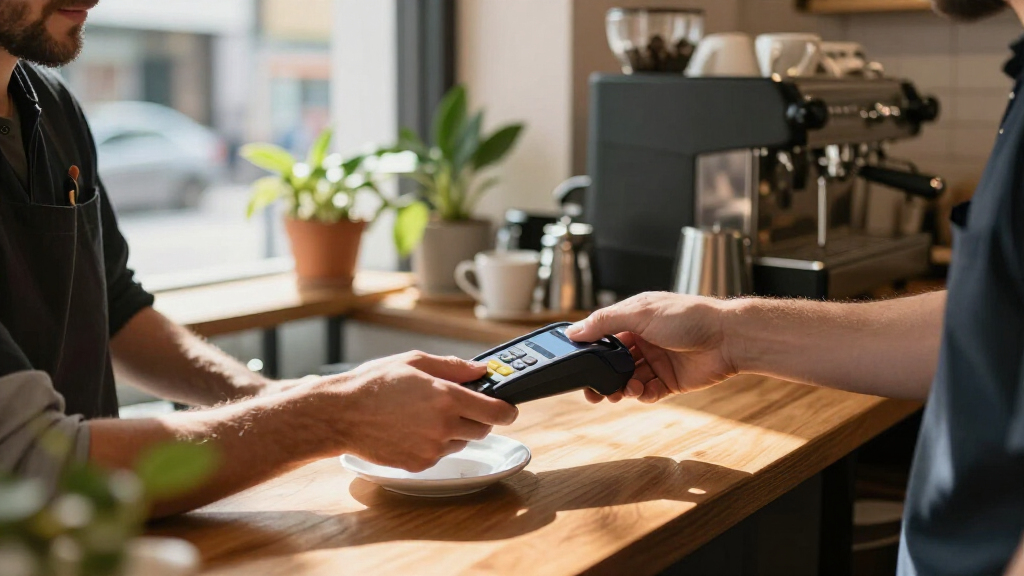
I compared the nine products around the practical question behind this search: can the reader support the buyer’s actual payment setting, and how much extra equipment or setup does it require? I weighed portability, standalone use versus smartphone dependence, connection type, payment workflow, receipt handling, and whether the design suits staffed checkout or unattended sales. I also treated product naming carefully: a device described as wireless may still rely on a specific host, cable, communication option, or installation.
The ranking favors versatile options for everyday mobile or small-business checkout, followed by more specialized devices and legacy-style countertop terminals. A product is not ranked higher just because it has more hardware; it needs to match a wider set of buyer needs without adding unnecessary setup. Readers should verify current payment-service compatibility, connectivity requirements, and supported card methods with the seller or payment provider before purchasing, especially for older terminals and unattended equipment.
Factors to Consider When Choosing Wireless Credit Card Readers
Before choosing a reader, start with the checkout environment rather than the feature list. The right device for a market stall may be a poor match for a permanent counter or unattended vending machine, even if all three accept card payments.
Match the connection to the place you take payments
“Wireless” can mean a reader pairs with a phone, a terminal communicates through a particular network option, or a device connects to equipment in an unattended setup. Identify what connection is available where customers pay, then check the device’s exact requirements rather than relying on the category label. A Bluetooth accessory may be convenient when a compatible phone is already part of the workflow, but it adds a pairing step and depends on that host device. A countertop terminal may suit a stable checkout station better than a roaming seller. Avoid assuming that a reader with wireless in its name will work independently or connect to every phone and network.
Decide whether you need a reader or a complete checkout device
A compact reader handles card acceptance, while a handheld POS or all-in-one terminal may also support parts of the sales workflow. That distinction affects how many devices staff must carry, charge, and keep ready. If you already run sales through a phone or tablet, a basic reader can keep the checkout kit light. If staff need a dedicated device or printed receipts, an integrated terminal may reduce handoffs, though it brings more hardware to maintain. Choose the smallest setup that covers your actual checkout tasks, not the largest feature list.
Plan for receipts and the customer-facing closeout
Receipt preferences can steer the choice as much as card acceptance. A built-in printer can help at counters where customers expect paper receipts, but it adds supplies and another component to manage. Digital receipts can simplify a mobile setup, provided the business can reliably offer them through its payment workflow. Think about returns, customer records, and busy periods when staff may not have time to explain receipt options. Before buying, confirm which receipt methods the payment service supports; hardware alone does not define the full process.
Check payment-service and device compatibility first
A reader’s physical design does not guarantee compatibility with your existing payment account, POS software, phone, or card workflow. This is especially relevant when comparing branded mobile readers with older terminal models or equipment meant for specific installations. Confirm supported operating systems, connection methods, payment types, and provider requirements before committing. A device that cannot join the business’s current payment setup may require a separate account or a different operating process. Ask the seller or provider to confirm the exact model and configuration, rather than relying on a product-family name.
Account for installation, upkeep, and staff handoffs
Portable readers still need charging, safe storage, and a plan for keeping them paired or ready for service. Fixed terminals and unattended readers can involve installation or connection requirements that are easy to overlook when focusing only on the device itself. Consider who will troubleshoot a lost connection, replace consumables, or show new staff how to complete a transaction. For multiple checkout points, consistent hardware may simplify training, while a specialized device can be worthwhile at a dedicated station. A little planning around ownership and maintenance can prevent a technically compatible reader from becoming a daily bottleneck.
Frequently Asked Questions
Can I use a wireless credit card reader without a smartphone?
Some readers are designed to work with a separate phone or tablet, while standalone handheld terminals can handle more of the checkout process themselves. The product name alone does not confirm independence from a host device, so check the exact setup requirements for the model and payment service. Also confirm whether you need separate POS software or an account to accept payments. If staff share devices or work away from a counter, standalone operation can reduce handoffs. If a phone is already central to your sales workflow, a paired reader may be a simpler kit.
Are older countertop terminals a good choice for a new mobile business?
Usually, a countertop design is a better match for a fixed checkout point than a business that moves between locations. Older terminal models may also have configuration or provider requirements that differ from current phone-based readers. Before choosing one, confirm that the seller can support the specific model, connection setup, payment service, and card methods you need. A lower-complexity mobile reader may be easier to carry and manage for pop-ups or delivery work. A fixed terminal makes more sense when the business has a dedicated counter and confirmed compatibility.
Do I need a reader with a built-in receipt printer?
A printer is useful when your customers or business process rely on paper receipts at the point of sale. It can also keep checkout self-contained, but it adds paper handling and another component to maintain. If digital receipts fit your customers and recordkeeping needs, a smaller reader may be easier to carry. Check what the payment service supports, since receipt options depend on software and account setup as well as hardware. Choose based on how receipts are actually requested and used, not on the assumption that printing is always necessary.
Can an unattended vending payment reader replace a handheld card reader?
Not usually: unattended readers are built for a different environment, such as a vending machine or other self-service equipment. A model with an MDB cable points to integration with compatible machinery, rather than a staff member taking payments at a counter. Confirm the machine interface, installation needs, and payment-service support before buying. For face-to-face sales, a handheld or phone-paired reader is designed around a different checkout flow. Treat unattended equipment as a specialized solution, not a more versatile version of a portable reader.
What should I verify before buying a Bluetooth card reader?
Check that the reader supports your phone or tablet, operating system, payment provider, and POS app. Confirm whether Bluetooth pairing is required for every use or only during setup, and learn what happens if the host device loses connection. Also verify the card methods the reader accepts and whether receipts are handled through the companion app. A Bluetooth reader can make a lightweight kit, but it still depends on a working host device and compatible software. If checkout must continue without a phone, compare it with a standalone terminal instead.
Conclusion
For the broadest mix of portable checkout and onboard POS capability, I’d choose the Square Handheld Portable POS Credit Card Machine as the best overall fit in this lineup. The Square Reader for Contactless and Chip is the best value-style choice for buyers who already use a compatible phone or tablet and want a compact reader; the SumUp Solo is the better beginner pick for someone who prefers a dedicated, self-contained device. For a more complete counter setup with paper receipts, consider the Square Terminal as the premium-style option, while the SumUp Plus suits buyers who specifically want a Bluetooth reader for a smartphone. Choose the Nayax VPOS Touch only for a compatible unattended payment setup, and reserve the VX520 models for buyers who have verified the terminal’s configuration and provider compatibility. The right choice depends less on the word wireless than on whether the device fits your checkout location, staff workflow, and existing payment system.