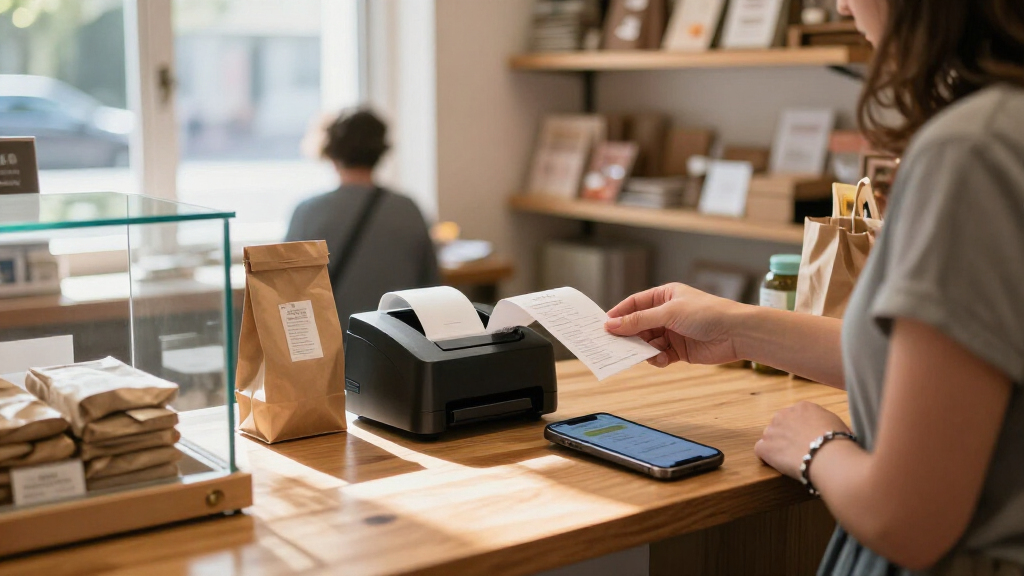

Portable receipt printers for small businesses vary most in paper width, connection options, and how easily they fit into a mobile checkout setup. I’d name the Rongta RPP300 as the best overall pick for businesses that need both USB and Bluetooth, the Rongta 80mm model with auto cutter for wider receipts, and the Epson TM-T20III for a more established fixed-counter setup. The main tradeoff is between compact 58mm printers that travel easily and wider 80mm models that provide more room for item details but take up more space. Compatibility matters just as much as portability: a printer that cannot connect to your POS device may not fit your workflow. Read on for the full breakdown and guidance on choosing the right match for your business.
Key Takeaways
- Rongta RPP300 stands out for connection flexibility: its USB and Bluetooth options suit businesses that may switch between a counter and mobile checkout.
- Width is a practical dividing line: the 58mm options favor a smaller footprint, while 80mm models give receipts more room and can suit longer itemized transactions.
- Auto cutters matter most during frequent checkout: the Rongta 80mm and NetumScan 80mm models list this feature, which can reduce manual tearing during busy service.
- The Epson TM-T20III serves a different role: it is a more natural fit for a stable POS station than for businesses prioritizing a printer they can carry between locations.
- Similar names do not guarantee identical fit: the two Sunydog models and multiple NETUM-branded options call for careful checks of connectivity, paper width, and POS compatibility before purchase.
| NETUM Portable Bluetooth 58mm Thermal Receipt Printer |  | Best for Lightweight Android Setups | Printer type: Thermal, monochrome | Print width: 58 mm | Paper size: 58 × 30 mm | VIEW LATEST PRICE | See Our Full Breakdown |
| Rongta 80mm Thermal Receipt Printer with Auto Cutter |  | Best for Fixed, High-Volume Counters | Printer type: Thermal, monochrome | Print speed: Up to 250 mm/sec | Print resolution: 203 dpi | VIEW LATEST PRICE | See Our Full Breakdown |
| GZGYNADAST POS8001 Portable Bluetooth Thermal Receipt Printer |  | Best for Wider Mobile Receipts | Model: POS8001 | Printer type: Thermal, monochrome | Maximum paper width: 80 mm | VIEW LATEST PRICE | See Our Full Breakdown |
| Sunydog Portable 58mm Mini Thermal Receipt Printer |  | Best for Older Windows-and-Android Setups | Printer type: Thermal, monochrome | Paper width: 58 mm | Valid print width: 48 mm | VIEW LATEST PRICE | See Our Full Breakdown |
| SHUAIGUO Portable 58mm Bluetooth Thermal Receipt Printer | 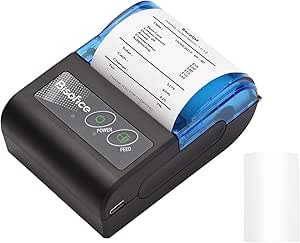 | Best Lightweight Pick for Android Sellers | Print technology: Thermal, monochrome | Paper width: 58 mm | Valid print width: 48 mm | VIEW LATEST PRICE | See Our Full Breakdown |
| Epson TM-T20III Monochrome Thermal POS Printer |  | Best for Square Counter Setups | Printer type: Thermal, monochrome | Connectivity: USB | Print speed: Up to 250 mm/sec | VIEW LATEST PRICE | See Our Full Breakdown |
| NetumScan 80mm USB Thermal POS Receipt Printer with Auto Cutter |  | Best for Fast, Wide Receipts at a Wired Counter | Printer type: Thermal, monochrome | Paper width: 80 mm | Print speed: Up to 300 mm/s | VIEW LATEST PRICE | See Our Full Breakdown |
| 58mm Bluetooth Thermal Receipt Printer for Android and Windows |  | Best for Android App Flexibility | Printer type: Direct thermal, monochrome | Paper width: 58 mm | Connectivity: Bluetooth | VIEW LATEST PRICE | See Our Full Breakdown |
| MUNBYN IMP001 58mm Mini Wireless Thermal Receipt Printer |  | Best for Belt-Carried Android Checkout | Printer type: Thermal, monochrome | Paper width: 58 mm | Print resolution: 203 x 203 DPI | VIEW LATEST PRICE | See Our Full Breakdown |
| Sunydog Portable 58mm Thermal Receipt Printer |  | Best for Lightweight, Battery-Powered Printing | Printer type: Thermal, monochrome | Print width: 58 mm | Print speed: Up to 70 mm/s | VIEW LATEST PRICE | See Our Full Breakdown |
| Rongta Portable 80mm POS Printer (RPP300) – USB & Bluetooth Thermal Receipt Printer |  | Best for Wider Receipts on the Go | Printer type: Portable receipt printer | Output: Monochrome thermal | Connectivity: USB and Bluetooth | VIEW LATEST PRICE | See Our Full Breakdown |
| portable receipt printers for small businesse | Printer type | Connectivity | Weight | Paper width |
|---|---|---|---|---|
| NETUM Portable Bluetooth 58mm | Thermal, monochrome | Bluetooth 4.0, USB | 320 g | — |
| Rongta 80mm Thermal Receipt Pr | Thermal, monochrome | USB, Ethernet, serial | 1.56 kg | 80 mm |
| GZGYNADAST POS8001 Portable Bl | Thermal, monochrome | Bluetooth, USB | — | — |
| Sunydog Portable 58mm Mini The | Thermal, monochrome | Bluetooth, USB | — | 58 mm |
| SHUAIGUO Portable 58mm Bluetoo | — | Bluetooth, USB | 190 g | 58 mm |
| Epson TM-T20III Monochrome The | Thermal, monochrome | USB | 1.4 kg | — |
| NetumScan 80mm USB Thermal POS | Thermal, monochrome | — | 0.6 kg | 80 mm |
| 58mm Bluetooth Thermal Receipt | Direct thermal, monochrome | Bluetooth | — | 58 mm |
| MUNBYN IMP001 58mm Mini Wirele | Thermal, monochrome | Bluetooth; USB | 0.45 kg | 58 mm |
| Sunydog Portable 58mm Thermal | Thermal, monochrome | Bluetooth; USB | 0.25 kg | — |
| Rongta Portable 80mm POS Print | Portable receipt printer | USB and Bluetooth | 335 g | 80 mm; compatible with 58 mm |
More Details on Our Top Picks
NETUM Portable Bluetooth 58mm Thermal Receipt Printer
The NETUM Portable Bluetooth 58mm suits a small business that needs basic receipts away from a counter, especially when its existing POS app is confirmed to work with the printer. At 320 g, it is easy to carry between a market stall, delivery route, or pop-up, and thermal printing avoids ink and ribbon supplies. Its 2,000 mAh battery is listed for up to seven days of standby, which is useful when printing is intermittent rather than continuous. Compared with the GZGYNADAST POS8001, NETUM has a narrower paper format and less listed platform flexibility, but its app support includes several Android POS apps. The main drawback is compatibility uncertainty: it does not support many popular POS services, so buyers should verify their exact setup before relying on it.
Pros:- Portable 320 g design for mobile receipt printing
- Thermal printing needs no ink or ribbon
- 2,000 mAh battery is listed for up to seven days of standby
- Bluetooth and USB connectivity
Cons:- Does not support many popular POS services and apps
- App compatibility varies, so setup may require checking with the POS provider
- 58 mm paper format is narrower than the 80 mm format supported by the GZGYNADAST POS8001
Best for: Android-based market vendors and mobile sellers whose POS app is confirmed to support this NETUM printer.
Not ideal for: Businesses using iPhone, iPad, or a POS service outside its supported apps, since compatibility is limited and must be checked.
- Printer type:Thermal, monochrome
- Print width:58 mm
- Paper size:58 × 30 mm
- Print resolution:203 DPI
- Connectivity:Bluetooth 4.0, USB
- Battery:2,000 mAh rechargeable
- Standby time:Up to 7 days
- Weight:320 g
Our verdict“Choose NETUM for lightweight Android receipt printing only if your POS app is confirmed compatible.”
Rongta 80mm Thermal Receipt Printer with Auto Cutter
The Rongta 80mm is the lineup’s counter-focused choice, not a printer for carrying around a shop. Its 250 mm/sec print speed, auto cutter, and support for a cash drawer fit a busy checkout where staff need receipts to feed and separate quickly. USB, Ethernet, and serial connections also give established POS setups more wired options than the Bluetooth-first NETUM or SHUAIGUO models. It can sit on a desk or be wall-mounted, but at 1.56 kg it gives up the grab-and-go convenience that defines a portable receipt printer. That is the central tradeoff: wider 80 mm receipts and counter workflow features in exchange for no Wi-Fi or Bluetooth. It also lacks compatibility with listed platforms such as Square, Clover, and Chromebook, so this makes sense only when the POS system supports it.
Pros:- Fast printing at up to 250 mm/sec with an auto cutter
- Supports 80 mm paper for wider receipts
- USB, Ethernet, and serial connections suit wired POS setups
- Cash drawer support and desktop or wall-mounted installation
Cons:- No Wi-Fi or Bluetooth for mobile or wireless checkout
- At 1.56 kg, it is far less portable than the NETUM or SHUAIGUO
- Not compatible with several listed platforms, including Square, Clover, and Chromebook
Best for: Small retailers with a fixed checkout, a compatible wired POS system, and a need for quick 80 mm receipts with cash drawer support.
Not ideal for: Pop-up sellers, delivery businesses, or shops using Bluetooth, Wi-Fi, Square, Clover, or Chromebook workflows.
- Printer type:Thermal, monochrome
- Print speed:Up to 250 mm/sec
- Print resolution:203 dpi
- Paper width:80 mm
- Print width:79.5 ± 0.5 mm
- Connectivity:USB, Ethernet, serial
- Auto cutter:Yes
- Weight:1.56 kg
- Compatible operating systems:Windows, Mac, Linux
Our verdict“Pick Rongta for a compatible fixed checkout that benefits from fast, wide receipts, not for mobile selling.”
GZGYNADAST POS8001 Portable Bluetooth Thermal Receipt Printer
The GZGYNADAST POS8001 stands out among the portable models for supporting paper up to 80 mm wide, a useful difference for sellers who need more room for item details or barcodes than 58 mm printers provide. Bluetooth and USB give Android and Windows users two connection routes, while the rechargeable battery makes it practical for off-counter work. Its listed maximum resolution of 384 dpi is higher than the 203 dpi figures for the NETUM and Sunydog, though the supplied data does not establish how that changes everyday POS output. The tradeoff is platform reach: it does not support iPhone, iPad, or Mac and also excludes several listed POS and payment apps. The included driver and instruction files may help with setup, but they do not solve unsupported app or device combinations.
Pros:- Supports thermal paper up to 80 mm wide
- Bluetooth and USB connectivity
- Rechargeable battery supports printing away from an outlet
- Listed maximum resolution of 384 dpi and a two-year warranty
Cons:- Not compatible with iPhone, iPad, or Mac
- Does not support several listed POS and payment apps
- Requires removing the battery insulating sticker before use
Best for: Android or Windows sellers who need a portable printer with wider paper support and have verified their POS app is compatible.
Not ideal for: Businesses running iOS or Mac devices, or sellers who need broad compatibility with common POS and payment apps.
- Model:POS8001
- Printer type:Thermal, monochrome
- Maximum paper width:80 mm
- Maximum print resolution:384 dpi
- Connectivity:Bluetooth, USB
- Supported platforms:Android, Windows
- Power:Rechargeable battery
- Warranty:2 years
Our verdict“Choose the POS8001 if you need wider mobile receipts on Android or Windows and your POS software is confirmed compatible.”
Sunydog Portable 58mm Mini Thermal Receipt Printer
The Sunydog Portable 58mm Mini is a straightforward choice for sellers who use Android over Bluetooth or an older Windows computer over USB. Its 58 mm paper and 70 mm/s speed fit occasional receipts rather than a fast checkout line, while the rechargeable battery and inkless thermal mechanism keep the kit simple for mobile work. Unlike the 80 mm GZGYNADAST POS8001, Sunydog is limited to a narrower paper format, and its listed supported systems are unusually specific: Windows 7, 8, and 10, with no Mac or Windows 11 support. Square POS is also unsupported, and iOS use is not recommended. That makes this less flexible than the NETUM for buyers with varied Android POS apps; the appeal is a basic Android-and-older-Windows setup, not broad device compatibility.
Pros:- Portable rechargeable design for mobile receipt printing
- Thermal printing requires no ink or ribbon
- Bluetooth for Android and USB for supported Windows versions
- 70 mm/s print speed for routine, lower-volume receipts
Cons:- No Mac or Windows 11 support
- Not compatible with Square POS, and iOS use is not recommended
- 48 mm valid print width leaves less room for content than the GZGYNADAST POS8001’s 80 mm paper format
Best for: Small sellers using Android apps or Windows 7, 8, or 10 who need occasional 58 mm receipts away from a fixed counter.
Not ideal for: Businesses using Square POS, Mac, Windows 11, or an iPhone or iPad as the main checkout device.
- Printer type:Thermal, monochrome
- Paper width:58 mm
- Valid print width:48 mm
- Print speed:Up to 70 mm/s
- Resolution:203 × 203 DPI
- Connectivity:Bluetooth, USB
- Battery:1,500 mAh rechargeable
- Supported systems:Android; Windows 7, 8, and 10
Our verdict“Buy Sunydog for a simple Android or older-Windows workflow, but skip it if your business depends on Square or newer computer systems.”
SHUAIGUO Portable 58mm Bluetooth Thermal Receipt Printer
At just 190 g, the SHUAIGUO Portable 58mm is the easiest model in this group to carry for deliveries, events, or occasional receipts on the move. It shares the Sunydog’s 58 mm paper width and 70 mm/s maximum speed, but adds a stated 1D and QR code barcode range and includes a thermal paper roll in the box. Bluetooth and USB support give Android users a wireless option and provide a wired route for listed Windows versions. Compared with the NETUM, SHUAIGUO is lighter but has a smaller 1,500 mAh battery and similarly limited POS reach. It is not compatible with Square, iOS support is limited, and its Windows drivers are listed only for versions 7, 8, and 10. Its compactness is valuable only if the app and device match.
Pros:- Lightweight 190 g body suited to carrying between sales locations
- Bluetooth and USB connectivity
- Thermal printing avoids ink and ribbon supplies
- Supports 1D and QR code barcodes and includes a paper roll
Cons:- Not compatible with Square POS
- iOS and POS compatibility are limited
- Listed Windows driver support stops at Windows 7, 8, and 10
Best for: Android-based mobile sellers who prioritize a very light printer for events, delivery work, or occasional on-site receipts.
Not ideal for: Square users, iPhone and iPad businesses, or shops needing Windows 11 support or a wider receipt format.
- Print technology:Thermal, monochrome
- Paper width:58 mm
- Valid print width:48 mm
- Maximum print speed:70 mm/s
- Resolution:203 dpi
- Connectivity:Bluetooth, USB
- Battery:1,500 mAh, 7.4 V rechargeable lithium
- Weight:190 g
- Supported barcode types:1D and QR code
Our verdict“Choose SHUAIGUO when low carry weight matters most and your Android POS app is confirmed to work.”
Epson TM-T20III Monochrome Thermal POS Printer
For a fixed retail or hospitality counter, the Epson TM-T20III favors dependable throughput over on-the-go use. Its USB connection suits a workstation, while print speeds up to 250 mm/sec and an auto-cutter rated for 1.5 million cuts are useful when receipts are frequent. It is compatible with Square Stand and Square Register, but Square use requires one of those setups; this is not a direct mobile Bluetooth printer. Compared with the NetumScan 8360, the Epson prints more slowly on paper, but offers a clearly specified cutter life and a two-year warranty. Its 1.4 kg weight and USB-only connection also make it less convenient to move than the portable 58 mm models here. I’d choose it for a stable Square counter, not for roaming checkout.
Pros:- Prints at up to 250 mm/sec for busy counter service
- Auto-cutter is rated for 1.5 million cuts
- Designed for retail and hospitality receipt printing
- Compatible with Square Stand and Square Register
Cons:- USB-only connection; no Bluetooth or Wi-Fi
- Square use requires a Square Stand or Square Register
- Heavier and less suited to mobile checkout than the 58 mm portable printers
Best for: Small retailers and cafés running Square Stand or Square Register at a fixed checkout counter
Not ideal for: Market vendors or staff who need wireless printing from phones, since it has USB only and Square use requires a Stand or Register
- Printer type:Thermal, monochrome
- Connectivity:USB
- Print speed:Up to 250 mm/sec
- Print resolution:203 x 203 dpi
- Weight:1.4 kg
- Dimensions:7.83 x 5.51 x 5.75 inches
- Auto-cutter life:1.5 million cuts
- Warranty:2 years
Our verdict“Choose the Epson for a fixed Square counter where fast printing and a high-rated cutter matter more than wireless portability.”
NetumScan 80mm USB Thermal POS Receipt Printer with Auto Cutter
The NetumScan 8360 is the speed-focused wired choice in this group: it prints up to 300 mm/s on 80 mm paper, which suits a busy counter where wider receipts and quick handoffs matter. Its auto-cutter, overheating protection, and wall-mount option give it practical advantages over compact 58 mm models such as the MUNBYN IMP001, which is designed for carrying rather than fixed, high-volume service. The tradeoff is compatibility. This printer connects by USB only and supports Windows, Mac, and Linux, but the product information warns that it does not work with several POS services or iOS and Android devices. I’d check the exact computer and POS setup before buying; impressive speed is of little use if the register cannot send jobs to it.
Pros:- Print speed reaches up to 300 mm/s
- 80 mm paper supports wider receipts than the 58 mm portable models
- Auto-cutter and overheating protection suit repeated counter use
- Wall-mount option can free up counter space
Cons:- USB-only, with no LAN, Wi-Fi, or Bluetooth
- Not compatible with iOS or Android devices
- POS-service compatibility is limited and should be verified before purchase
Best for: Small shops with a Windows, Mac, or Linux POS computer that need fast 80 mm receipts at a fixed or wall-mounted station
Not ideal for: Mobile sellers and businesses using iOS, Android, or a POS service listed as incompatible
- Printer type:Thermal, monochrome
- Paper width:80 mm
- Print speed:Up to 300 mm/s
- Print resolution:300 x 300 dpi
- Interface:USB only
- Compatibility:Windows, Mac, Linux
- Weight:0.6 kg
- Features:Auto cutter, overheating protection, wall-mount option
Our verdict“Pick the NetumScan for fast, wide receipts from a compatible wired POS computer, not for wireless checkout.”
58mm Bluetooth Thermal Receipt Printer for Android and Windows
This 58 mm printer suits a small business that already relies on a compatible Android app and wants a compact Bluetooth receipt option. It also supports Windows through an included driver, giving it a second route for printing that the Sunydog Portable 58mm Thermal Receipt Printer shares through USB. The key difference is that this model’s product data lists a 300 dpi maximum resolution, while Sunydog specifies 203 dpi and a rechargeable battery. Here, the appeal is app and driver support rather than a stated battery or broad POS compatibility. It does not support iOS, iPadOS, or macOS, and several named POS services are unsupported. I’d verify the exact app before choosing it; Bluetooth alone does not guarantee that a phone can print from a business’s register software.
Pros:- Bluetooth connection supports compatible Android devices
- Windows driver provides a computer-based printing option
- Compact 58 mm format is suited to limited counter space
- Thermal printing needs no ink or ribbon
Cons:- No support for iOS, iPadOS, or macOS
- Incompatible with several popular POS services
- Bluetooth printing depends on a compatible app
Best for: Android-based market stalls or small service businesses using a confirmed compatible receipt or inventory app
Not ideal for: Businesses using iPhones, iPads, Macs, or POS services that are not supported by the printer
- Printer type:Direct thermal, monochrome
- Paper width:58 mm
- Connectivity:Bluetooth
- Compatible systems:Android; Windows 7/8/10/11/XP
- Unsupported systems:iOS, iPadOS, macOS
- Maximum resolution:300 dpi
- Dimensions:4.5 x 3.15 x 2.2 inches
- Included accessories:U disk with Windows/Mac driver, SDK, and English manual
Our verdict“Choose this model if your Android app is confirmed compatible and you want a small Bluetooth printer without ink supplies.”
MUNBYN IMP001 58mm Mini Wireless Thermal Receipt Printer
The MUNBYN IMP001 is the most practical fit here for staff who carry a printer between customers: it weighs 0.45 kg, includes a carrying belt, and supports Android Bluetooth plus Windows USB. Its 5–6 days of standby time can help when the printer is carried through shifts but used intermittently. Compared with the Sunydog Portable 58mm Thermal Receipt Printer, MUNBYN supplies a standby-time figure and auto-sleep/auto-wake functions, while Sunydog lists a rechargeable 1500mAh battery and a print speed. Neither solves the main limitation: this is not a universal phone printer. It does not support iOS or Mac, several services including Square are listed as incompatible, and Bluetooth range should stay within 3 meters. I’d buy it only after confirming the Android POS app works.
Pros:- Portable 0.45 kg build includes a belt for carrying
- Connects to Android over Bluetooth and Windows over USB
- 5–6 days of standby time supports intermittent use
- Auto-sleep and auto-wake functions help manage standby
Cons:- Not compatible with iPad, iPhone, iOS, or Mac
- Does not support listed services including DoorDash, Zettle POS, and Square
- Bluetooth operating distance should not exceed 3 meters
Best for: Android-based mobile vendors or service staff who carry a lightweight printer and have verified POS compatibility
Not ideal for: Businesses using Square, DoorDash, Zettle POS, iPhones, iPads, or Mac computers
- Printer type:Thermal, monochrome
- Paper width:58 mm
- Print resolution:203 x 203 DPI
- Connectivity:Bluetooth; USB
- Compatible devices:Android; Windows
- Weight:0.45 kg
- Dimensions:4.8 x 6.9 x 1.5 inches
- Standby time:5–6 days
Our verdict“Choose the MUNBYN for belt-carried Android checkout only when your POS app is confirmed compatible and stays within Bluetooth range.”
Sunydog Portable 58mm Thermal Receipt Printer
At 0.25 kg, the Sunydog is the lightest clearly specified option in this batch, making it appealing for pop-up stalls or staff who need to carry a receipt printer with minimal bulk. Its 1500mAh rechargeable battery and Bluetooth connection support Android printing away from a desk; USB gives Windows users a wired alternative. Compared with the MUNBYN IMP001, Sunydog lists a battery capacity and print speed of up to 70 mm/s, while MUNBYN lists longer standby time and a carrying belt. The Sunydog’s smaller 58 mm format and modest speed favor portability over fast, wide receipts. Compatibility is the bigger constraint: it does not support iOS or Square POS, and smartphone printing requires a compatible app. I’d confirm that app before relying on it for checkout.
Pros:- Lightweight 0.25 kg design is easy to carry
- Rechargeable 1500mAh battery supports printing away from a desk
- Bluetooth and USB provide Android and Windows connection options
- Thermal printing requires no ink, toner, or ribbons
Cons:- Not compatible with Square POS or iOS
- Smartphone printing depends on a compatible Android app
- 58 mm paper and 70 mm/s speed are less suited to high-volume, wide-receipt service
Best for: Android-based pop-up sellers and mobile service businesses that prioritize low carry weight and rechargeable operation
Not ideal for: Square users, iPhone or iPad owners, and businesses needing wide receipts or high-speed counter printing
- Printer type:Thermal, monochrome
- Print width:58 mm
- Print speed:Up to 70 mm/s
- Resolution:203 dpi
- Connectivity:Bluetooth; USB
- Compatible systems:Android; Windows
- Battery capacity:1500 mAh
- Weight:0.25 kg
- Warranty:Limited warranty
Our verdict“Pick the Sunydog for lightweight Android printing on the move if its app works with your POS and 58 mm receipts meet your needs.”
Rongta Portable 80mm POS Printer (RPP300) – USB & Bluetooth Thermal Receipt Printer
The RPP300 stands out for small businesses that need 80 mm receipts without carrying a full-size counter printer. At 335 g, it is lighter and more mobile than the Epson TM-T20III, while its USB and Bluetooth connections let staff print from compatible phones, tablets, or computers. ESC/POS support gives it a familiar route into many POS setups, and its app allows quick font-size adjustments for more legible receipts. It also accepts 58 mm paper, adding flexibility when narrower rolls suit a particular workflow.
The tradeoff is compatibility: it does not work with Square or Chrome OS POS applications, so buyers should verify their software before choosing it. Its small LCD offers little status detail, and monochrome printing with limited graphics support makes it a poor fit for branded or image-heavy receipts. Compared with compact 58 mm options such as the NETUM Portable Bluetooth 58mm Thermal Receipt Printer, the RPP300 offers more paper width but needs a larger roll and may be less convenient for the most space-constrained setups.
Pros:- Supports 80 mm paper and can also use 58 mm rolls
- USB and Bluetooth connectivity for compatible phones, tablets, and computers
- ESC/POS command support suits a range of POS software
- Compact 335 g body and app-based font-size adjustment
Cons:- Not compatible with Square or Chrome OS POS applications
- Monochrome output and limited graphics support restrict receipt design
- Small LCD provides minimal printer status information
Best for: Market vendors, mobile service businesses, and small retailers that need wider receipts and use compatible Android, iOS, or Windows POS software.
Not ideal for: Businesses running Square or Chrome OS POS applications, or operators who need detailed status reporting, advanced graphics, or the smallest possible printer-and-roll setup.
- Printer type:Portable receipt printer
- Output:Monochrome thermal
- Connectivity:USB and Bluetooth
- Paper width:80 mm; compatible with 58 mm
- Resolution:203 dpi
- Weight:335 g
- Dimensions:4.45 × 4.06 × 1.77 in
- Maximum roll diameter:40 mm
- Compatibility:Android, iOS, and Windows
Our verdict“Choose the RPP300 if your business needs wider mobile receipts and compatible POS software; skip it if Square support or detailed graphics are required.”

How We Picked
I ranked these printers around the needs that shape everyday small-business checkout: portability, paper width, connection options, and workflow fit. I gave more weight to models with clearly stated connectivity and a useful balance of mobile convenience and counter use. An auto cutter or wider paper support can help a printer handle frequent or detailed receipts, but those features do not automatically make a model the right choice for a business that needs a compact, easily carried setup.
The order also reflects how readily each option appears suited to the stated role, not a claim that every printer works with every POS system. A portable label or receipt printer is only useful if its operating-system, app, and connection requirements match the buyer’s devices. I placed specialized options below more flexible picks when their design appears better suited to one setting, and treated the two similar Sunydog models as separate choices that buyers should compare by exact specifications before ordering.
| portable receipt printers for small businesse | Printer type |
|---|---|
| NETUM Portable Bluetooth 58mm | Thermal, monochrome |
| Rongta 80mm Thermal Receipt Pr | Thermal, monochrome |
| GZGYNADAST POS8001 Portable Bl | Thermal, monochrome |
| Sunydog Portable 58mm Mini The | Thermal, monochrome |
| SHUAIGUO Portable 58mm Bluetoo | — |
| Epson TM-T20III Monochrome The | Thermal, monochrome |
| NetumScan 80mm USB Thermal POS | Thermal, monochrome |
| 58mm Bluetooth Thermal Receipt | Direct thermal, monochrome |
| MUNBYN IMP001 58mm Mini Wirele | Thermal, monochrome |
| Sunydog Portable 58mm Thermal | Thermal, monochrome |
| Rongta Portable 80mm POS Print | Portable receipt printer |
Factors to Consider When Choosing Portable Receipt Printers For Small Businesses
Choosing a receipt printer is a workflow decision, not just a size decision. I would start with the devices and checkout software your business already uses, then match paper format, printing location, and daily volume to that setup.
Match Paper Width to the Receipt You Actually Issue
A 58mm printer can be easier to carry and store, but narrow paper may wrap long product names, truncate details, or create longer receipts. An 80mm model gives more room for item descriptions, tax lines, and branding, which can make complex transactions easier to read. Before choosing, check the receipt templates in your POS software rather than assuming it will format every width well. A common mistake is buying a wider printer for a simple service business that rarely needs the extra space. Another is choosing compact paper for a shop that prints detailed itemized sales. The right width follows the receipt your customers and staff need, not the printer’s headline feature.
Check POS and Device Compatibility Before Buying
Bluetooth, USB, Android, Windows, and POS-system support are separate compatibility questions, not interchangeable promises. Confirm the exact printer model appears on your software provider’s supported-device list and check which connection methods the software accepts. A phone may pair with a printer while the checkout app still cannot send a properly formatted receipt. For a shared counter, test whether the printer can move between staff devices without repeated setup or pairing conflicts. Businesses using tablets should also check port availability and whether a cable adapter is needed. These checks can prevent a portable printer from becoming a stranded accessory.
Choose a Connection Around Your Checkout Routine
Bluetooth avoids a cable at pop-ups and tableside checkout, but it depends on pairing, battery readiness, and a reliable wireless link. USB is usually a better match for a permanent station where a direct connection and predictable placement matter more than freedom to move. A model offering both can give a business room to change its workflow, but only if both modes work with the devices and software in use. Do not select wireless solely because the printer is described as portable; ask how it will connect during the busiest part of the day. If staff will print from several devices, clarify how the printer handles switching and reconnection. A simple, repeatable setup often matters more than having the most connection options.
Treat Portability as More Than Printer Size
A small body is only one part of a mobile setup: the printer also needs a power source, paper rolls, and a way to travel safely. For markets, food trucks, and off-site services, check battery details and expected operating time in the full product specifications before relying on it for a long shift. A compact 58mm model may be easier to carry, while an 80mm unit can make more sense if it stays in a vehicle or on a portable counter. Think about where paper rolls will be stored and how often staff can reload them. A frequent mistake is judging portability from product dimensions alone, without accounting for charging and supplies. Match the complete kit to the distance and duration of your workday.
Weigh Auto Cutting Against Simplicity and Upkeep
An auto cutter can speed up repeated printing and make receipts easier to separate during a busy service period. It also adds a mechanism that may need attention if paper jams or debris interrupt cutting, so it is not automatically a benefit for every low-volume business. For occasional transactions, a simpler tear-off design may be easier to maintain and pack. At higher volumes, the staff time saved by automatic cutting can matter more than the extra mechanism. Check whether the cutter is included on the exact model you are buying, since similar product names can cover different configurations. Think about transaction pace and maintenance capacity, not just the convenience of a single feature.
Plan for Paper, Power, and Replacement Parts
Thermal printers do not use ink, but they still rely on compatible thermal paper, a working power setup, and available replacement supplies. Before committing, verify roll width and diameter, how the printer is powered, and whether the business can readily obtain the right paper. Thermal receipts can fade with heat, sunlight, and time, so they may not suit every recordkeeping need without a digital copy. If the printer will serve as part of a fixed checkout station, also think about cable placement and access for reloading. A low-maintenance purchase is only practical when supplies and routine upkeep fit the business’s normal operations. Keep digital transaction records where long-term retention matters.
Frequently Asked Questions
Can a Bluetooth receipt printer work with any phone or POS app?
No. Bluetooth only describes a connection method; the phone’s operating system, printer driver, and checkout app must all support the specific model. Check the POS provider’s compatible-printer list and confirm whether the app sends receipts over Bluetooth or requires another connection. A successful pairing in the phone settings does not prove that the checkout software can print. If the printer will be used across multiple devices, ask whether each device needs a separate setup. Confirm compatibility before purchase rather than relying on a broad Bluetooth label.
Should I choose a 58mm or 80mm printer for a small shop?
Choose based on receipt layout and transaction detail, rather than the size of the shop. A 58mm model can suit short receipts and a checkout area where storage space is limited. An 80mm model provides more room for itemized purchases, longer descriptions, and other receipt details, but takes up more space and uses wider rolls. Preview a typical receipt from your POS software at both widths if possible. If customers often need detailed receipts, the extra width may be worth the larger setup; for simple transactions, compact paper may be easier to manage.
Is a portable printer a good choice for a permanent checkout counter?
It can be, but portability may not help much if the printer will stay in one place. A small wireless model can reduce cable clutter, while a USB-connected printer may offer a more straightforward fit for a fixed station. Compare the printer’s supported connection with your register, computer, and software before deciding. Also consider roll capacity, cutter needs, and how easily staff can reload paper during a rush. If the counter prints receipts all day, a model designed for a stable POS setup may be a better fit than the smallest travel-friendly option.
What should I verify when two listings have similar printer names?
Compare the complete model number and the specifications for paper width, connection type, power source, operating-system support, and included accessories. Similar names can describe different printers or configurations, and a product title may not make those differences obvious. Check whether an auto cutter is actually listed for the exact model and whether the required cable or battery is included. Read the setup instructions or manufacturer compatibility information before ordering. When specifications conflict, treat the exact model documentation as more reliable than a short listing title.
Do thermal receipts work for long-term business records?
Thermal paper is convenient because the printer does not need ink, but printed text can fade when receipts are exposed to heat, sunlight, friction, or time. For accounting and warranty records, keep digital transaction records rather than relying on the paper copy alone. Check local recordkeeping requirements for your business and retain electronic copies where required. Use the paper format recommended for the printer, since unsuitable rolls can affect print quality or feeding. A thermal receipt is useful for customers and day-to-day transactions, but it should not be your only archive.
Conclusion
For the best overall balance, I’d choose the Rongta RPP300 if its USB and Bluetooth options match your devices and POS software. The Rongta 80mm model with auto cutter is a stronger fit for businesses that print wider, detailed receipts at a brisk pace, while the NetumScan 80mm is another cutter-equipped option to compare for a counter-focused workflow. For a stable POS station, the Epson TM-T20III fits better than the portable mini models; for beginners, I’d start with the simplest 58mm printer that your checkout app explicitly supports. If compact carrying matters most, compare the Sunydog, SHUAIGUO, MUNBYN, NETUM, GZGYNADAST, and generic 58mm options by exact model and compatibility rather than choosing by name alone. I would treat the best-value pick as the compatible model that covers your actual receipt width and connection needs without paying for features your workflow will not use.