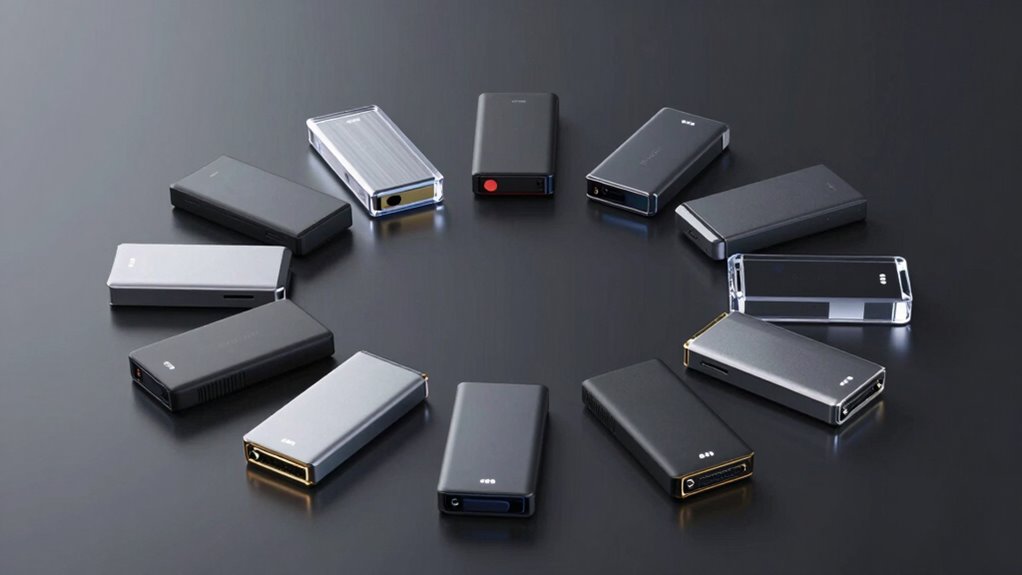

If you’re searching for portable SSD NVMe enclosures, you’re likely balancing speed, durability, and ease of use. The Sabrent USB4 NVMe SSD Enclosure stands out for its blazing-fast transfer speeds of up to 3900MB/s, making it ideal for professionals needing quick access to large files. Meanwhile, the ASUS TUF Gaming A1 offers exceptional durability with IP68 water and dust resistance, perfect for outdoor or rugged environments. However, tradeoffs like size, price, or compatibility may influence your choice. Continue reading for a detailed comparison to help you find the best enclosure for your specific needs.
Key Takeaways
- High transfer speeds are most noticeable with NVMe drives that support USB4 or USB 3.2 Gen 2×2, making these enclosures ideal for demanding workflows.
- Durability features like water, dust resistance, and drop protection significantly impact outdoor or mobile use, but often increase enclosure size and price.
- Compatibility with multiple M.2 sizes and support for both PCIe and SATA SSDs provide greater flexibility, but can add complexity to installation.
- Tool-free designs streamline setup but may sacrifice some stability or heat dissipation compared to enclosures with dedicated screw mechanisms.
- Build quality and material—aluminum vs. plastic—affect thermal performance and longevity, especially during intensive data transfers.
| ASUS TUF Gaming A1 External M.2 NVMe SATA PCIe SSD Enclosure – USB-C, IP68 Water & Dust Resistant, Drop Resistant, Supports PS5 & Xbox |  | Best for Rugged Durability and Versatility | Interface: USB-C 3.2 Gen 2×1 | Transfer Speed: up to 10 Gbps | Supported SSDs: M.2 NVMe PCIe or SATA (2242/2260/2280) | VIEW ON AMAZON | See Our Full Breakdown |
| Sabrent USB4 NVMe SSD Enclosure, Tool-Free, 3900MB/s |  | Best for Ultra-High-Speed Data Transfers | Hardware Interface: Thunderbolt 3, Thunderbolt 4, USB Type C, USB4 | Data Transfer Rate: 3900 MB/s | Supported Devices: Desktop, Gaming Console, Laptop | VIEW ON AMAZON | See Our Full Breakdown |
| ASUS ROG Strix Aiolos USB-C SSD Enclosure – Dual M.2 NVMe, PCIe & SATA Support, Tool-Free Installation, Heat-Resistant Coating, Thermal Pad |  | Best for Gamers and Creators Needing Flexibility | Interface: USB 3.2 Gen 2×2 | Supported Devices: Laptop, PC | Supported Drives: M.2 PCIe NVMe and SATA | VIEW ON AMAZON | See Our Full Breakdown |
| ASUS ROG Strix Arion Aluminum Alloy M.2 NVMe SSD Enclosure Case Adapter, USB 3.2 Gen 2 Type-C, 10 Gbps, Includes Cables, Supports PCIe 2280/2260/2242/2230 M Key/B+M Key, 1 Year Warranty |  | Best for Aluminum Durability and Customization | Hardware Interface: USB 3.2 Gen 2 Type-C | Transfer Speed: 10 Gbps | Supported Devices: Laptop | VIEW ON AMAZON | See Our Full Breakdown |
| SABRENT Tool-Free NVMe & SATA M.2 SSD Enclosure, USB 3.2 Type-C |  | Best for Simplicity and Compatibility | Hardware Interface: USB 3.2 Type-C | Data Transfer Rate: 10 Gbps | Supported Devices: Laptop | VIEW ON AMAZON | See Our Full Breakdown |
| Lexar E300 M.2 NVMe SSD Enclosure, USB-C 10Gbps External SSD Reader/Adapter |  | Best Overall for Speed and Versatility | Hardware Interface: USB 3.2 Gen 2 | Memory Storage Capacity: 4 TB | Compatible Devices: Desktop, Laptop | VIEW ON AMAZON | See Our Full Breakdown |
| V VCOM M.2 NVMe SSD Enclosure, USB C External Adapter, USB 3.2 Gen2 (10Gbps) with UASP, Trim Support – M-Key (B+M Key) for 2230/2242/2260/2280 SSDs |  | Best for Compatibility and OS Flexibility | Supported SSD Type: NVMe M.2 (B+M Key) | Supported Sizes: 2230, 2242, 2260, 2280 | Interface: USB 3.2 Gen2 (10Gbps) | VIEW ON AMAZON | See Our Full Breakdown |
| Satechi Mini NVMe SSD Enclosure, 10Gbps Transfer Speed, Up to 2TB Capacity |  | Best Compact and Self-Cooling Design | Hardware Interface: USB Type C | Memory Storage Capacity: 2 TB | Compatible Devices: MacBook, iPad Pro, Surface, more | VIEW ON AMAZON | See Our Full Breakdown |
| ASUS TUF Gaming A2 USB-C 3.2 Gen 2×2 SSD Enclosure with Dual M.2 NVMe PCIe and SATA, MIL-STD-810H Drop Resistance, IP68 Water and Dust Resistance, Aluminum Alloy Chassis, 1-Year Warranty |  | Best Rugged and Dual-Drive Support for Heavy Duty Use | Supported SSD Sizes: 2242/2260/2280 | Interface: USB-C 3.2 Gen 2×2 | Maximum Speed: 20 Gbps | VIEW ON AMAZON | See Our Full Breakdown |
| FIDECO M.2 NVMe SSD Enclosure, USB 3.2 Gen 2, Tool-Free, Supports M.2 NVMe SSDs (2230/2242/2260/2280) |  | Best Budget-Friendly, Easy Setup | Hardware Interface: USB 3.2 Gen 2, USB Type C | Supported SSD Sizes: 2230/2242/2260/2280 | Supported Devices: 1 | VIEW ON AMAZON | See Our Full Breakdown |
| ORICO M.2 NVMe SSD Enclosure, USB 3.1 Gen 2, PCIe External Adapter for M.2 NVMe SSDs up to 8TB |  | Best Overall for Versatile High-Speed NVMe Enclosures | Interface: USB 3.1 Gen 2 Type-C | Max Speed: 10 Gbps | Supported SSDs: NVMe M.2 PCIe (2230/2242/2260/2280), up to 8TB | VIEW ON AMAZON | See Our Full Breakdown |
| Sabrent USB-C NVMe Enclosure & Reader, M.2 PCIe SSD, 10Gbps |  | Best for Quick, Tool-Free NVMe Setup on the Go | Hardware Interface: USB-C | Data Transfer Rate: 10Gbps | Supported Devices: NVMe PCIe and SATA M.2 SSDs | VIEW ON AMAZON | See Our Full Breakdown |
| UGREEN USB-C M.2 NVMe SSD Enclosure, 10Gbps |  | Best for Versatile Compatibility and Security | Hardware Interface: USB 3.2 Gen 2 | Memory Storage Capacity: Up to 8 TB | Supported Devices: Computers, smartphones, tablets | VIEW ON AMAZON | See Our Full Breakdown |
| SSK M.2 to USB NVMe SATA SSD Enclosure USB 3.2 Gen2 10Gbps Adapter Reader |  | Best for Dual NVMe and SATA Flexibility in Compact Design | Hardware Interface: USB 3.2 Gen 2 | Memory Storage Capacity: Up to 4 TB | Supported Devices: Desktop, Laptop, Smartphone, Tablet | VIEW ON AMAZON | See Our Full Breakdown |
| UGREEN 40Gbps M.2 NVMe Enclosure (SSD Not Included) |  | Best for Ultra-High-Speed Performance with Thunderbolt 4 Compatibility | Hardware Interface: USB Type C | Memory Storage Capacity: Up to 8 TB | Supported Devices: Desktop, Gaming Console, Laptop, Smartphone, Tablet | VIEW ON AMAZON | See Our Full Breakdown |
| portable ssd nvme enclosure | Hardware Interface | Data Transfer Rate | Supported Devices |
|---|---|---|---|
| ASUS TUF Gaming A1 External M. | — | — | — |
| Sabrent USB4 NVMe SSD Enclosur | Thunderbolt 3, Thunderbolt 4, USB Type C, USB4 | 3900 MB/s | Desktop, Gaming Console, Laptop |
| ASUS ROG Strix Aiolos USB-C SS | — | — | Laptop, PC |
| ASUS ROG Strix Arion Aluminum | USB 3.2 Gen 2 Type-C | — | Laptop |
| SABRENT Tool-Free NVMe & SATA | USB 3.2 Type-C | 10 Gbps | Laptop |
| Lexar E300 M.2 NVMe SSD Enclos | USB 3.2 Gen 2 | 10 gigabits per second | — |
| V VCOM M.2 NVMe SSD Enclosure | — | — | — |
| Satechi Mini NVMe SSD Enclosur | USB Type C | 10 Gbps | — |
| ASUS TUF Gaming A2 USB-C 3.2 G | — | — | — |
| FIDECO M.2 NVMe SSD Enclosure | USB 3.2 Gen 2, USB Type C | 10 Gbps | 1 |
| ORICO M.2 NVMe SSD Enclosure | — | — | — |
| Sabrent USB-C NVMe Enclosure & | USB-C | 10Gbps | NVMe PCIe and SATA M.2 SSDs |
| UGREEN USB-C M.2 NVMe SSD Encl | USB 3.2 Gen 2 | 10Gbps | Computers, smartphones, tablets |
| SSK M.2 to USB NVMe SATA SSD E | USB 3.2 Gen 2 | 10Gbps | Desktop, Laptop, Smartphone, Tablet |
| UGREEN 40Gbps M.2 NVMe Enclosu | USB Type C | 40Gbps | Desktop, Gaming Console, Laptop, Smartphone, Tablet |
More Details on Our Top Picks
ASUS TUF Gaming A1 External M.2 NVMe SATA PCIe SSD Enclosure – USB-C, IP68 Water & Dust Resistant, Drop Resistant, Supports PS5 & Xbox
This enclosure stands out for combining military-grade drop resistance and IP68 water and dust protection, making it ideal for users who need durability on the go. Unlike the lightweight Sabrent enclosure, it offers a more rugged build, but that means it’s bulkier and may feel less sleek. Its support for both NVMe PCIe and SATA M.2 SSDs adds flexibility, though it requires compatible drives for optimal performance. The USB-C 3.2 Gen 2×1 interface provides transfer speeds up to 10 Gbps, which is sufficient for most tasks, but not as fast as specialized Thunderbolt options like the Sabrent. The Q-latch mechanism simplifies installation, yet the overall design is bulkier compared to simpler enclosures. This model is perfect for gamers or mobile professionals who prioritize durability and broad compatibility.
Pros:- Supports both NVMe PCIe and SATA M.2 SSDs for versatile storage options
- Durable with MIL-STD-810H drop resistance and IP68 water/dust resistance
- Easy installation with Q-latch mechanism
- High transfer speeds up to 10 Gbps
Cons:- Requires compatible M.2 SSDs for use, no drives included
- Design is bulkier and heavier than simpler enclosures
- Limited to USB-C 3.2 Gen 2×1, not the fastest available interface
Best for: Users needing rugged protection for mobile, gaming, or outdoor storage
Not ideal for: Indoor users or those seeking the most compact, lightweight enclosure for casual use
- Interface:USB-C 3.2 Gen 2×1
- Transfer Speed:up to 10 Gbps
- Supported SSDs:M.2 NVMe PCIe or SATA (2242/2260/2280)
- Durability:MIL-STD-810H drop resistance, IP68 water and dust resistance
- Compatibility:PCs, laptops, mobile devices, PS5, Xbox
Our verdict“This enclosure is best suited for users who need rugged, durable protection in demanding environments.”
Sabrent USB4 NVMe SSD Enclosure, Tool-Free, 3900MB/s
This enclosure excels in delivering blazing transfer speeds of up to 3,900 MB/s via USB4 and Thunderbolt 3/4, making it ideal for professionals handling large files or demanding workflows. Compared with the ASUS ROG Strix Aiolos, which supports slower USB 3.2 Gen 2×2 at 20 Gbps, the Sabrent is optimized for maximum throughput with PCIe Gen4 NVMe drives. Its tool-free design simplifies installation, and the active cooling system ensures sustained performance without overheating. However, this focus on speed means it supports only PCIe NVMe SSDs and doesn’t accommodate SATA drives, limiting its versatility. The enclosure’s compatibility is broad across Windows and macOS, yet its high performance comes with a higher price point and a limited drive compatibility profile. It is best suited for users who require the fastest possible external storage for content creation or data-intensive applications.
Pros:- Supports PCIe NVMe drives up to 8TB for massive storage capacity
- Unmatched transfer speeds up to 3,900 MB/s with USB4 and Thunderbolt 3/4
- Tool-free installation enables quick setup
- Active cooling system maintains performance during large transfers
Cons:- Supports only PCIe NVMe SSDs, no SATA compatibility
- Higher cost due to high-speed capabilities
- Limited to PCIe Gen4 x4 SSDs, may not fit older drives
Best for: Professionals needing maximum transfer speeds for large file workflows
Not ideal for: Casual users or those with existing SATA drives looking for flexibility
- Hardware Interface:Thunderbolt 3, Thunderbolt 4, USB Type C, USB4
- Data Transfer Rate:3900 MB/s
- Supported Devices:Desktop, Gaming Console, Laptop
- Material:ABS, Aluminum
- Dimensions:5.12″L x 0.94″W x 0.94″H
Our verdict“This enclosure is ideal for users demanding the fastest data transfer speeds with PCIe NVMe drives.”
ASUS ROG Strix Aiolos USB-C SSD Enclosure – Dual M.2 NVMe, PCIe & SATA Support, Tool-Free Installation, Heat-Resistant Coating, Thermal Pad
The ASUS ROG Strix Aiolos offers dual M.2 slots supporting both NVMe and SATA SSDs, providing flexible storage options for gamers and creators. Its USB 3.2 Gen 2×2 interface delivers speed up to 20 Gbps, making it faster than many single-drive enclosures like the ASUS TUF Gaming A1. The tool-free design and thermal management features such as thermal pads and heat-resistant coating help maintain performance during intensive tasks. However, it’s limited to two SSDs at a time and requires a compatible USB-C port for full speed, which might exclude some older laptops. Its lack of RGB lighting and advanced customization features keeps it straightforward but less flashy. This enclosure is perfect for those who want high-speed dual-drive storage in a portable, heat-managed package.
Pros:- Supports both NVMe and SATA M.2 SSDs for maximum versatility
- Fast transfer speeds up to 20 Gbps with USB 3.2 Gen 2×2
- Effective heat dissipation with thermal pads and heat-resistant coating
- Dual SSD support allows flexible storage configurations
Cons:- Limited to two SSDs at a time, no single-drive expansion
- Requires compatible USB-C port for full 20 Gbps speeds
- No RGB or additional customization features
Best for: Gamers or creators needing dual M.2 NVMe/SATA support with high transfer speeds
Not ideal for: Users with only a single SSD or seeking a more compact, minimalist enclosure
- Interface:USB 3.2 Gen 2×2
- Supported Devices:Laptop, PC
- Supported Drives:M.2 PCIe NVMe and SATA
- Transfer Speed:20 Gbps
- Dimensions:4.54″L x 1.81″W x 0.59″H
Our verdict“This enclosure is best suited for users who need dual high-speed SSDs with efficient thermal management.”
ASUS ROG Strix Arion Aluminum Alloy M.2 NVMe SSD Enclosure Case Adapter, USB 3.2 Gen 2 Type-C, 10 Gbps, Includes Cables, Supports PCIe 2280/2260/2242/2230 M Key/B+M Key, 1 Year Warranty
The ASUS ROG Strix Arion combines robust aluminum construction with RGB lighting and heat pads, making it attractive for users who value both durability and style. Its USB 3.2 Gen 2 Type-C interface provides up to 10 Gbps transfer speeds, which is sufficient for most external SSD needs, but not as fast as Thunderbolt or USB4 options. The enclosure supports a wide range of M.2 PCIe NVMe drives (2280/2260/2242/2230), giving flexibility in drive choice. The screwdriver-free design simplifies drive installation, but it only supports one drive at a time. The RGB lighting adds a flair of customization but can drain power if used extensively. This pick is ideal for gamers or power users who want a durable, stylish enclosure with easy setup.
Pros:- Supports multiple M.2 PCIe NVMe drives in various sizes
- Durable aluminum alloy with effective heat dissipation
- Includes USB-C to C and USB-C to A cables for versatile connectivity
- Sleek design with RGB lighting for customization
Cons:- Supports only one drive at a time
- RGB lighting may increase power consumption and is optional
- Limited to 10 Gbps transfer speed, not the fastest available
Best for: Users seeking a durable, aluminum enclosure with style and broad drive compatibility
Not ideal for: Users needing ultra-fast transfer speeds or dual-drive support
- Hardware Interface:USB 3.2 Gen 2 Type-C
- Transfer Speed:10 Gbps
- Supported Devices:Laptop
- Supported Drives:M.2 PCIe NVMe
- Material:Aluminum
Our verdict“This enclosure is perfect for users who want a stylish, durable, and highly versatile NVMe enclosure with moderate speed needs.”
SABRENT Tool-Free NVMe & SATA M.2 SSD Enclosure, USB 3.2 Type-C
This enclosure offers tool-free installation and support for both NVMe and SATA M.2 SSDs, making it accessible for users of all skill levels. Its slim, metal construction provides good portability, and with a maximum transfer speed of 10 Gbps, it handles most external storage needs efficiently. Unlike the ASUS TUF Gaming A1, which emphasizes durability, this enclosure focuses on ease of use and broad compatibility with multiple M.2 sizes and both NVMe and SATA drives. However, it does not include heatsinks or thermal management features, which could limit sustained performance during intensive workloads. It’s a strong choice for those who want a straightforward, reliable enclosure for everyday use or portable storage without special features or heavy-duty protection.
Pros:- Supports both NVMe and SATA M.2 SSDs in various sizes
- Tool-free installation for quick setup and removal
- Compact, lightweight metal design for portability
- Supports transfer speeds up to 10 Gbps
Cons:- No included heatsinks or thermal management features
- Limited to maximum 10 Gbps speed, not Thunderbolt or USB4
- Supports only one drive at a time
Best for: Users seeking simple, plug-and-play compatibility for multiple SSD types
Not ideal for: Power users requiring high-speed transfer or thermal management
- Hardware Interface:USB 3.2 Type-C
- Data Transfer Rate:10 Gbps
- Supported Devices:Laptop
- Supported Drives:M.2 NVMe and SATA
- Material:Metal
Our verdict“This enclosure suits users who want an easy-to-use, versatile option for portable SSD storage without the need for advanced cooling or ultra-fast speeds.”
Lexar E300 M.2 NVMe SSD Enclosure, USB-C 10Gbps External SSD Reader/Adapter
The Lexar E300 stands out for its combination of high-speed data transfer up to 10Gbps and robust aluminum construction, making it ideal for users who need fast, reliable performance on the go. Compared with the Satechi Mini NVMe, it supports larger capacities up to 4TB, but the Satechi’s smaller size and active cooling are better for ultra-portable needs. The Lexar’s tool-free setup simplifies installation, yet its capacity limit and lack of SATA support may be drawbacks for some. Its aluminum casing effectively manages heat during intensive transfers, ensuring sustained performance. However, it requires a USB-C port and doesn’t support SATA drives, which limits flexibility.
Pros:- Supports high-speed data transfer up to 10Gbps
- Effective heat dissipation with aluminum casing
- Tool-free installation for quick setup
Cons:- Does not support SATA SSDs, limiting versatility
- Maximum capacity limited to 4TB
Best for: Professionals who need fast transfer speeds and compatibility with large NVMe SSDs in a portable form.
Not ideal for: Beginners or users with older computers lacking USB-C or those seeking SATA drive support.
- Hardware Interface:USB 3.2 Gen 2
- Memory Storage Capacity:4 TB
- Compatible Devices:Desktop, Laptop
- Data Transfer Rate:10 gigabits per second
- Enclosure Material:Aluminum
- Dimensions:4.5″L x 1.5″W x 0.5″H
Our verdict“This enclosure suits users demanding fast performance and large capacity support in a durable, portable package.”
V VCOM M.2 NVMe SSD Enclosure, USB C External Adapter, USB 3.2 Gen2 (10Gbps) with UASP, Trim Support – M-Key (B+M Key) for 2230/2242/2260/2280 SSDs
The V VCOM enclosure excels in supporting multiple M.2 NVMe SSD sizes (2230, 2242, 2260, 2280) and offers reliable transfer speeds up to 10Gbps. It’s especially suitable for users who need a versatile enclosure compatible with Windows, Mac, and Linux systems, outperforming the more limited capacity of the Sabrent NVMe enclosure. Its aluminum heatsink keeps temperatures in check during prolonged use, but it doesn’t support SATA drives, which could be a limitation for those with SATA SSDs. The plug-and-play design and wide OS compatibility make it a practical choice for tech-savvy users looking for flexibility.
Pros:- Supports multiple M.2 NVMe sizes
- High-speed data transfer up to 10Gbps
- Wide OS compatibility (Windows, Mac, Linux)
Cons:- Does not support SATA SSDs
- Requires NVMe SSDs, not compatible with SATA drives
Best for: Tech enthusiasts who work across multiple operating systems and need support for various NVMe sizes.
Not ideal for: Casual users or those with SATA SSDs, since it does not support SATA interface drives.
- Supported SSD Type:NVMe M.2 (B+M Key)
- Supported Sizes:2230, 2242, 2260, 2280
- Interface:USB 3.2 Gen2 (10Gbps)
- Protocol:UASP, TRIM
- Material:Aluminum alloy with heatsink
- Dimensions:102*28*12mm
Our verdict“This enclosure is perfect for diverse workflows requiring support for multiple NVMe sizes across different OS environments.”
Satechi Mini NVMe SSD Enclosure, 10Gbps Transfer Speed, Up to 2TB Capacity
The Satechi Mini NVMe offers a highly portable solution with transfer speeds up to 10Gbps and a sleek, compact design, making it ideal for users who prioritize lightweight mobility. Its active self-cooling system and durable aluminum body provide better thermal management than many smaller enclosures, outperforming bulkier options like the ASUS TUF Gaming A2 in portability. However, it’s limited to M.2 NVMe SSDs up to 2TB and only supports M key drives, which restricts use with SATA SSDs or larger capacities. Its lightweight design makes it perfect for frequent travelers, but it’s not suitable for users needing higher capacity or SATA support.
Pros:- Fast transfer speeds up to 10Gbps
- Active self-cooling with quiet fan
- Ultra-compact and lightweight
Cons:- Limited to 2TB capacity
- Supports only M.2 NVMe M key SSDs
Best for: Travelers and mobile professionals who need a small, cool-running enclosure for NVMe SSDs up to 2TB.
Not ideal for: Users requiring support for SATA drives or larger capacities beyond 2TB.
- Hardware Interface:USB Type C
- Memory Storage Capacity:2 TB
- Compatible Devices:MacBook, iPad Pro, Surface, more
- Data Transfer Rate:10 Gbps
- Enclosure Material:Aluminum, Tempered Glass
- Dimensions:2.2″L x 1.18″W x 0.55″H
Our verdict“This enclosure is ideal for mobile users seeking quick, reliable NVMe storage in a compact, self-cooling package.”
ASUS TUF Gaming A2 USB-C 3.2 Gen 2×2 SSD Enclosure with Dual M.2 NVMe PCIe and SATA, MIL-STD-810H Drop Resistance, IP68 Water and Dust Resistance, Aluminum Alloy Chassis, 1-Year Warranty
The ASUS TUF Gaming A2 is built for durability, supporting dual M.2 NVMe PCIe and SATA SSDs, making it a versatile choice for those needing both high speed and SATA compatibility. Its rugged design with MIL-STD-810H and IP68 ratings surpass many competitors like the FIDECO in toughness, ideal for field work or harsh environments. With USB-C 3.2 Gen 2×2 capable of 20 Gbps, it offers fast transfer rates, but its higher price and specific SSD size support (2242, 2260, 2280) can be limiting. Not including drives means additional expense, and its bulkier rugged chassis is less suited for casual or lightweight use.
Pros:- Rugged MIL-STD-810H and IP68 certification
- Supports both NVMe PCIe and SATA SSDs
- Fast USB-C 3.2 Gen 2×2 speeds up to 20 Gbps
Cons:- Higher cost due to rugged features
- Requires separate purchase of SSDs
Best for: Field technicians or outdoor professionals who need a highly durable, dual-drive enclosure.
Not ideal for: Home users or casual users who prefer lightweight, sleek designs and don’t need rugged features.
- Supported SSD Sizes:2242/2260/2280
- Interface:USB-C 3.2 Gen 2×2
- Maximum Speed:20 Gbps
- Durability:MIL-STD-810H, IP68
- Material:Aluminum alloy
- Warranty:1 year
Our verdict“This enclosure is tailored for users requiring maximum durability and dual-drive flexibility in challenging environments.”
FIDECO M.2 NVMe SSD Enclosure, USB 3.2 Gen 2, Tool-Free, Supports M.2 NVMe SSDs (2230/2242/2260/2280)
The FIDECO M.2 NVMe SSD Enclosure offers a straightforward, tool-free installation process combined with reliable USB 3.2 Gen 2 speeds up to 10Gbps. Compared to the more feature-rich V VCOM, FIDECO emphasizes simplicity and affordability, making it well-suited for users who want quick setup without extra fuss. Its thermal design, using a sandwich-style contact, helps manage heat during transfers, but it’s limited to a single NVMe SSD and doesn’t support SATA drives or capacities beyond its design scope. This makes it ideal for casual, budget-conscious users but less suitable for demanding or multi-drive setups.
Pros:- Supports multiple NVMe SSD sizes
- Tool-free installation for quick setup
- Reliable USB 3.2 Gen 2 speeds
Cons:- Supports only one SSD at a time
- No support for SATA drives
Best for: Budget-conscious users seeking an easy, no-fuss NVMe enclosure for occasional use.
Not ideal for: Power users or those requiring support for SATA SSDs or multiple drives simultaneously.
- Hardware Interface:USB 3.2 Gen 2, USB Type C
- Supported SSD Sizes:2230/2242/2260/2280
- Supported Devices:1
- Data Transfer Rate:10 Gbps
- Color:Black
- Enclosure Material:ABS, Aluminum
Our verdict“This enclosure is best for users wanting a simple, affordable solution for NVMe SSDs without extra features or complexity.”
ORICO M.2 NVMe SSD Enclosure, USB 3.1 Gen 2, PCIe External Adapter for M.2 NVMe SSDs up to 8TB
This ORICO enclosure stands out for supporting a broad range of NVMe M.2 SSDs up to 8TB, with a robust USB 3.1 Gen 2 interface delivering speeds up to 10Gbps. Its aluminum top ensures efficient heat dissipation, making it more suitable for sustained high-speed transfers compared to plastic-only designs like the Sabrent USB-C enclosure. While it excels in multi-platform compatibility across Windows, Mac, and Linux, it only supports NVMe PCIe SSDs, excluding SATA M.2 drives, which might limit options for some users. The design emphasizes portability and hot-swappability, but the need to format drives before use could be a hurdle for those seeking plug-and-play simplicity. This enclosure is best suited for users who need reliable, high-capacity NVMe storage with cross-system flexibility, but not for those with SATA-only SSDs or seeking a budget-only option.
Pros:- Supports high-speed data transfer up to 10Gbps
- Compatible with Windows, Mac, and Linux
- Premium aluminum heat dissipation design
Cons:- Only compatible with NVMe PCIe SSDs, not SATA
- Requires drive formatting before first use
Best for: Power users who need to frequently transfer large files across multiple operating systems and want high-speed performance.
Not ideal for: Beginners or casual users who prefer a simple, ready-to-use solution without formatting or compatibility concerns.
- Interface:USB 3.1 Gen 2 Type-C
- Max Speed:10 Gbps
- Supported SSDs:NVMe M.2 PCIe (2230/2242/2260/2280), up to 8TB
- Material:Aluminum top, plastic bottom
- Dimensions:108 mm x 29.5 mm x 13.5 mm
- Compatibility:Windows, Mac, Linux
Our verdict“This enclosure is ideal for experienced users who need reliable, fast, and versatile NVMe storage expansion.”
Sabrent USB-C NVMe Enclosure & Reader, M.2 PCIe SSD, 10Gbps
The Sabrent USB-C NVMe enclosure makes a compelling choice for those who prioritize ease of use, thanks to its tool-free installation and lightweight, compact design. Supporting transfer speeds up to 10Gbps with USB 3.2 Gen 2, it rivals the UGREEN enclosure in speed but offers a more straightforward, no-tools-required setup, ideal for quick swaps. Its aluminum alloy construction aids heat dissipation, but unlike the UGREEN model, it supports both NVMe PCIe and SATA M.2 SSDs, providing greater flexibility. However, it is limited to 4TB capacity, which may be restrictive for users with larger storage needs. This pick is best for users who want a durable, portable NVMe enclosure with minimal fuss, but not for those needing support for drives larger than 4TB or SATA-only drives.
Pros:- Tool-free, quick installation
- Supports both NVMe and SATA M.2 SSDs
- Durable aluminum alloy with good heat dissipation
Cons:- Supports only up to 4TB storage capacity
- Limited to USB-C devices, may not be compatible with older ports
Best for: Travelers and professionals who need fast setup and high-speed transfers without complex installation procedures.
Not ideal for: Users with large storage requirements or those needing support for SATA M.2 SSDs beyond 4TB capacity.
- Hardware Interface:USB-C
- Data Transfer Rate:10Gbps
- Supported Devices:NVMe PCIe and SATA M.2 SSDs
- Enclosure Material:Aluminum
- Item Dimensions:4.59″L x 1.24″W x 0.6″H
- Supported SSDs:Up to 4TB
Our verdict“This enclosure is perfect for on-the-go professionals who want fast, hassle-free NVMe storage expansion.”
UGREEN USB-C M.2 NVMe SSD Enclosure, 10Gbps
The UGREEN USB-C M.2 NVMe enclosure strikes a balance between speed, compatibility, and durability. Supporting speeds up to 10Gbps with USB 3.2 Gen 2, it is well-suited for a variety of devices, including smartphones and tablets, thanks to its portable size and sturdy aluminum build. Its tool-free, plug-and-play design simplifies installation, while its support for multiple M.2 NVMe sizes up to 8TB makes it more flexible than some limited models. However, achieving full speed requires a USB-C 3.2 Gen 2 cable, which might not come with the enclosure, and it excludes SATA SSDs, narrowing its scope. This makes it a solid choice for tech-savvy users looking for a secure, fast, and multi-platform NVMe solution, but less ideal for those with SATA drives or older USB ports.
Pros:- High-speed data transfer up to 10Gbps
- Supports multiple NVMe SSD sizes up to 8TB
- Compact, durable aluminum construction
Cons:- Full speed requires a USB-C 3.2 Gen 2 cable (not included)
- Supports only NVMe SSDs, not SATA
Best for: Power users who need a durable, fast, and multi-device compatible NVMe enclosure with extra security features.
Not ideal for: Users with SATA SSDs or those with older USB ports lacking USB-C 3.2 Gen 2 compatibility.
- Hardware Interface:USB 3.2 Gen 2
- Memory Storage Capacity:Up to 8 TB
- Supported Devices:Computers, smartphones, tablets
- Hard Disk Form Factor:2280
- Data Transfer Rate:10Gbps
- Enclosure Material:Aluminum
Our verdict“This enclosure best serves tech enthusiasts seeking fast, versatile, and secure NVMe storage options across multiple devices.”
SSK M.2 to USB NVMe SATA SSD Enclosure USB 3.2 Gen2 10Gbps Adapter Reader
The SSK M.2 to USB enclosure offers notable versatility by supporting both NVMe PCIe and SATA M.2 SSDs in sizes 2242, 2260, and 2280. Made of aluminum alloy, it provides effective heat management for sustained performance, a key advantage over some purely plastic cases. Its high transfer speed of up to 10Gbps makes it suitable for transferring large files quickly. The wide compatibility with Windows, Mac, Linux, Android, and iOS enhances its appeal for multi-platform users. However, it does not support non-M.2 SSDs or M.2 PCIe AHCI drives, and its 4TB capacity limit may restrict users with larger storage needs. This enclosure is ideal for users who want to switch between NVMe and SATA M.2 SSDs, but not for those needing support for larger or non-M.2 drives.
Pros:- Supports both NVMe and SATA M.2 SSDs
- High transfer speeds up to 10Gbps
- Durable aluminum construction with good heat dissipation
Cons:- Limited to 4TB maximum capacity
- Does not support non-M.2 SSD forms or AHCI drives
Best for: Creative professionals and tech enthusiasts who need flexibility to use both NVMe and SATA M.2 SSDs with high-speed connectivity.
Not ideal for: Users with large storage requirements exceeding 4TB or those looking for SATA-only or non-M.2 drive support.
- Hardware Interface:USB 3.2 Gen 2
- Memory Storage Capacity:Up to 4 TB
- Supported Devices:Desktop, Laptop, Smartphone, Tablet
- Hard Disk Form Factor:2242 / 2260 / 2280
- Data Transfer Rate:10Gbps
- Enclosure Material:Aluminum
Our verdict“This enclosure suits users seeking flexible, fast NVMe and SATA M.2 support in a compact, durable case.”
UGREEN 40Gbps M.2 NVMe Enclosure (SSD Not Included)
The UGREEN 40Gbps M.2 NVMe enclosure is designed for the most demanding users, supporting data transfer speeds up to 3600MB/s via USB4 and Thunderbolt 3/4. Its double-sided fin design enhances heat dissipation, making it suitable for sustained high-performance tasks. Compared to the other enclosures, like the UGREEN USB-C model, this one offers a significant leap in speed—ideal for professional video editing or large dataset handling. The enclosure’s premium aluminum build and compatibility with various SSD sizes add to its appeal, but it requires Thunderbolt 4 or USB4-compatible devices to reach maximum speeds. This model is best for high-end professionals with compatible hardware, yet it might be overkill for everyday storage needs or users without Thunderbolt support.
Pros:- Supports blazing fast speeds up to 3600MB/s
- Double-sided fin design for excellent heat dissipation
- Compatible with various SSD sizes and operating systems
Cons:- Requires Thunderbolt 4 or USB4 for top performance
- SSD not included, additional purchase needed
Best for: High-performance professionals needing maximum data transfer rates and heat management, especially on Thunderbolt 4 systems.
Not ideal for: Casual users or those with older USB-C ports lacking Thunderbolt 3/4 support, as they won’t access full speeds.
- Hardware Interface:USB Type C
- Memory Storage Capacity:Up to 8 TB
- Supported Devices:Desktop, Gaming Console, Laptop, Smartphone, Tablet
- Data Transfer Rate:40Gbps
- Enclosure Material:Aluminum
- Dimensions:4.8″L x 2.6″W x 1.06″H
Our verdict“This enclosure is best suited for professionals who demand the highest transfer speeds and can leverage Thunderbolt 4 or USB4 connections.”
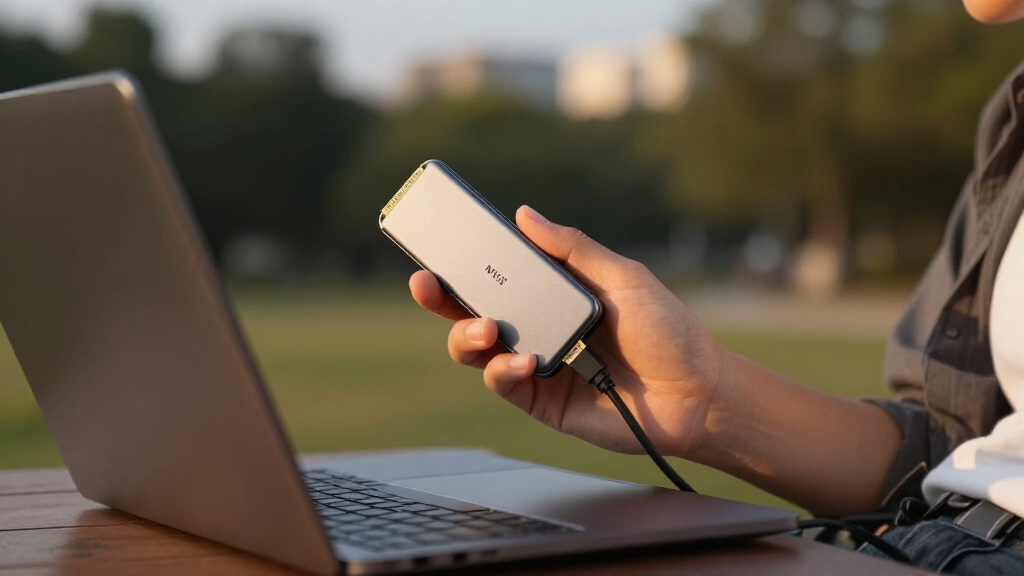
How We Picked
These enclosures were evaluated based on performance benchmarks such as transfer speeds, build quality, and thermal management. Ease of installation, compatibility with various M.2 sizes, and feature sets like water resistance or tool-free design also influenced rankings. Price-to-performance ratio played a key role, ensuring options cater to different budgets without sacrificing core functionality. Our selection emphasizes versatility, durability, and speed, with a clear focus on practical benefits for users ranging from casual to professional. The ranking reflects a balance between high-end features and value, ensuring there’s a recommended option for each buyer profile.Factors to Consider When Choosing Portable Ssd Nvme Enclosures
Choosing the right portable NVMe SSD enclosure involves considering several key factors that impact your experience and long-term satisfaction. Beyond raw speed, aspects like durability, compatibility, and ease of use can make or break your decision. Being aware of these broader considerations helps avoid common pitfalls, such as overspending on features you don’t need or selecting an enclosure incompatible with your SSD. The following points highlight what to keep in mind when making your selection.Performance and Transfer Speeds
Transfer speed is often the primary reason to choose an NVMe enclosure over SATA-based options. Look for enclosures supporting USB 3.2 Gen 2 or USB4 for the fastest data rates, especially if you handle large files regularly. Keep in mind that actual speeds depend on your SSD’s capabilities and your host device’s port. A high-speed enclosure paired with a slower SSD won’t deliver maximum performance, so ensure your drive and enclosure are compatible to get the most out of your investment.
Durability and Build Quality
For users on the go, durability features like water and dust resistance, drop protection, and heat dissipation matter. Enclosures made with aluminum tend to run cooler and last longer under heavy use, while plastic options may be lighter and cheaper but less sturdy. Consider your environment—outdoor activities or frequent travel often demand rugged enclosures with IP ratings or shock resistance, even if they come at a higher cost.
Compatibility and Size
Not all enclosures support every M.2 size or key type, so verifying compatibility with your SSD is vital. Most support 2280 drives, but some may also accommodate 2242 or 2260 sizes. Additionally, support for both PCIe and SATA SSDs offers flexibility, especially if you plan to upgrade or switch drives. Be mindful of the enclosure’s size and port placement—compact designs are portable but may generate more heat, requiring better thermal management.
Ease of Installation and Use
Tool-free enclosures appeal for their simplicity, especially if you swap drives frequently. However, they might not provide the same stability or heat dissipation as screw-secured models. Consider your comfort level with installation—if you prefer quick setup without tools, look for designs with spring-loaded or slide-in mechanisms. Also, check if the enclosure includes necessary cables and whether they support your preferred connection type.
Price and Value
Pricing varies widely based on features, materials, and speed support. While premium enclosures offer superior durability and performance, budget options can still provide reliable basic functionality. Balance your needs—if you require high transfer speeds for professional work, investing in a higher-priced, high-performance model makes sense. Conversely, casual users might prioritize affordability and sufficient speed over cutting-edge features.
Frequently Asked Questions
Can I use a portable NVMe enclosure with any NVMe SSD?
Most enclosures support standard M.2 NVMe SSDs, but compatibility depends on key type (B, M, or B+M) and size (typically 2280). Always check the enclosure’s specifications to ensure it supports your specific SSD model. For example, some enclosures only support PCIe NVMe drives, not SATA. Confirming compatibility before purchase helps avoid frustration and ensures optimal performance.
Is thermal management important for portable SSD enclosures?
Yes, especially during prolonged data transfers or when using high-speed drives. Enclosures made from aluminum or equipped with heat sinks help dissipate heat, maintaining performance and preventing thermal throttling. Overheating can reduce SSD lifespan and slow transfer speeds, so choosing an enclosure with good thermal design benefits both speed and durability.
Should I prioritize water resistance or portability?
It depends on your use case. If you frequently work outdoors or in rugged environments, water and dust resistance offer peace of mind, even if it means a slightly bulkier enclosure. For everyday use in a controlled environment, lightweight and slim designs may suffice, focusing more on speed and ease of use. Balancing these factors based on your lifestyle ensures you select the right model.
Are tool-free enclosures as reliable as those with screws?
Tool-free enclosures offer convenience and quick access, but may compromise stability and thermal performance compared to screw-secured cases. If you frequently swap drives, a tool-free design reduces hassle. However, for heavy or prolonged use, screw-mounted enclosures often provide better long-term durability and heat dissipation, making them preferable for demanding workflows.
How important is transfer speed for casual users?
For casual users who mainly transfer small files or perform occasional backups, high transfer speeds may not be critical. USB 3.1 Gen 2 or USB 3.2 Gen 1 enclosures often suffice, offering reliable performance at a lower price point. If, however, you regularly work with large files like videos or high-resolution images, investing in faster enclosures with USB4 support can save significant time and improve overall workflow.
Conclusion
For most users, the Sabrent USB4 NVMe SSD Enclosure offers an excellent balance of speed, compatibility, and future-proofing, making it the best overall choice. Those seeking rugged durability for outdoor use should consider the ASUS TUF Gaming A1, which combines IP68 water resistance with solid performance. Beginners or casual users can opt for budget-friendly options like the V VCOM M.2 NVMe SSD Enclosure that still deliver reliable performance. Professionals needing maximum speed and thermal management will find the ASUS ROG Strix Aiolos or Ugreen 40Gbps Enclosure ideal, despite higher prices. Tailor your choice based on your specific needs—speed, durability, ease of use, or value—and you’ll find the perfect portable NVMe enclosure in 2026.