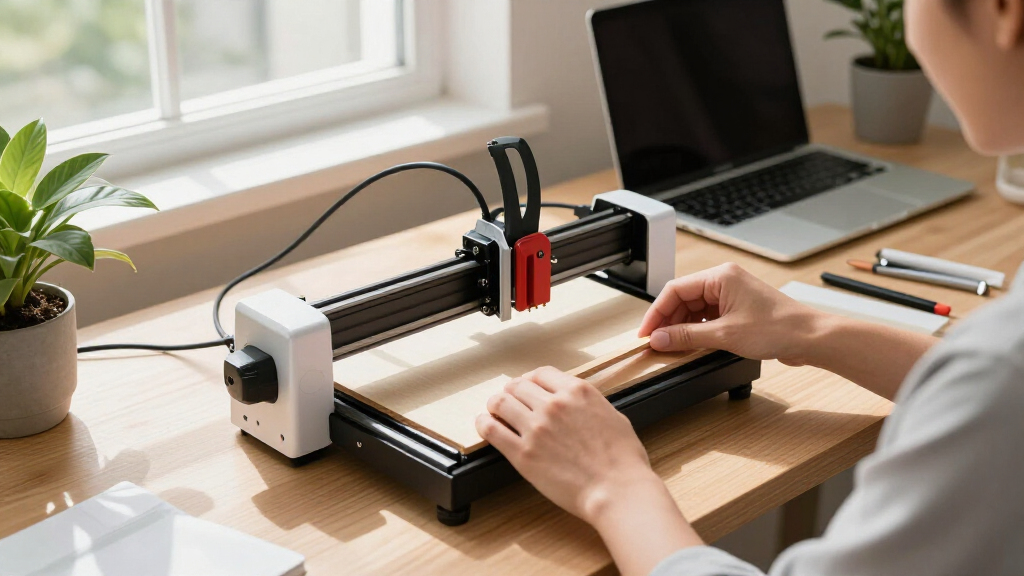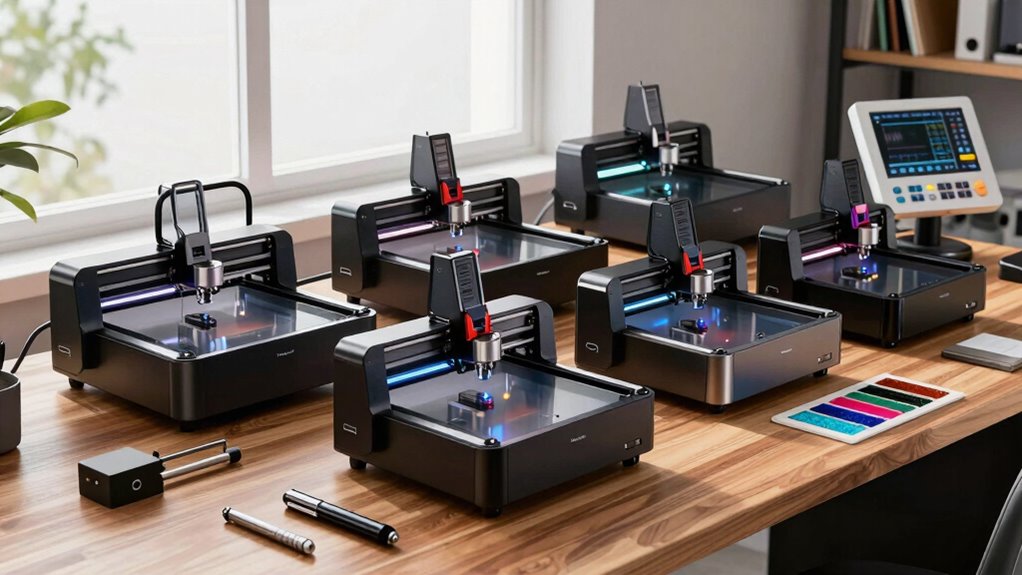
When searching for a laser cutter with a desktop footprint, size matters. The best models balance compactness with cutting power, making them suitable for small workshops or hobbyist spaces. The ACMER S1 stands out as an excellent overall choice for its versatility and affordability, while the LONGER Ray5 offers a larger work area for more ambitious projects. However, compact models like the WAINLUXPRO K10 excel for users prioritizing safety and ease of use. Tradeoffs often involve power versus size, or versatility versus simplicity. Continue reading to see how each model stacks up for your specific needs.
Key Takeaways
- Size and power are often inversely related; larger work areas tend to have higher wattage, but this can increase the machine’s footprint.
- Enclosed designs improve safety and dust containment but may limit accessibility and maintenance ease.
- Higher wattage lasers deliver faster, deeper cuts but can come with higher costs and more complex operation.
- Features like built-in cameras and auto-focus are valuable for precision work but add to the price and complexity.
- Budget options often compromise on build quality or cutting speed, making them better suited for light use or beginners.
| ACMER S1 Laser Engraver Machine, 2500mW Laser Cutter for Wood and Acrylic |  | Best for Beginners and Hobbyists | Laser Power: 2500mW | Wavelength: 455±5nm | Focal Length: 2mm | VIEW ON AMAZON | See Our Full Breakdown |
| Twotrees TTS-55 Pro Laser Engraver 5500mW |  | Best for Small Businesses and Enthusiasts Needing Power | Laser Power: 5500mW (5.5W) | Working Area: 300x300mm | Material Compatibility: Wood, leather, acrylic, stainless steel, paper | VIEW ON AMAZON | See Our Full Breakdown |
| LONGER Ray5 Laser Engraver and Cutter Machine, 20W, 400×356mm |  | Best for Power and Large Workspace | Laser Power: 20W | Working Area: 400×356mm | Max Engraving Speed: 24,000mm/min | VIEW ON AMAZON | See Our Full Breakdown |
| xTool F2 5W IR & 15W Diode Dual Laser Engraver with Built-in 50MP Camera |  | Best for Versatility and Precision in Small Projects | Laser Power (Diode): 15W | Laser Power (IR): 5W | Camera Resolution: 50MP | VIEW ON AMAZON | See Our Full Breakdown |
| xTool M2 10W Laser Engraver with Dual Cameras, Enclosed Safe Design for DIY Crafts |  | Best for Home Crafters and DIY Enthusiasts | Laser Power: 10W | Safety Class: Class 1 | Built-in Cameras: Dual cameras | VIEW ON AMAZON | See Our Full Breakdown |
| Aliencell 20W X1 Laser Engraver & Cutter, 26 x 21″ Bed Size, No PC Needed |  | Best Overall for Large-Scale Projects | Bed Size: 26 x 21 inches | Laser Power: 20W | Acceleration: 20,000 mm/s² | VIEW ON AMAZON | See Our Full Breakdown |
| Twotrees TTS-10 Pro Laser Engraver, 10000mW High Power |  | Best for Deep and Fast Engraving on Medium-Sized Projects | Laser Power: 10W (10000mW) | Work Area: 300x300mm | Laser Wavelength: 450nm | VIEW ON AMAZON | See Our Full Breakdown |
| ARTILUME Laser Engraver APP Control Laser Cutter for DIY A4-7W Silver |  | Best for Fine Detail and Multi-Material Personalization | Work Area: 400x400mm | Laser Power: 7W, 12W, or 22W | Laser Type: 450nm blue diode | VIEW ON AMAZON | See Our Full Breakdown |
| WAINLUXPRO K10 5W Laser Engraver, Class 1 Enclosed Engraving Machine | 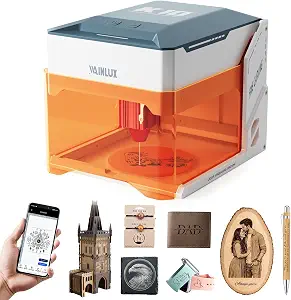 | Best for Safe Home Use and Small-Scale Projects | Laser Power: 5W | Work Area: 80×80mm | Material Compatibility: wood, leather, glass, acrylic, cardboard, fabric, coated metals | VIEW ON AMAZON | See Our Full Breakdown |
| LONGER B1 48W Laser Cutter and Engraver, High Power, 450×440mm Work Area |  | Best for Heavy-Duty Cutting and Large Projects | Laser Power: 48W | Work Area: 450×440mm | Cutting Speed: 36,000 mm/min | VIEW ON AMAZON | See Our Full Breakdown |
| Artilume A4 Laser Engraver 22000mW with App |  | Best Overall Power and Flexibility for Desktop Laser Engraving | Laser Power: 22000mW | Engraving Area: 400×400mm | Dimensions: 570 × 543 × 152 mm | VIEW ON AMAZON | See Our Full Breakdown |
| Creality Falcon A1C 10W Mini Laser Engraver with Auto Focus and Smart Camera |  | Best Compact Enclosed Design with Smart Features for Beginners and Pros | Laser Power: 10W (compatible with 5W, 10W, 1.2W IR modules) | Speed: 15,000 mm/min | Material Compatibility: Wood, leather, bamboo, cardboard, fabric, acrylic, and more | VIEW ON AMAZON | See Our Full Breakdown |
| BlazeX M3 10W Laser Engraver Machine with Enclosure and Accessories |  | Best Precision and Starter Kit for DIY and Hobbyists | Laser Power: 10W | Precision: 0.01mm | Materials Compatible: Wood, metal, glass, leather | VIEW ON AMAZON | See Our Full Breakdown |
| Twotrees TS5 7000mW Laser Engraver for Tumblers |  | Best Portable Enclosed Tumbler and Spherical Object Engraver | Laser Power: 7000mW (7W) | Workspace Dimensions: 9.8″×4.8″×4.8″ | Laser Spot Size: 0.035×0.1mm | VIEW ON AMAZON | See Our Full Breakdown |
| laser cutters desktop size | Laser Power |
|---|---|
| ACMER S1 Laser Engraver Machin | 2500mW |
| Twotrees TTS-55 Pro Laser Engr | 5500mW (5.5W) |
| LONGER Ray5 Laser Engraver and | 20W |
| xTool F2 5W IR & 15W Diode Dua | — |
| xTool M2 10W Laser Engraver wi | 10W |
| Aliencell 20W X1 Laser Engrave | 20W |
| Twotrees TTS-10 Pro Laser Engr | 10W (10000mW) |
| ARTILUME Laser Engraver APP Co | 7W, 12W, or 22W |
| WAINLUXPRO K10 5W Laser Engrav | 5W |
| LONGER B1 48W Laser Cutter and | 48W |
| Artilume A4 Laser Engraver 220 | 22000mW |
| Creality Falcon A1C 10W Mini L | 10W (compatible with 5W, 10W, 1.2W IR modules) |
| BlazeX M3 10W Laser Engraver M | 10W |
| Twotrees TS5 7000mW Laser Engr | 7000mW (7W) |
More Details on Our Top Picks
ACMER S1 Laser Engraver Machine, 2500mW Laser Cutter for Wood and Acrylic
The ACMER S1 stands out for its simplicity and affordability, making it an excellent entry point for those new to laser engraving. Its 2500mW diode laser provides precise cuts and detailed engravings on small projects, especially on wood and acrylic. Compared to larger, more powerful units like the LONGER Ray5, it sacrifices workspace size but gains in portability and ease of use. This model is ideal for hobbyists or small-scale crafters who prioritize straightforward setup and safety. Its limited working area and the need for safety precautions with Class 4 lasers mean it’s less suited for larger or industrial projects, and additional ventilation may be necessary for certain materials.
Pros:- High-precision engraving with fast speed
- User-friendly setup suitable for beginners
- Compact and portable design for home use
- Supports multiple software and file formats
Cons:- Limited working area for larger projects
- Requires safety precautions due to Class 4 laser
- May need additional ventilation for certain materials
Best for: Beginners, hobbyists, or small project creators seeking an easy-to-use desktop laser engraver.
Not ideal for: Professionals or small businesses requiring larger workspaces or higher power for thicker materials.
- Laser Power:2500mW
- Wavelength:455±5nm
- Focal Length:2mm
- Engraving Speed:10,000mm/min
- Repeatable Positioning Accuracy:0.01mm
- Working Area:130x130mm
- Machine Size:250×250×162mm
- Weight:2kg
Our verdict“This is a great pick for newcomers or hobbyists who want a compact, easy-to-operate laser cutter for small projects.”
Twotrees TTS-55 Pro Laser Engraver 5500mW
The Twotrees TTS-55 Pro offers a significant step up in laser power with 5500mW output, making it capable of cutting and engraving on a wider variety of materials, including thicker woods and leather. Its large 300x300mm working area surpasses the ACMER S1, providing more flexibility for medium-sized projects. Wireless control options via Wi-Fi and mobile apps make it convenient for users who need to operate remotely or from different devices. However, this increased power and size come with a more complex setup and a potential safety concern if not handled properly. Compared to the ACMER S1, it is more suited for users ready for a more advanced, higher-capacity machine but less ideal for absolute beginners or those with limited space.
Pros:- High laser power for cutting thicker materials
- Large 300x300mm workspace
- Wireless control via Wi-Fi and mobile app
- Compatible with multiple laser software
Cons:- Requires technical setup and calibration
- Potential safety issues with high-powered laser
- Limited to materials compatible with laser engraving
Best for: Small business owners or hobbyists who want higher power and a larger working area for versatile projects.
Not ideal for: Beginners or users with very limited space who prefer simple plug-and-play options.
- Laser Power:5500mW (5.5W)
- Working Area:300x300mm
- Material Compatibility:Wood, leather, acrylic, stainless steel, paper
- Cutting Thickness:Up to 5mm plywood, 3mm acrylic, 0.7mm leather
- Focus Spot:0.08*0.46mm
- Control Board:32-bit dual-core MCU
Our verdict“Ideal for those needing a powerful, large-area laser cutter capable of handling more demanding small-scale projects.”
LONGER Ray5 Laser Engraver and Cutter Machine, 20W, 400×356mm
The LONGER Ray5 combines a robust 20W laser with a generous 400×356mm working area, making it suitable for more substantial projects that require high precision and speed. The 20W laser allows for faster cutting and engraving on thicker materials like pine, stainless steel, and acrylic, outperforming smaller diode units like the ACMER S1. Its 3.5-inch touchscreen and multiple connectivity options enhance user experience, especially for those familiar with more advanced interfaces. However, the higher power and larger size come at a higher cost and require more technical setup. This pick makes the most sense for hobbyists ready to scale up or professionals needing larger, faster-capable machines, but it may be overkill for casual users or limited spaces.
Pros:- High power for fast engraving and cutting
- Large 400×356mm workspace
- Touchscreen interface and multiple connectivity options
- Built-in safety features and enclosure
Cons:- Requires technical setup and calibration
- Higher cost compared to diode laser models
- Potentially high power consumption
Best for: Hobbyists and small-scale professionals seeking a high-power, large-area laser cutter.
Not ideal for: Complete beginners or users with tight budgets who only need small projects.
- Laser Power:20W
- Working Area:400×356mm
- Max Engraving Speed:24,000mm/min
- Material Thickness (cutting):Up to 15mm pine, 8mm acrylic, 0.05mm stainless steel
- Engraving Precision:0.01mm
- Control Screen:3.5-inch touchscreen
Our verdict“Best for those who need a powerful, large-capacity machine that can handle medium to large projects with speed and accuracy.”
xTool F2 5W IR & 15W Diode Dual Laser Engraver with Built-in 50MP Camera
The xTool F2 excels in combining dual lasers—15W diode and 5W IR—offering a versatile toolkit for engraving on over 300 materials, including metals. Its built-in 50MP camera allows precise material alignment and complex designs, boosting accuracy. Its ultra-fast speeds up to 6000mm/s help boost productivity, especially on detailed or repetitive tasks. Compared to the ACMER S1, the F2 is more versatile, capable of handling a wider array of materials and more intricate work. However, its setup can be complex, and safety precautions are necessary with Class 4 lasers. The smaller size and dual-laser versatility make it ideal for advanced hobbyists or small studios but less suitable for beginners who prefer straightforward operation.
Pros:- Dual laser system for broad material compatibility
- Built-in 50MP camera for accurate alignment
- Ultra-fast engraving speeds
- Compact and portable design
Cons:- Complex setup and learning curve
- Limited detailed specs on dimensions
- Safety precautions needed due to Class 4 laser
Best for: Advanced hobbyists or small-scale professionals needing multi-material capability and high precision.
Not ideal for: Absolute beginners or users seeking a simple, single-laser setup without complex software or safety concerns.
- Laser Power (Diode):15W
- Laser Power (IR):5W
- Camera Resolution:50MP
- Max Speed:6000mm/s
- Material Compatibility:300+ materials
- Engraving Accuracy:0.1mm
Our verdict“Ideal for experienced users who want maximum versatility and precision in a compact, fast laser engraver.”
xTool M2 10W Laser Engraver with Dual Cameras, Enclosed Safe Design for DIY Crafts
The xTool M2 offers a safe, enclosed environment combined with dual cameras for precise, real-time workspace preview—an appealing feature for home crafters. Its 10W laser provides enough power for detailed engraving on materials like wood, leather, and fabric, with additional modules available for full-color printing or metal engraving. Compared to the ACMER S1, the M2’s safety enclosure and dual cameras make it more suitable for home use and complex positioning. The main tradeoff involves its limited laser power, which may struggle with thicker or denser materials, and some features require extra purchases. Still, it’s a reliable choice for those prioritizing safety and versatility in small-scale projects.
Pros:- Dual cameras for accurate placement
- Fully enclosed safe design
- Supports a wide range of materials
- User-friendly with templates
Cons:- Limited to 10W laser power
- Additional modules sold separately
- Some features require extra purchases
Best for: Home crafters, DIY hobbyists, and those prioritizing safety and ease of use.
Not ideal for: Professionals needing higher power or larger working areas, or users focusing on industrial applications.
- Laser Power:10W
- Safety Class:Class 1
- Built-in Cameras:Dual cameras
- Material Compatibility:Wood, leather, fabric, paper
- Enclosure:Fully enclosed
- Power Output:10000mW
Our verdict“A smart choice for home users who want a safe, precise, and versatile laser engraver for small projects.”
Aliencell 20W X1 Laser Engraver & Cutter, 26 x 21″ Bed Size, No PC Needed
The Aliencell X1 stands out for its massive 26 x 21-inch bed, making it ideal for large projects that other desktop models like the ARTILUME Laser Engraver can’t handle. Its high-speed engraving and real-time previews translate into faster, more precise results, especially on larger materials. Offline operation via a touchscreen offers convenience, but the device’s significant weight and size mean it requires a dedicated workspace—less suitable for tight or cluttered environments. Compared to smaller models, the Aliencell trades portability for capacity, with setup complexity that might challenge beginners. Its high price point reflects its professional-grade features, making it less appealing for casual hobbyists. This pick is best for users needing large-format engraving and willing to manage a heavier, more complex device.
Pros:- Enormous 26 x 21-inch bed suitable for large designs
- Fast engraving speeds with high accuracy
- Offline touchscreen control for ease of use
- Automatic distortion correction ensures precision
Cons:- Heavy and bulky, demanding a dedicated workspace
- Complex setup may intimidate beginners
- High cost may be prohibitive for casual users
Best for: Small businesses or serious hobbyists working on large projects requiring a spacious bed and high speed
Not ideal for: Casual hobbyists or those with limited space looking for a lightweight, simple device
- Bed Size:26 x 21 inches
- Laser Power:20W
- Acceleration:20,000 mm/s²
- Frequency:20kHz
- Camera Resolution:Dual 8MP
- Touch Panel:6.86-inch touchscreen
Our verdict“This model suits professionals or serious hobbyists needing large-scale engraving with high speed and precision, despite its size and price.”
Twotrees TTS-10 Pro Laser Engraver, 10000mW High Power
The Twotrees TTS-10 Pro excels with its powerful 10W laser, enabling deep and rapid engraving on materials like wood and acrylic, making it a step up from smaller, lower-powered engravers such as the WAINLUXPRO K10. Its 300x300mm work area balances size and manageability for most hobby projects. The device supports offline engraving via TF card and is compatible with popular software like LightBurn, offering flexibility. However, its limited work area restricts larger projects, and surface preparation is often needed for metal. The assembly process is straightforward but requires some technical skills to optimize performance. This model is best suited for users who need high power for detailed work within a medium-sized workspace.
Pros:- Powerful 10W laser for deep, detailed engraving
- Large 300x300mm work area for versatile projects
- Supports offline engraving with TF card
- Compatible with popular software tools
Cons:- Not suitable for cutting thick or bare steel without prep
- Limited work area for very large designs
- Requires some technical knowledge for setup
Best for: Hobbyists or small business owners needing deep engraving and fast throughput on medium projects
Not ideal for: Those working on large-scale projects or requiring cutting of thick, hard metals
- Laser Power:10W (10000mW)
- Work Area:300x300mm
- Laser Wavelength:450nm
- Mainboard:32-bit dual-core MCU
- Frame Material:Aluminum alloy
- Connectivity:TF card, mobile app, web
Our verdict“Ideal for users needing high-power engraving within a compact, medium-sized work area, balancing speed and detail efficiently.”
ARTILUME Laser Engraver APP Control Laser Cutter for DIY A4-7W Silver
The ARTILUME Laser Engraver offers a large 400x400mm work area and ultra-fine precision, surpassing smaller, less versatile engravers like the WAINLUXPRO K10. Its ability to handle full A3-sized designs in a single pass and support for multiple materials—including metals—makes it highly adaptable for personalized gifts or artwork. Wireless control via smartphone app adds convenience but requires technical setup and calibration. The laser modules are factory-calibrated, yet their lifespan of up to 10,000 hours suggests ongoing maintenance. While excellent for detailed engraving, it does not support cutting, limiting its scope compared to the LONGER B1 which offers cutting capabilities with higher power. This device is best for hobbyists and professionals focused on precise, multi-material engraving at a larger scale.
Pros:- Ultra-fine spot size for high-precision engraving
- Large 400x400mm work area for big projects
- Wireless control via app enhances usability
- Supports a wide range of materials including metals
Cons:- Limited to engraving, no cutting functionality
- Requires technical calibration and setup
- Laser module lifespan may require replacement over time
Best for: Creative professionals or hobbyists needing detailed multi-material engraving with wireless control
Not ideal for: Those seeking a dedicated cutting machine or working on very large projects
- Work Area:400x400mm
- Laser Power:7W, 12W, or 22W
- Laser Type:450nm blue diode
- Engraving Precision:40×140 micrometers
- Engraving Speed:10000mm/min
- Control:WiFi app, LaserGRBL, LightBurn
Our verdict“Best suited for detailed, multi-material engraving projects with a need for wireless operation and a sizable workspace.”
WAINLUXPRO K10 5W Laser Engraver, Class 1 Enclosed Engraving Machine
The WAINLUXPRO K10 prioritizes safety and simplicity with its fully enclosed design, making it perfect for beginners and home users, similar to the Creality Falcon A1C. Its 5W laser provides high-precision engraving and cutting on small workpieces, but the limited 80×80mm work area restricts larger or more complex projects. The device’s multiple connectivity options, including WiFi and USB, make it user-friendly, though its slower engraving speeds might frustrate those doing larger batches. Its safety certification as a Class 1 device ensures peace of mind but limits the laser power for more demanding tasks. This engraver is a sensible choice for hobbyists who value safety and ease of use over size or high power. This machine is best for small-scale, detailed projects in a safe, enclosed environment.
Pros:- Fully enclosed design for maximum safety
- High-precision engraving and cutting capabilities
- Multiple connectivity options including WiFi and USB
- Compact and lightweight for easy setup
Cons:- Limited work area size restricts larger projects
- Slower engraving speeds for bigger batches
- Lower laser power limits cutting thicker materials
Best for: Home users or beginners needing a safe, enclosed device for small detailed projects
Not ideal for: Users wanting to work on larger pieces or needing higher power for cutting thicker materials
- Laser Power:5W
- Work Area:80×80mm
- Material Compatibility:wood, leather, glass, acrylic, cardboard, fabric, coated metals
- Safety Certification:Class 1
- Weight:1.9kg
- Connectivity:WiFi, USB, TF card
Our verdict“This laser engraver fits small-scale, safe, and precise projects perfect for beginners or home environments, with size constraints limiting larger work.”
LONGER B1 48W Laser Cutter and Engraver, High Power, 450×440mm Work Area
The LONGER B1 offers a significant power boost with its 48W laser, making it capable of cutting thicker materials like basswood and acrylic efficiently—something most desktop models, including the Twotrees TTS-10 Pro, can’t do. Its large 450×440mm work area supports sizeable projects, and the high-speed operation boosts productivity for both hobbyists and small businesses. The device’s WiFi-controlled interface simplifies operation, but its weight and size demand a sturdy setup space. Durability concerns have been raised in some reviews, so it might not withstand heavy use over many years without maintenance. This model makes sense for those needing serious cutting power in a large but still manageable footprint. This is best for users prioritizing cutting capacity and larger workspace over ultra-compact size.
Pros:- Powerful 48W laser for cutting thick and dense materials
- Large 450×440mm work area for bigger projects
- High-speed operation enhances workflow
- WiFi control for ease of use
Cons:- Bulky and heavy, requiring a solid setup space
- Some durability concerns in long-term use
- Setup and software configuration needed for optimal operation
Best for: Small-scale professional users or hobbyists requiring high-power cutting and large work area
Not ideal for: Casual users or those with limited space seeking a lightweight, portable device
- Laser Power:48W
- Work Area:450×440mm
- Cutting Speed:36,000 mm/min
- Dimensions:29.3 x 22.24 x 5.03 inches
- Weight:21.8 pounds
- Model Number:Laser B1 40W
Our verdict“This laser cutter is ideal for users needing high power and a large workspace for versatile projects, accepting size and weight tradeoffs.”
Artilume A4 Laser Engraver 22000mW with App
The Artilume A4 Laser Engraver stands out for its formidable 22000mW laser power, making it capable of cutting through thicker materials and handling larger projects compared to smaller options like the Creality Falcon A1C. Its 400×400mm work area offers a good balance between size and versatility, ideal for those needing substantial workspace without sacrificing desktop convenience. While its high power and compatibility with professional software like LightBurn provide precise control, the setup can be complex for newcomers, and safety precautions are essential due to the high wattage. Compared to the BlazeX M3, it offers greater cutting capacity but at the expense of a slightly bulkier footprint and steeper learning curve. This pick makes the most sense for users needing serious power and large-scale projects on a desktop scale, willing to handle some technical setup.
Pros:- High laser power suitable for cutting and engraving thicker materials
- Large 400×400mm work area offers flexibility for bigger projects
- Compatibility with professional software like LightBurn for precise control
- Sturdy, stable construction ensures consistent performance
Cons:- Requires technical knowledge for setup and calibration
- High power demands strict safety precautions due to potential hazards
Best for: Hobbyists and small business owners requiring high power and a large engraving area for versatile projects
Not ideal for: Absolute beginners with no experience in laser safety or technical setup, as the machine demands careful handling and calibration
- Laser Power:22000mW
- Engraving Area:400×400mm
- Dimensions:570 × 543 × 152 mm
- Power Supply:12V/4A
- Material Compatibility:JPEG, PNG, DXF, BMP, NC
- Laser Focus Area:0.04 * 0.04mm
Our verdict“This machine is best suited for experienced users who need serious power and a sizable workspace for diverse engraving and cutting tasks.”
Creality Falcon A1C 10W Mini Laser Engraver with Auto Focus and Smart Camera
The Creality Falcon A1C offers a compact, portable solution with its enclosed design and auto focus, making it a strong choice for users who want safety and ease of use. Unlike the Artilume A4, it sacrifices some power for portability and user-friendly features like a smart HD camera and quick-swap laser modules, which are ideal for those new to laser engraving. Its high-speed operation up to 15,000 mm/min and support for over 300 materials make it versatile, but the need to purchase additional laser modules separately limits immediate flexibility. Compared with the BlazeX M3, it’s more beginner-friendly with safety features and auto focus, though it may lack the raw power and larger working area of the Artilume. This machine is perfect for hobbyists or professionals wanting a compact, safe, and versatile desktop laser.
Pros:- Auto focus and smart camera for precise, easy setup
- Quick-swap laser modules for versatile applications
- Enclosed design enhances safety for home use
- High engraving speed on a variety of materials
Cons:- Additional laser modules are sold separately, increasing cost
- Limited to supported laser modules, reducing upgrade flexibility
Best for: Beginners and hobbyists seeking a portable, safe, and easy-to-use laser engraver with smart features
Not ideal for: Users needing high-power cutting or large working areas, as its size and module options are more limited
- Laser Power:10W (compatible with 5W, 10W, 1.2W IR modules)
- Speed:15,000 mm/min
- Material Compatibility:Wood, leather, bamboo, cardboard, fabric, acrylic, and more
- Design:Class 1 enclosed, portable
- Features:Auto focus, smart camera, AI software
Our verdict“This model is ideal for users prioritizing safety, portability, and ease of use over raw power or large workspace capacity.”
BlazeX M3 10W Laser Engraver Machine with Enclosure and Accessories
The BlazeX M3 offers impressive 10W laser power for detailed engraving and small-scale cutting, making it a standout for hobbyists and beginners interested in precision work. Unlike the larger Artilume, it’s more compact and comes with a comprehensive starter kit, including safety enclosures and multiple accessories, providing a complete package for new users. Its 0.01mm precision allows for intricate designs on wood, leather, and coated surfaces, but setup and learning curve can be challenging for absolute beginners. Compared with the Creality Falcon A1C, it’s less portable but delivers more detailed results and is better suited for small projects. If your focus is on high-precision engraving and starting with a well-equipped kit, this machine is a reliable choice.
Pros:- High-precision engraving for detailed designs
- Complete starter kit with safety enclosures and accessories
- Versatile for different materials including coated surfaces
- Compatible with multiple software platforms
Cons:- Setup may be complex for new users
- Limited to small-scale projects, not suitable for large cuts
Best for: Beginners and hobbyists seeking a precise, all-in-one starter laser with safety features
Not ideal for: Users aiming for larger work areas or more powerful cutting capabilities, as it’s designed for detailed, small-scale projects
- Laser Power:10W
- Precision:0.01mm
- Materials Compatible:Wood, metal, glass, leather
- Safety Rating:Class 1
- Included Accessories:Protective enclosure, tool kit, honeycomb bed
Our verdict“This machine is perfect for those starting in laser engraving who prioritize precision and a complete safety-focused kit.”
Twotrees TS5 7000mW Laser Engraver for Tumblers
The Twotrees TS5 is tailored for detailed engraving on cylindrical objects like tumblers, with its 7W laser and multiple rotary attachments. Its fully enclosed, lightweight design makes it highly portable, ideal for small businesses or hobbyists focusing on customized tumblers and spherical items. Its 0.035×0.1mm laser spot size enables high-precision, photo-realistic engravings, but it is limited to materials suitable for laser marking and does not support large flat surfaces. Compared to the Artilume A4, it’s smaller and more specialized, sacrificing workspace size for portability and safety features. It’s best suited for users who need a dedicated, portable solution for spherical objects rather than general flat surface engraving or cutting.
Pros:- Photo-realistic, detailed engraving on spherical objects
- Fully enclosed safety design, safe around children and pets
- Multiple rotary attachments for cylindrical and spherical items
- Portable and lightweight for on-the-go use
Cons:- Limited to materials compatible with laser engraving
- Power may be insufficient for deep engraving or large-scale projects
Best for: Small business owners or hobbyists focused on engraving cylindrical objects, especially tumblers and spherical surfaces
Not ideal for: Users needing large flat work areas or cutting thick materials, as its workspace is limited and power insufficient for deep cuts
- Laser Power:7000mW (7W)
- Workspace Dimensions:9.8″×4.8″×4.8″
- Laser Spot Size:0.035×0.1mm
- Material Frame:Aerospace-grade aluminum
- Safety Features:Enclosed with filters and observation windows
Our verdict“This engraver excels for detailed, portable work on spherical objects but isn’t suitable for large flat projects or thick materials.”