

Firmware updates can slow down your device over time because they often add new features, visual effects, and background processes that strain resources. Bugs and compatibility issues may also cause crashes or lag, especially on aging hardware. Manufacturers sometimes prioritize flashy features or security patches over long-term stability. To keep your device running smoothly, you should manage updates carefully. Keep exploring to discover how you can protect your device and maintain its performance longer.
Key Takeaways
- Firmware updates can introduce bloat and unnecessary features that slow down device performance over time.
- New updates may cause compatibility issues and bugs, leading to system crashes and reduced stability.
- Increased background processes and security patches consume more system resources, draining battery and reducing speed.
- Hardware limitations may prevent devices from handling new firmware efficiently, causing lag as they age.
- Frequent updates focused on features over stability can introduce bugs, making devices less reliable over time.
Why Firmware Updates Sometimes Slow Down Your Devices
Firmware updates can sometimes cause your devices to slow down, even though they’re meant to improve performance. One reason is that updates often alter the user interface, making it more complex or resource-heavy, which can strain your device’s processor. This increased complexity can also result from added features that require more processing power to operate smoothly. This can lead to increased battery drain because the device works harder to display new features or visual effects. Additionally, updates might introduce background processes or data collection routines that consume extra power and memory. As a result, your device may feel sluggish, and battery life shortens. These changes can be frustrating, especially if you notice your device struggling to keep up with your daily tasks. Sometimes, the improvements come with trade-offs that temporarily impact speed and efficiency. Moreover, software optimization may lag behind new updates, contributing to performance issues until further patches are released. Regularly checking for update compatibility can also prevent unexpected slowdowns. To minimize these issues, keeping your device’s firmware up-to-date and performing routine maintenance can help maintain optimal performance over time.
Common Firmware Bugs and Compatibility Problems After Updates
After a firmware update, you might notice bugs that weren’t fixed or new issues that emerge. Compatibility conflicts can cause devices or apps to stop working properly, frustrating your experience. Over time, performance may decline, making your device feel slower or less reliable than before. Regularly performing seasonal maintenance can help mitigate some of these issues and keep your devices functioning smoothly. Additionally, understanding how firmware stability impacts device longevity can help you anticipate and address potential problems early. Being aware of vetted sources for firmware updates can also reduce the risk of installing problematic or malicious versions, especially as device compatibility varies with different firmware versions. Staying informed about software update practices can further improve your device’s long-term reliability.
Firmware Bugs Persisting
Even with frequent updates, bugs and compatibility issues often persist, causing frustration for users. These lingering problems challenge the idea of firmware longevity and can lead to update fatigue. You might find that despite installing the latest version, your device still exhibits glitches or malfunctions. Common firmware bugs include:
- Unresolved security vulnerabilities
- Features that stop working after updates
- Performance regressions or system crashes
These issues highlight how updates don’t always solve previous problems and can sometimes introduce new ones. As a result, you might feel hesitant to keep applying updates, fearing they’ll worsen your device’s reliability. Persistent bugs remind you that firmware isn’t a one-and-done fix, but an ongoing process that can sometimes make your device less stable over time. Additionally, compatibility problems with hardware components or other software can further exacerbate these issues, making troubleshooting more complex. Moreover, the hardware limitations of aging devices can also contribute to the persistence of bugs, despite software updates. Recognizing these challenges underscores the importance of regular maintenance and cautious update practices to preserve device performance.
Compatibility Conflicts Arise
Despite frequent updates aimed at fixing issues, compatibility conflicts often emerge, disrupting your device’s functionality. Software conflicts can occur when new firmware clashes with existing applications or system settings, causing crashes or erratic behavior. Driver incompatibilities are also common, as updated firmware may not align with your device’s drivers, leading to hardware malfunctions or reduced performance. These issues can be frustrating, especially if they prevent you from using essential features or cause your device to become unreliable. Sometimes, firmware updates introduce changes that your operating system or peripheral devices don’t support yet, creating a ripple effect of compatibility problems. To avoid these conflicts, it’s vital to verify update notes and ensure your hardware and software are prepared for the latest firmware. Additionally, compatibility testing can be affected by firmware changes, impacting overall image quality and viewing experience. Regularly checking for firmware compatibility issues can help maintain optimal device performance and prevent unexpected disruptions. Being aware of system requirements before updating can also significantly reduce the risk of encountering such issues. Moreover, understanding the software environment can help anticipate potential conflicts and streamline troubleshooting efforts.
Performance Degrades Over Time
While firmware updates aim to improve device performance, they can sometimes introduce bugs that cause performance to decline over time. As hardware ages, updates may no longer align well with your device’s aging components, leading to lag or crashes. User interference, such as improper installations or repeated updates, can also cause issues that degrade performance. Additionally, hardware compatibility issues may arise as firmware becomes outdated or incompatible with existing hardware. Research shows that firmware bugs can create system slowdowns or freezes, further harming device reliability. Common problems include:
- Firmware bugs that create system slowdowns or freezes
- Compatibility issues with older hardware components
- Unexpected errors stemming from outdated or mismatched drivers
- Device compatibility issues that emerge as firmware becomes outdated or incompatible with existing hardware
These issues often worsen as your device’s hardware ages, and user interference can exacerbate the problem. Over time, what was once a smooth-running device may become sluggish or unreliable, illustrating how updates can unintentionally harm performance rather than enhance it.
How Firmware Bloat and Unnecessary Features Hurt Performance

Firmware bloat occurs when manufacturers include unnecessary features and code that increase the size of updates without delivering tangible benefits. These unnecessary features add extra processing demands, consuming system resources like CPU, RAM, and storage. As a result, your device has to work harder, which can slow down performance and cause lag. Firmware bloat also increases boot times and reduces responsiveness because the device spends more time initializing extra functions it doesn’t need. Over time, these extra features accumulate, making your device feel sluggish and less efficient. Instead of improving your experience, firmware bloat burdens your device with unnecessary code, hindering speed and stability. Recognizing unnecessary features allows users to make informed decisions when applying firmware updates. Removing or avoiding these unnecessary features can help keep your device running smoothly and efficiently. Firmware bloat can be mitigated by careful updates that prioritize essential features over unnecessary additions. Regularly reviewing update notes and software design principles can help identify which features truly benefit performance and user experience.
Why Security Patches and Background Tasks Can Reduce Speed
Security patches and background tasks are essential for keeping your device safe, but they can also slow it down if not managed properly. These updates often run background processes that consume system resources, leading to reduced speed and increased battery drain. You might notice your device lagging or draining faster after a new update. To mitigate this, be aware of:
- Excess background processes that run without your knowledge
- Frequent security scans that increase CPU load
- Automatic updates that start in the background, consuming RAM and power
While these tasks improve security, they can hinder performance if your device isn’t optimized. Managing background tasks, closing unnecessary apps, and updating at convenient times can help balance security with speed.
Why Manufacturers Focus on New Features Instead of Stability
Manufacturers often prioritize adding new features over ensuring stability because innovation can attract more customers and stand out in a competitive market. Limited budgets and tight schedules force them to focus on quick updates that meet market demands rather than perfecting reliability. As a result, the drive to stay ahead pushes stability further down their list of priorities.
Prioritization of Innovation Over Reliability
In the race to stay ahead in the tech industry, companies often prioritize rolling out new features over ensuring long-term stability. They focus on innovation to attract users and boost sales, sometimes at the expense of reliability. This approach often involves enhancing the user interface to make devices more appealing and offering greater software customization options. However, this emphasis on innovation can lead to firmware that’s less stable over time. You might notice frequent updates that introduce new features but also cause bugs or performance issues. Companies tend to prioritize:
- Adding flashy features that captivate users
- Improving user interface for better engagement
- Expanding software customization options to stand out
This focus shifts attention from robustness to novelty, risking long-term device stability.
Cost and Time Constraints
To stay competitive, companies often find themselves racing against tight deadlines and limited budgets, which makes focusing on quick feature rollouts more practical than ensuring long-term stability. Hardware limitations also play a role; upgrading devices’ hardware isn’t always feasible or cost-effective, so developers prioritize new features that appeal to user expectations. Meeting these expectations quickly becomes more important than perfecting firmware stability, especially since addressing bugs or flaws can delay releases and increase costs. As a result, manufacturers often choose to push updates that add functionalities rather than fix underlying stability issues. This approach helps reduce development time and costs, but it also leads to firmware that may become less reliable over time, as long-term maintenance is often deprioritized in favor of rapid innovation.
Market Competition Pressures
Facing intense market competition, companies prioritize rolling out new features quickly to attract and retain users. In a saturated market, staying ahead means constantly innovating to outshine rivals. This focus on rapid updates often sidelines long-term stability, as brands compete fiercely for dominance. To succeed, manufacturers:
- Emphasize cutting-edge features over refining existing ones
- Release frequent updates to showcase innovation
- Prioritize flashy improvements to outpace competitors
This relentless pursuit of differentiation fuels brand rivalry, pushing companies to chase new trends rather than ensuring device stability. As a result, firmware updates can become rushed or incomplete, leading to devices that perform worse over time. The pressure to stand out in a crowded marketplace often sacrifices reliability for the sake of perception and market share.
How to Troubleshoot Your Device When It Gets Worse After an Update

Sometimes, after installing a firmware update, your device might perform worse instead of better. To troubleshoot, start by checking if the issue relates to firmware longevity—sometimes, updates introduce bugs or conflicts. First, try restarting your device to see if that clears temporary glitches. If problems persist, consider performing an update rollback, which reverts your device to the previous firmware version that worked well. This process can restore stability while you wait for a fix from the manufacturer. Also, check for any available patches or bug fixes released after your update. Keep your device’s software and drivers up to date. If issues continue, consult support forums or contact customer service. Troubleshooting promptly can improve your device’s performance and extend its lifespan.
Tips to Protect Your Device and Choose the Right Firmware Updates
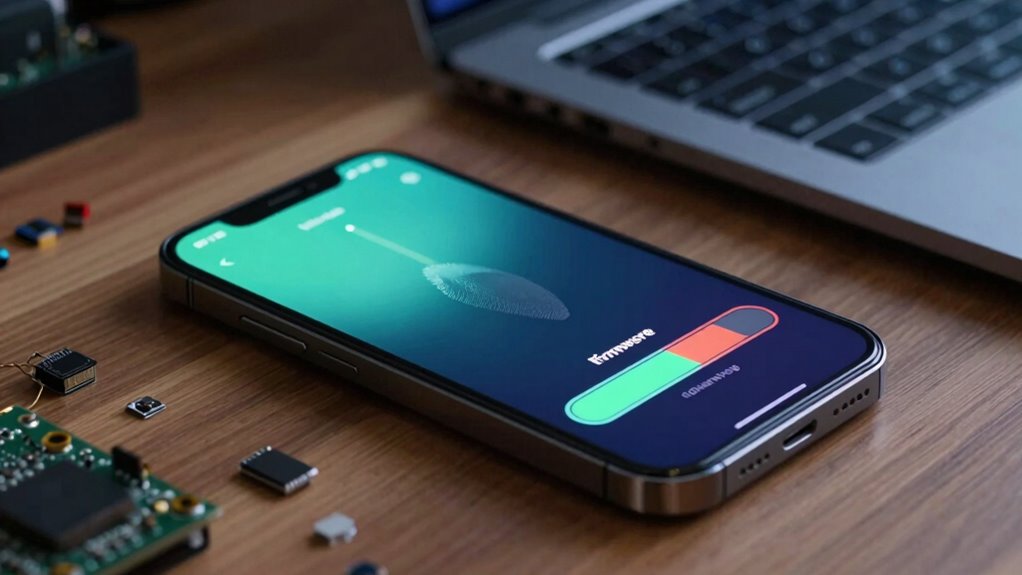
Protecting your device begins with choosing the right firmware updates, as installing incompatible or unnecessary versions can cause more harm than good. To enhance device longevity and guarantee optimal update quality, always verify that updates come from official sources. Before installing, read release notes to understand what changes are included. Be cautious of updates that claim to fix issues without clear documentation, as they might introduce new problems. Consider backing up your device beforehand to prevent data loss.
- Use official websites or app stores for updates
- Check user reviews or forums for feedback on update stability
- Delay updates if you suspect they aren’t necessary or could harm your device
Sticking to trusted sources and thoughtful updates helps maintain your device’s performance and lifespan.
Frequently Asked Questions
Can Firmware Updates Permanently Damage My Device?
Firmware updates can pose firmware risks, but they generally don’t permanently damage your device if you follow update safety tips. Sometimes, poorly designed updates or interrupted processes may cause issues, but these are rare. To minimize risks, make certain your device is charged and connected to a stable power source during updates. Usually, the potential for permanent damage is low, and updates aim to improve device performance and security.
Are There Ways to Reverse Problematic Firmware Updates?
Reversing problematic firmware updates is like trying to undo a mistake in a drawing—challenging but sometimes possible. You can explore rollback options offered by manufacturers or use firmware backups if you made them before updating. These backups act like a safety net, letting you restore your device to a previous state. Always check your device’s support resources or forums for specific instructions to guarantee a safe rollback.
Do Older Devices Benefit From Firmware Updates?
Yes, older devices can benefit from firmware updates because they often improve hardware longevity and fix security vulnerabilities. Updating guarantees your device stays functional and secure longer, reducing the need for replacement. While some updates may seem unnecessary, they often include critical bug fixes and performance enhancements. So, you should consider updating your older device regularly, as it helps maintain its efficiency and prolongs its useful life.
How Do I Know if a Firmware Update Is Safe?
Think of firmware updates as a double-edged sword—you want the benefits but beware of update risks. To guarantee safety verification, check the official source for updates, read user reviews, and look for digital signatures. If the update comes from a trusted manufacturer and has clear release notes, it’s probably safe. Always back up your device first, so you’re protected if an update doesn’t go as planned.
Can I Skip Firmware Updates Without Consequences?
Skipping firmware updates can lead to security vulnerabilities and decreased device performance over time. While you might avoid update risks temporarily, doing so repeatedly can cause compatibility issues and limit new features. It’s best to follow recommended update frequency, as updates often fix bugs and improve stability. Regular updates ensure your device stays secure and runs smoothly, so skipping them long-term isn’t advisable. Always verify that updates are safe before installing.
Conclusion
Just like a garden that gets overgrown without pruning, your device can become sluggish after updates if you’re not careful. While updates aim to protect and improve, they can sometimes clutter your device like unnecessary weeds. Stay vigilant, troubleshoot wisely, and choose updates thoughtfully. With a little care, you can keep your device running smoothly, turning it from a sluggish snail back into a swift cheetah. Your device’s best days are still ahead—if you nurture it right.