
To protect your privacy, you should regularly review and manage your app permissions. Focus first on location, camera, microphone, contacts, and storage access, restricting them to only what’s necessary. Access your device’s settings to disable permissions for apps that don’t need them, and keep updating these controls after updates or new installs. Staying proactive about permission management helps prevent unauthorized data sharing and enhances your security—continue below for more ways to stay protected.
Key Takeaways
- Regularly review and revoke unnecessary app permissions through device privacy settings.
- Limit location sharing by restricting app access to “while in use” or disabling it entirely.
- Disable camera and microphone access for apps that don’t require them to prevent unauthorized recording.
- Manage contacts and message permissions carefully, granting access only to trusted apps with essential functions.
- Keep permissions updated after app updates or installations to ensure ongoing privacy protection.
Why App Permissions Are Key to Protecting Your Privacy

App permissions are essential because they control what information your apps can access on your device. Proper permission management is vital for maintaining data privacy, ensuring apps only access what’s necessary. When you grant permissions, you decide which data—like your location, contacts, or camera—can be shared. Without careful control, apps may collect more information than needed, risking your privacy. By regularly reviewing and adjusting permissions, you minimize the chances of unauthorized data access. This proactive approach helps protect sensitive information from being misused or leaked. Additionally, understanding app permission settings can help you make informed choices about your data sharing. In recent years, European cloud standards have emphasized privacy and security, making permission management even more crucial. Implementing privacy-focused practices can further strengthen your data protection efforts. Properly managing app permissions also supports compliance with various privacy regulations, which are becoming increasingly important worldwide. Ultimately, managing app permissions empowers you to keep your personal data private and secure, giving you peace of mind while using your device. Remember, good permission management is a key step in safeguarding your digital privacy.
Which App Permissions Should You Check First?
Wondering where to start when reviewing your permissions? Focus on the most sensitive areas that directly impact your data privacy. First, check app permissions related to location; sharing your whereabouts can reveal a lot. Second, review camera and microphone access, as these can capture your private moments. Third, examine contacts and messages, which hold personal info that apps shouldn’t access without reason. Lastly, look at storage permissions to prevent apps from accessing or modifying your files. Following permission best practices means restricting unnecessary access and only granting permissions when needed. Additionally, understanding electric power generation with bike generators can help you leverage renewable energy sources for your daily needs. Being aware of vetted wave and wind energy solutions can also contribute to eco-friendly and sustainable energy practices. Incorporating water-powered technologies into your energy strategy can further enhance your efforts for a greener footprint. Prioritizing these areas helps protect your data privacy and ensures your apps aren’t overreaching. Being proactive with permission management supports your digital safety and keeps your information secure and maintains control over your digital life. Also, exploring energy-efficient hardware can reduce your overall device footprint and improve your privacy by minimizing unnecessary background activity.
How to Manage Location and Camera Permissions on Your Device
Managing location and camera permissions is a key step in safeguarding your privacy. To control your GPS settings, go to your device’s settings menu and find the location or privacy section. Here, you can choose to turn off location services entirely or restrict apps to access your GPS only when using the app. For camera access, review app permissions in your device’s app settings. Disable camera access for apps that don’t need it or that you don’t trust. Regularly checking and adjusting these permissions minimizes unnecessary data sharing. Remember, apps with access to your GPS can track your movements, and camera access can reveal personal images. Taking control of these settings guarantees your privacy remains protected while still allowing you to use apps effectively. Being aware of app permissions helps you maintain control over your personal information and enhances your overall safety. Additionally, understanding the importance of privacy settings can significantly reduce the risk of unauthorized data collection.
It is also beneficial to review the permission policies periodically, as app updates may alter access levels without explicit notification.
Should You Allow Microphone and Contacts Access? Here’s How to Control Them
Allowing microphone and contacts access can enhance your app experience, but it also poses privacy risks if not managed properly. When you enable microphone access, apps can use voice activation features, but they might also record your conversations without permission. Security measures are crucial to protect your personal information and prevent unauthorized recording. Being aware of app permissions can help you better control what data you share and prevent potential misuse. Regularly reviewing who has access to your contacts and microphone is essential to maintaining your privacy, especially since privacy policies can vary between apps. Contacts access allows social media apps to connect you with friends, yet it could expose personal information. To control these permissions, regularly review which apps have microphone and contacts permissions. Additionally, understanding the concept of Free Floating can help you better assess how your data might be utilized across various applications. Staying informed about permission management can further enhance your privacy safeguards.
How to Review and Update Your App Permissions Regularly
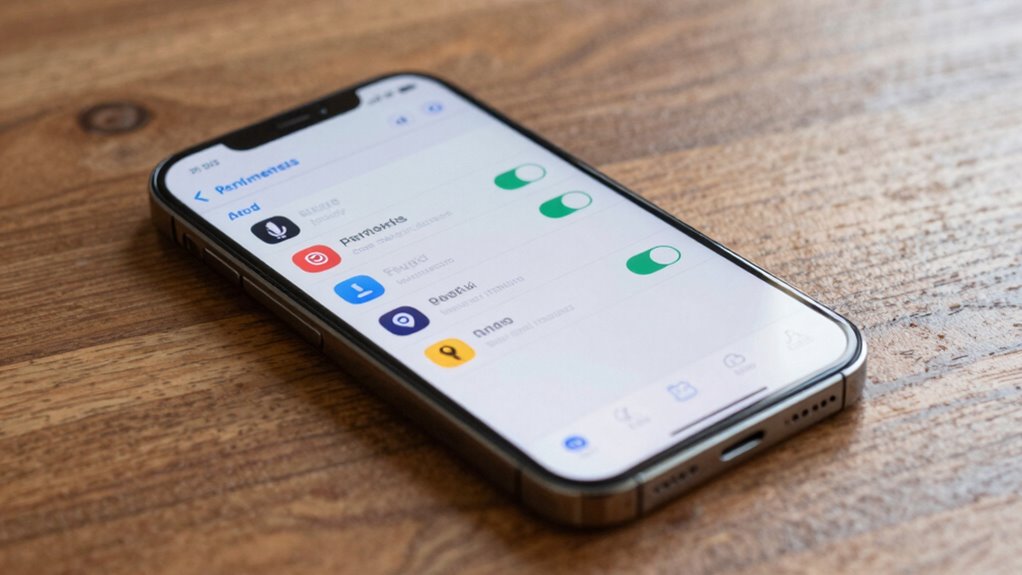
Regularly reviewing your app permissions helps keep your privacy intact and guarantees you’re only sharing data with trusted apps. Conduct permission audits by going into your device’s privacy settings and checking which apps have access to sensitive information like location, camera, or contacts. If an app no longer needs certain permissions, revoke them immediately. Updating your permissions regularly ensures you’re in control of your data and prevents unnecessary access. Additionally, understanding style product differences can help you choose the right tools that align with your privacy preferences. Making it a habit to review permissions after app updates or new app installations is essential, as permission management is a crucial aspect of digital privacy. This proactive approach minimizes privacy risks and keeps your data secure. Performing regular permission audits helps you stay aware of which apps have ongoing access to your information and adapt your settings accordingly. Remember, managing permissions isn’t a one-time task; it’s an ongoing process that safeguards your digital privacy through consistent permission audits and careful adjustment of your privacy settings. Regularly reviewing these permissions also helps identify any potential software vulnerabilities that could be exploited if left unchecked.
Frequently Asked Questions
Can App Permissions Be Changed After Installation?
Yes, you can change app permissions after installation. You just need to go into your device’s permission settings, find the specific app, and adjust its app access. This allows you to control what information or features the app can access, enhancing your privacy. Regularly reviewing and updating permission settings helps you stay in control of your apps and protect your personal data from unnecessary access.
What Are the Risks of Granting Excessive Permissions?
Granting excessive permissions can markedly increase your risk of privacy breaches and data misuse. Studies show that over 70% of apps request permissions they don’t need, exposing your personal info. When you give too many permissions, hackers and malicious apps can access sensitive data, track your activity, or misuse your information. Always review app permissions carefully to protect your privacy and prevent potential threats.
How Do App Permissions Differ Between Android and iOS?
You’ll find that Android offers more granular permission management, letting you control each permission individually and decide when apps can access certain features. iOS emphasizes app transparency, prompting you clearly about permissions and often requiring your approval before access. Both systems aim to protect your privacy, but Android’s permission management gives you more detailed control, while iOS focuses on transparent prompts, making it easier to understand how your data is used.
Are There Apps That Request Unnecessary Permissions?
You might encounter apps requesting permission misuses, which are often part of common app permission myths. Some apps ask for unnecessary permissions that aren’t relevant to their functionality, leading to potential privacy risks. Always review app permission prompts carefully, and don’t hesitate to deny requests that seem excessive or unrelated. Protect your privacy by understanding that not every permission request is justified, and staying vigilant helps prevent unwarranted data sharing.
How Can I Restrict Permissions for Pre-Installed Apps?
You can restrict permissions for pre-installed apps through permission management tools or by adjusting settings directly on your device. First, go to your device’s settings and find the app in question. Then, access the permissions section to disable or limit unnecessary access. If your device doesn’t offer fine-tuned controls, consider using third-party permission management tools to manage pre-installed app restrictions more effectively, enhancing your privacy.
Conclusion
By staying vigilant and regularly reviewing your app permissions, you take control of your privacy. Remember, “A stitch in time saves nine”—addressing permissions now prevents bigger issues later. Keep a habit of checking who has access to your location, camera, microphone, and contacts. When you manage permissions thoughtfully, you safeguard your personal information and enjoy a safer digital experience. Protecting your privacy is an ongoing effort, so stay proactive and informed.