
🔍 Read the full analysis: How Scrolling Shapes The SVG Experience In “TURBINE — WERK 9” on ThorstenMeyerAI.com
TL;DR
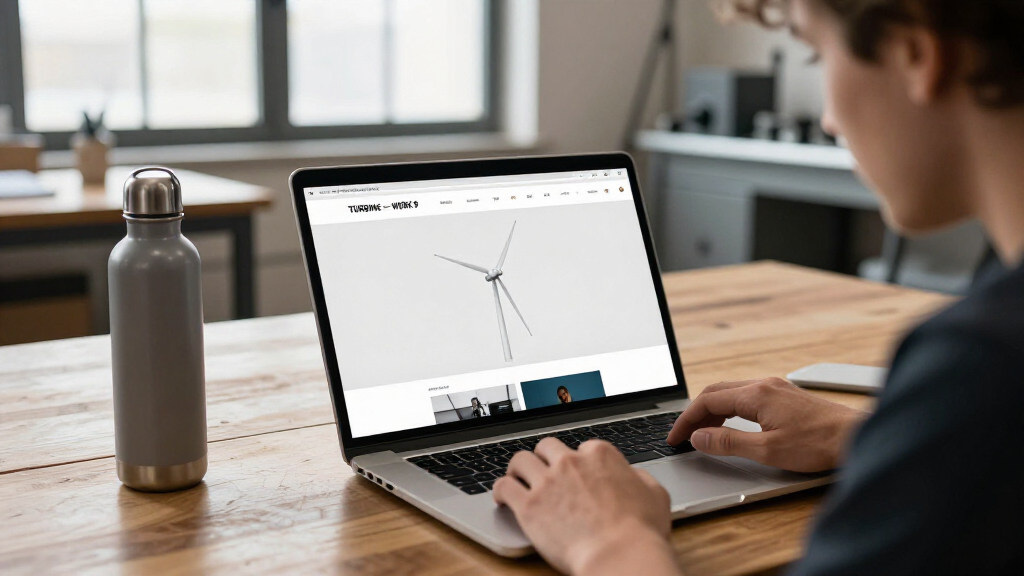
TURBINE — WERK 9 is an interactive web experience built around a scroll-driven SVG rotor. Its field-guide format links movement through the page to the mechanics and atmosphere of the place, though implementation details and performance information have not been provided.
TURBINE — WERK 9 uses a scroll-driven SVG rotor to make movement through a web page feel connected to the mechanics of an industrial site, according to the original project presentation on ThorstenMeyerAI.com. The project is framed as an interactive field guide rather than a conventional brochure, putting page navigation at the center of the experience.
The site’s described interaction pairs an ordinary browser input—scrolling—with a set of vector paths that form a rotor. As visitors move through the page, the rotor’s motion is intended to respond, tying the act of reading to the visual language of machinery. The presentation characterizes this as a way to make the page feel like a space visitors can explore, rather than a static document.
The project is also organized around a field-guide format, giving visitors a structure for that exploration. ThorstenMeyerAI.com says the associated design teardown examines how the team shaped the rotor’s motion, organized the visual system and translated a physical-feeling environment into a browser experience. The page directs readers to a live version as well as the case study, but does not identify individual designers or provide technical specifications.
The central design proposition is that scrolling can do more than move content: it can provide an input for a visual mechanism that changes as the reader advances. That makes the interaction itself part of the subject, not simply a control layered onto an otherwise conventional page.
How Scrolling Shapes the SVG Experience in “TURBINE — WERK 9”
A scroll-driven rotor turns page progress into part of the story: an invitation to explore an industrial atmosphere through movement. The concept is documented; its technical details and measured outcomes remain undisclosed.
A page with a pulse
The presentation pairs a familiar browser input with vector paths shaped as a rotor, connecting reading progress to a visual mechanism.
Scroll turns navigation into motion
The design proposition links movement through the page to a recurring mechanical element. It aims to make browsing feel like exploring a place rather than reading a static brochure.
Keep the gesture familiar
Visitors use ordinary scrolling. The project describes no specialized control to learn before exploring the page.
Give progress a visual form
As the visitor advances, the SVG rotor is intended to respond, tying reading progress to a machine-inspired motion.
Make the interface part of the subject
The rotor and field-guide framing connect page structure with an industrial visual language and a sense of place.
One gesture, a connected story
The stated experience connects navigation, visual storytelling, and exploration. The sequence below shows the intended relationship, not independently measured user behavior.
Scroll
A visitor moves through the page with a familiar browser gesture.
Rotor responds
Page progress supplies an input for the SVG rotor’s motion.
Explore the guide
The field-guide format gives visitors a structure for moving through content.
Meet the atmosphere
Motion and visual language evoke an industrial place in the browser.
Intent is described.
Effect is unverified.
The available account does not include usability testing, accessibility evaluation, performance results, or audience measures. It explains the design proposition, but cannot establish whether the interaction improves comprehension or engagement.
“The most intriguing detail is how the interaction changes what ‘turning the page’ can mean.”ThorstenMeyerAI.com · Project presentation
The short presentation frames the work as an interactive field guide and points readers to a live room and a design teardown.
Known concept, open details
The source describes the experience and its design aims, while leaving implementation, release, and evaluation questions unanswered.
Described in the presentation
- An interactive web experience presented as a field guide.
- A scroll-driven SVG rotor connecting page progress with motion.
- A design teardown about motion, visual organization, and translating physical space for the browser.
- Links to a live room and the full design teardown.
Not stated in the available account
- How the SVG is built or synchronized, and whether motion is continuous or stepped.
- Mobile behavior, browser support, loading performance, and reduced-motion options.
- Keyboard access, accessibility provisions, or results from user testing.
- Release date, represented facility, named creators, and measured outcomes.
Source: ThorstenMeyerAI.com · Project description and linked materials
The experience illustrates a design approach in which navigation and visual storytelling are linked. A visitor’s progress through the page supplies the input for the rotor animation, so the interface can give the impression that reading and operating a mechanism happen together. The effect may make an industrial setting easier to explore through a browser, without requiring the page to imitate a physical tour.
For web designers, the concept is relevant because it uses a familiar action rather than asking visitors to learn a specialized control. The project describes the SVG and scroll input as a way to produce a responsive experience while keeping the design legible. That is the stated intention; no usability testing, accessibility evaluation or performance results are included in the available description, so the effectiveness of the approach cannot be independently assessed from it.
The project also shows how a visual system can carry context: the rotor gives the page a recurring mechanical element, while the field-guide framing supplies a reason to move through its content. Whether that combination improves comprehension or engagement for visitors is not reported.
interactive SVG rotor for websites
As an affiliate, we earn on qualifying purchases.
As an affiliate, we earn on qualifying purchases.
A Field Guide Inside the Browser
ThorstenMeyerAI.com presents TURBINE — WERK 9 as an interactive design project and points readers toward two ways to engage with it: a live room and a full design teardown. The short presentation focuses on the relationship between the rotor’s movement and the visitor’s scroll, describing the result as an interactive field guide with an industrial atmosphere.
The available account names several parts of the design process—shaping motion, arranging visual elements and translating a sense of physical space for the browser—but does not give a project timeline, identify the site or facility represented, or explain the technical implementation. It also does not state when the work was released. The supported account is therefore limited to the project’s stated concept and the invitation to explore it, rather than a detailed production history.
„What if a web page behaved less like a brochure and more like a machine you could walk around?“
— ThorstenMeyerAI.com
As an affiliate, we earn on qualifying purchases.
Technical and Accessibility Details
The project description does not specify how the SVG rotor is built or synchronized with scrolling, whether the motion responds continuously or at selected points, or how the experience behaves on mobile devices. It also does not disclose browser support, loading performance, reduced-motion options, keyboard access or other accessibility provisions. Those details matter when evaluating how the interaction works for different visitors.
It remains unclear who designed or developed the experience, what physical location or machinery it represents, and whether the stated design goals have been tested with users. No release date, audience data or outcome measures are given. The description establishes the scroll-driven concept, but not its measured effects or full implementation.
industrial style SVG illustrations
As an affiliate, we earn on qualifying purchases.
As an affiliate, we earn on qualifying purchases.
The Live Room and Design Teardown
Readers can visit the project’s live room to see how the page responds to scrolling and consult the linked design teardown for the team’s account of the rotor, visual system and translation of physical space into a browser. Those materials are the next places to look for implementation details not included in the short presentation. No further release, update or testing milestone has been announced in the information provided.
Until those details are available, the project can be described with confidence as an interactive field guide centered on a scroll-driven SVG rotor. Claims about its usability, accessibility or impact should remain open rather than being treated as established outcomes.
Source: ThorstenMeyerAI.com
web page scroll interaction plugins
As an affiliate, we earn on qualifying purchases.
As an affiliate, we earn on qualifying purchases.
Key Questions
What is TURBINE — WERK 9?
It is an interactive web experience presented as a field guide, using a scroll-driven SVG rotor to connect page movement with an industrial setting.
How does scrolling affect the experience?
The project description says scrolling acts as an input for the rotor’s motion, linking a visitor’s progress through the page to a mechanical visual element. The exact animation behavior is not specified.
Can visitors try the project?
ThorstenMeyerAI.com links to a live room and a design teardown. The available description does not provide further access or device requirements.
Who created the experience?
The presentation does not name individual designers or developers. It refers to a team but does not identify its members.
What is not yet known about the project?
Technical details, mobile behavior, accessibility support, user testing, performance results and the project’s release date are not stated in the available account.
Source: ThorstenMeyerAI.com